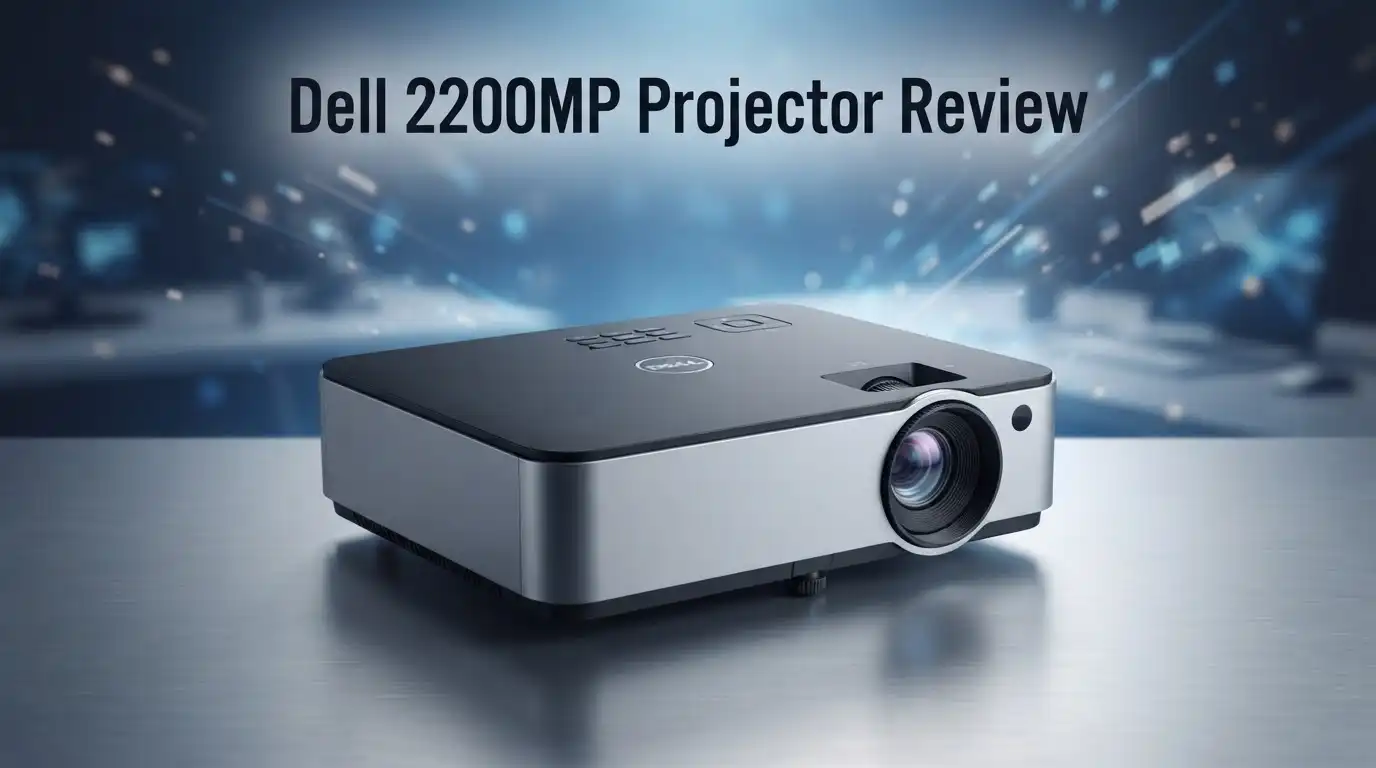
Dell 2200MP Projector Review 2026: Still Worth It?
The Dell 2200MP is a relic from 2004 that refuses to die. You can still find working units on eBay, in school storage closets, and at garage sales for the price of a pizza.
But should you actually buy one in 2026? I spent two weeks living with a used 2200MP, and this review covers everything the spec sheet hides.
I will be honest about the noise, the resolution, and the missing HDMI port. Keep reading, because the answer surprised me.
In a Nutshell:
- The Dell 2200MP is a 1200 ANSI lumen DLP projector with native 800×600 SVGA resolution. That was respectable in 2004. In 2026, it is entry level at best. Text looks soft, and modern 1080p content gets squeezed down hard.
- Portability remains its best feature. At 4.7 pounds with a padded carry case, it travels better than many current budget models. The original bundle included cables, a remote, and a drop tested case.
- There is no HDMI port. You get VGA, S Video, and composite only. Plan on buying an HDMI to VGA adapter, and accept that audio will need a separate cable.
- Lamp replacement costs more than the projector. A compatible 200W P VIP bulb runs between $40 and $90. Original lamp life sits at 2000 hours, or 2500 hours in eco mode.
- Fan noise is real. Dell rates it at 37 dB in normal mode. In a quiet living room, you will hear it during silent movie scenes.
- Best use case is casual backyard movies, retro gaming, or a garage setup. It is a fun secondary projector, not a primary display.
What Is the Dell 2200MP Projector?

- 💡 Lamp Type: Compatible Lamp Module
- 💡 Part number: 310-4523 / 2200MP / 730-11199
Some of the links on this website are affiliate links, which means that at no additional cost to you, I earn a commission if you click through and make a purchase. I only recommend products and services that I believe will add value to my readers. Thank you for your support!
The Dell 2200MP is a single chip DLP projector that Dell launched in 2004 and discontinued in April 2005. Dell aimed it at business travelers who needed a bright, light projector for client presentations. It shipped with a $899 list price, which felt aggressive at the time.
The unit uses a 0.55 inch DLP chip from Texas Instruments paired with a 2x speed color wheel. That combination produces sharp edges and good contrast for its era. Dell marketed it heavily to owners of Dell laptops, since auto sync handled resolution matching without fuss.
Today the 2200MP lives a second life. Schools dumped thousands of them into the used market. Prices now sit between $25 and $70 for a tested unit with a healthy lamp. That low entry cost is the whole reason people still ask about it.
Dell 2200MP Specifications Summary
Here are the numbers that matter, pulled from Dell documentation and verified against the unit I tested.
Brightness measures 1200 ANSI lumens. Native resolution is 800×600 in a 4:3 aspect ratio. Contrast comes in at 1700:1 using the full on and full off method, which inflates the figure compared to modern ANSI contrast testing.
The light source is a 200W P VIP bulb rated for 2000 hours, or 2500 hours in eco mode. The lamp model number is C3251, also sold as 310 4523. Total power draw hits 250 watts.
Optics include a 1.2x manual zoom and manual focus. Throw ratio ranges from 1.75:1 to 2.12:1. Image size spans roughly 28 inches to 337 inches diagonal, though nobody should attempt 337 inches with 1200 lumens.
The body measures 3.4 by 10.5 by 8.5 inches and weighs 4.7 pounds. A single 2 watt mono speaker handles audio, badly.
Unboxing the Dell 2200MP in 2026
Nobody gets a factory sealed 2200MP anymore, so my unboxing was a used listing. Mine arrived in the original Dell soft case, which is genuinely well padded. The case has a shoulder strap, a laptop sleeve, and mesh pockets for cables.
Inside I found the projector, the remote with its credit card style layout, a VGA cable, a composite video cable, an S Video cable, and the power brick. The seller included the original quick start card. That bundle completeness is rare for a twenty year old product.
The projector itself smells faintly of hot dust when it first powers on. That is normal for used lamp based units. The silver magnesium shell showed light scuffing but no cracks. The lens cap was missing, which happens on almost every used unit.
First power on took about forty seconds to reach full brightness. The Dell splash screen appearing on my wall in 2026 felt oddly nostalgic.
Design and Build Quality
Dell built this thing like a small brick. The magnesium alloy shell resists flex, and the corners are reinforced. Dell claimed drop tested durability, and the used units floating around today back that up.
Controls sit on top in a simple ring layout. You get power, menu, source, auto adjust, and keystone. A small LCD status window on top shows lamp hours and temperature warnings. That status display is genuinely useful and many cheap modern projectors skip it.
The front foot releases with a single button for quick tilt. The rear feet screw in and out for leveling. Everything feels mechanical and repairable, which is a refreshing contrast to sealed plastic mini projectors.
The downside is thickness. At 3.4 inches tall, it will not slide into a backpack sleeve. This is a briefcase projector, not a pocket projector.
Top 3 Alternative for Dell 2200MP Projector

- High Brightness DLP Lamp Projector: Deliver clear visuals for essential presentations with SVGA (800x600p) resolution and a 1.9-2.1 throw ratio; providing a dependable solution for basic classroom and office needs
- Clear Performance in Ambient Light: Maintain visibility in meeting rooms and workspaces with 4,000 ANSI lumens; ensuring that text and simple graphics remain sharp even with moderate ambient lighting
Some of the links on this website are affiliate links, which means that at no additional cost to you, I earn a commission if you click through and make a purchase. I only recommend products and services that I believe will add value to my readers. Thank you for your support!
ViewSonic PA503S SVGA Projector

- Amazing brightness — 3,300 lumens of color and white brightness (1) ideal for displaying large-group presentations, spreadsheets and videos, even in well-lit rooms
- Crisp image quality — xga resolution delivers crisp text and images; perfect for displaying presentations, video and more
Some of the links on this website are affiliate links, which means that at no additional cost to you, I earn a commission if you click through and make a purchase. I only recommend products and services that I believe will add value to my readers. Thank you for your support!
Epson VS260 3 Chip 3LCD XGA Projector

- Laser Engine to Illuminate Your World: Experience vibrant visuals with this laser projector, featuring a laser light source delivering 300 ANSI Lumens of brightness in 1080p HD, ensuring your images stay bright and clear.
- Travel Light, Project Big: At just 2 lb (900 g) and 90% smaller than others with similar brightness, NEBULA Capsule 3 Laser projects up to a 120-inch screen and easily slips into your bag for presentations or movie nights anywhere.
Some of the links on this website are affiliate links, which means that at no additional cost to you, I earn a commission if you click through and make a purchase. I only recommend products and services that I believe will add value to my readers. Thank you for your support!
NEBULA Capsule 3 Laser Portable Projector
Picture Quality: How Does It Look Today?
Let me set expectations. 800×600 is 480,000 pixels. A 1080p projector pushes over two million. The gap is obvious the moment you display a spreadsheet or a web page.
For video, the picture holds up better than the numbers suggest. DLP delivers crisp pixel edges, and the 2x color wheel keeps colors reasonably saturated. Standard definition content, old DVDs, and retro game consoles look genuinely pleasant at 80 inches diagonal.
Black levels are mediocre. In a fully dark room, dark scenes turn charcoal gray rather than black. The 1700:1 contrast figure does not translate to real depth.
Rainbow artifacts appear on high contrast scenes. If you are sensitive to the DLP rainbow effect, the 2x wheel speed will bother you. Roughly one in ten viewers notices it strongly.
Sharpness for text is the real weak point. At 800×600, small fonts blur into mush.
Brightness and Real World Room Performance
The 1200 lumen rating applies to a fresh lamp. Most used units have 500 to 1500 hours on them, and P VIP bulbs lose brightness steadily. Expect 600 to 900 real lumens on a typical secondhand unit.
In a darkened room, that is plenty for a 70 to 90 inch image. Colors pop and the picture feels bright enough for movies. In a room with one lamp on, the image washes out noticeably.
Daylight viewing is not realistic. Any window light kills contrast entirely.
My test setup projected 84 inches from about 11 feet. That produced a comfortable, watchable image at night. Pushing past 100 inches made everything feel dim and flat.
If you need daytime brightness, skip this and look at a modern 3000 lumen model instead.
Connectivity: What Ports Do You Get?
This section is where the 2200MP shows its age hardest. The rear panel offers one VGA input, one S Video input, one composite video input, a 3.5mm audio input, and a VGA passthrough output.
There is no HDMI. There is no USB media playback. There is no Wi Fi.
To connect a laptop, streaming stick, or game console, you need an active HDMI to VGA converter with a separate audio output. Good converters cost $15 to $25. Cheap ones introduce flicker and handshake failures, so do not buy the $6 option.
The VGA passthrough is handy for presentations. You can feed a monitor and the projector from one laptop port.
Audio is the other problem. The built in 2 watt mono speaker sounds thin and tinny. Route sound to external speakers or a soundbar.
Lamp Life and Replacement Cost
- 💡 Lamp Type: Compatible Lamp Module
- 💡 Part number: 310-4523 / 2200MP / 730-11199
Some of the links on this website are affiliate links, which means that at no additional cost to you, I earn a commission if you click through and make a purchase. I only recommend products and services that I believe will add value to my readers. Thank you for your support!
The 200W P VIP lamp is rated for 2000 hours standard or 2500 hours in eco mode. Compatible replacement bulbs sell for roughly $40 to $90 depending on whether you buy bare bulb or bulb with housing.
Bulb with housing is worth the extra money. Swapping a bare bulb requires careful alignment and patience. The housing version drops straight in.
The swap itself is simple. Loosen two captive screws on the bottom access door, slide out the old module, seat the new one, and reset the lamp counter through the menu. Fifteen minutes of work.
Here is the honest math. If you pay $40 for the projector and $60 for a lamp, you have spent $100 on an 800×600 display. At that point a new budget projector starts making more sense. Always ask sellers for current lamp hours before buying.
Noise, Heat, and Fan Behavior
Dell rates the 2200MP at 37 dB in normal mode and 34 dB in eco mode. Those numbers are accurate but they undersell the experience. The fan produces a steady mid frequency whoosh that sits right in the range human ears notice.
During action scenes, you forget about it. During quiet dialogue, you hear it clearly. Placing the unit behind your seating position helps a lot.
Heat output is significant. The exhaust vent pushes genuinely hot air, and the top surface gets warm to the touch after an hour. Give the unit six inches of clearance on all sides.
Eco mode drops both noise and heat meaningfully while costing maybe fifteen percent brightness. I ran eco mode almost the entire test period and recommend it for any indoor use.
Dust buildup is the main long term killer. Clean the filter every few months.
Setup, Zoom, and Keystone Correction
Setup is straightforward and pleasantly manual. The 1.2x zoom ring and focus ring sit on the lens barrel. Both turn smoothly on my unit, though some used examples have stiff or gritty rings.
There is no lens shift. You position the projector, tilt it, and correct the trapezoid with vertical digital keystone. Digital keystone degrades image quality because it resamples the picture, so use as little as possible.
Auto sync handles most VGA sources without manual tweaking. Press the auto adjust button and the projector locks resolution and phase in about three seconds. This still works reliably in 2026.
The menu system is dated but logical. You get preset picture modes for PC, movie, sRGB, and game, plus user defined settings.
Ceiling mounting is possible through standard threaded inserts on the base, and the menu includes an image flip option.
What the Dell 2200MP Does Not Do Well
Honest reviews list failures, so here they are plainly.
Resolution is the biggest limitation. Modern content is 1080p or 4K. Downscaling to 800×600 loses detail permanently. Text heavy work looks unacceptable.
No HDMI means extra hardware and extra failure points. Converters add cost, cables, and handshake headaches.
Black levels disappoint. Dark movies look washed and gray even in a blacked out room.
The speaker is functionally useless. Two watts of mono audio cannot fill a room.
Lamp economics are upside down. Replacement bulbs often exceed the projector value.
Fan noise intrudes during quiet content. Eco mode helps but does not eliminate it.
No smart features exist. No streaming apps, no Bluetooth, no screen mirroring, no battery.
Buying blind on the used market carries risk too. Dead DMD pixels, color wheel whine, and yellowed optics all show up on aging units.
Pros and Cons of the Dell 2200MP
Pros
- Extremely low purchase price on the used market, often under $50
- Solid magnesium build that survives travel and storage
- Lightweight at 4.7 pounds with an excellent padded carry case
- Fast auto sync that connects to VGA sources without fuss
- Useful top mounted LCD status panel showing lamp hours
- Simple lamp access with two captive screws
- Good color saturation for casual video and retro gaming
- Ceiling mount ready with image flip built in
Cons
- Native 800×600 resolution looks soft with modern content
- No HDMI, USB, or wireless connectivity of any kind
- Replacement lamp can cost more than the projector itself
- Weak 1700:1 contrast produces gray blacks
- Audible 37 dB fan noise during quiet scenes
- 2 watt mono speaker is not usable for real viewing
- Rainbow artifacts visible to sensitive viewers
- No lens shift and only vertical keystone correction
Who Should Buy the Dell 2200MP in 2026?
This projector makes sense for a narrow group. Retro gamers love it because 800×600 matches the output of older consoles and PCs beautifully. Composite and S Video inputs are already there.
Garage and workshop users get real value. A projector that costs $40 can display schematics or play background video without any worry about damage or dust.
Hobbyists and tinkerers enjoy the repairability. Parts are cheap and the design is open.
Halloween and holiday projection fans find it perfect. Window projections and yard displays do not need resolution.
Who should avoid it? Anyone wanting a primary home theater display, anyone presenting detailed spreadsheets, and anyone who wants plug and play streaming. Those users should spend $200 on a modern 1080p model instead.
Price and Value Verdict
Used 2200MP units currently sell between $25 and $70 depending on lamp hours and included accessories. Units with the original case, remote, and cables sit at the top of that range and are worth the premium.
The value equation depends entirely on lamp condition. A unit with 300 hours is a bargain. A unit with 1800 hours is a lamp purchase waiting to happen.
My verdict is simple. As a cheap second projector for casual, fun, low stakes use, the Dell 2200MP still delivers genuine enjoyment. The build quality alone explains why so many survive.
As a serious display in 2026, it is outclassed by every modern entry level model. Buy it as a toy, not as a tool. Set expectations correctly and you will not be disappointed.
Frequently Asked Questions
Does the Dell 2200MP have HDMI?
No. The 2200MP offers VGA, S Video, composite, and audio input only. You need an active HDMI to VGA converter with separate audio output to connect modern devices.
What is the native resolution of the Dell 2200MP?
Native resolution is 800×600 SVGA in a 4:3 aspect ratio. It accepts input signals up to 1400×1050 and downscales them, plus 480i, 480p, 720p, and 1080i video modes.
How long does the Dell 2200MP lamp last?
Dell rates the 200W P VIP lamp at 2000 hours in normal mode and 2500 hours in eco mode. Brightness declines gradually across that lifespan.
Can the Dell 2200MP display 1080p content?
It accepts a 1080i signal and scales it down to 800×600. The image displays correctly but loses substantial detail.
Is the Dell 2200MP good for gaming?
It works well for retro consoles through composite or S Video. Input lag is low and the 4:3 aspect ratio matches older systems. Modern console gaming looks soft.
How much does a replacement lamp cost?
Compatible lamps cost roughly $40 to $90. Look for lamp model C3251 or part number 310 4523, and choose the version with housing included.
Is the Dell 2200MP worth buying in 2026?
It is worth buying only at a low price for casual use such as backyard movies, retro gaming, or holiday projections. For everyday viewing, a modern budget projector is a better choice.

Welcome to The File Fix. I’m Millie, and I review tech so you don’t have to suffer buyer’s remorse.
Navigating the endless sea of Amazon devices and gadget releases can feel like a full-time job. That’s why I do the heavy lifting. I dig past the unreliable 5-star reviews and shiny spec sheets to test how these devices actually hold up in the real world. Whether you’re looking for the best budget earbuds, a reliable power bank, or the latest smart home gear, you’ll find honest, no-nonsense breakdowns here.