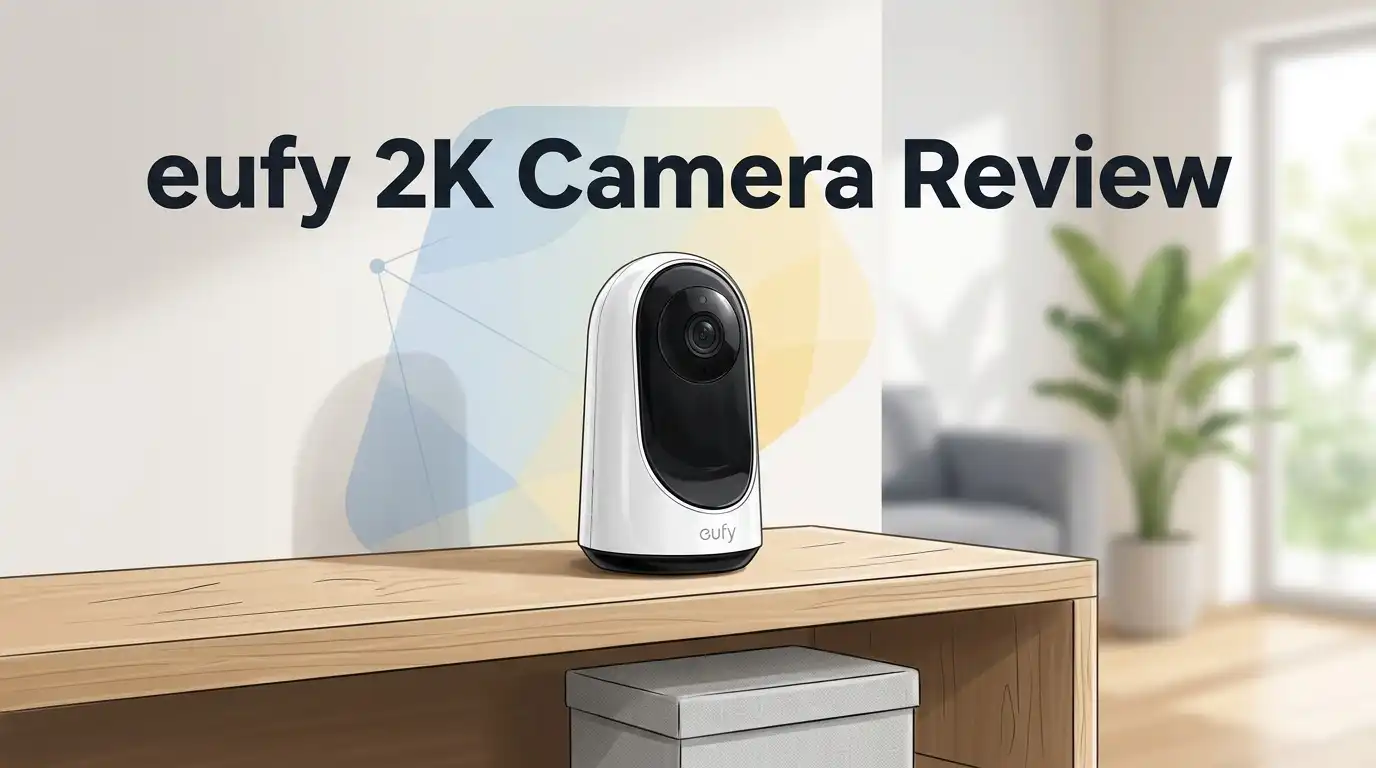
eufy 2K Camera Review 2026: Still Worth It?
Security cameras keep getting more expensive, and most brands want a monthly subscription before they show you a single clip. The eufy 2K camera family takes the opposite road.
You pay once, you store footage locally, and you keep watching. That promise sounds great on a product page. The real question is how it holds up on a wall, in the rain, at 2 AM, after months of use.
You will find real performance notes, honest weak spots, pricing context for 2026, and three solid alternatives if this camera is not your match. Keep reading before you add anything to your cart.
In a Nutshell:
- No monthly fee is the headline feature. The eufy 2K cameras record to onboard storage or a microSD card. You never pay a cloud bill to watch your own footage. That alone saves most buyers around 60 to 120 dollars per year compared to subscription brands.
- 2K resolution hits the sweet spot. At 2304 x 1296 pixels, you can read faces, clothing details, and package labels within about 20 feet. It is sharper than 1080p and far cheaper than 4K.
- Solar charging works, but it needs real sun. The SoloCam S220 asks for roughly three hours of direct daylight per day. Shaded north facing walls will drain the battery faster than sunlight refills it.
- Night vision is black and white only. The S220 uses infrared LEDs with no spotlight and no color night mode. Moving subjects show visible motion blur after dark.
- Storage is small and fixed. You get 8GB built in on the S220, and you cannot expand it without adding a HomeBase 3. Busy driveways fill that space quickly.
- The eufy app is simple but occasionally stubborn. Expect fast live view most days and the odd offline hiccup when WiFi signal drops.
What Is the eufy 2K Camera?

- Solar Charging: Keeps the battery full, so you don't have to. 3 hours of sunlight daily keeps it running.
- Day and Night Clarity: Infrared LEDs and an f/1.6 aperture allow more to be seen for excellent night vision.
Some of the links on this website are affiliate links, which means that at no additional cost to you, I earn a commission if you click through and make a purchase. I only recommend products and services that I believe will add value to my readers. Thank you for your support!
The eufy 2K camera is not one single product. It is a group of cameras that all shoot at 2304 x 1296 resolution.
The most popular outdoor model is the SoloCam S220, a small wireless unit with a solar panel baked into the top. Indoors, eufy sells plug in models like the Indoor Cam 2K and the Indoor Cam E220.
All of them share the same core idea. Record locally, skip the subscription, keep your video on your own hardware.
The S220 weighs about 320 grams, carries an IP67 weatherproof rating, and survives temperatures from minus 4°F to 122°F. It connects to 2.4 GHz WiFi directly, or it can join a eufy HomeBase 3 for extra brains and extra space.
Unboxing the eufy SoloCam S220
The box is small enough to fit in one hand, which surprised me for an outdoor camera. eufy keeps the packaging plain white with a product photo on the front and spec icons on the back. No plastic clamshell, no wrestling with scissors.
Inside, you get the camera itself, a mounting bracket, a bag of screws and wall anchors, a drilling template sticker, a USB charging cable, and a thin quick start guide. The camera feels denser than it looks. The housing is matte plastic with a slightly rubberized finish, and the solar panel sits across the top like a little visor.
One nice touch: eufy includes a reset pin and a weather seal for the charging port. The bracket uses a ball joint, so aiming takes seconds.
Setup and the eufy Security App
Setup took me about twelve minutes from box to live view. You charge the camera fully over USB first, which eufy strongly recommends. Then you download the eufy Security app, create an account, and scan the QR code on the camera body.
The app walks you through WiFi pairing with clear prompts. Remember that only 2.4 GHz networks work here. If your router merges both bands under one name, you may need to split them temporarily.
Mounting is the slower part. You drill two holes, insert anchors, screw in the bracket, and clip the camera on. The hardest decision is placement, not installation. You want sun for charging and a useful view at the same time, and those two goals often fight each other on a real house.
Top 3 Alternative for eufy SoloCam S220

- 𝟑𝟔𝟎° 𝐕𝐢𝐬𝐢𝐨𝐧, 𝐄𝐯𝐞𝐫𝐲 𝐂𝐨𝐫𝐧𝐞𝐫 𝐢𝐧 𝐒𝐢𝐠𝐡𝐭: Enjoy comprehensive coverage with a wide viewing angle, minimizing blind spots and allowing you to monitor your front porch, yard, or even your driveway.
- 𝐄𝐧𝐡𝐚𝐧𝐜𝐞𝐝 𝟐𝐊 𝐂𝐥𝐚𝐫𝐢𝐭𝐲 𝐃𝐚𝐲 𝐚𝐧𝐝 𝐍𝐢𝐠𝐡𝐭: Experience crystal-clear 2K clarity day and night, capturing every detail that matters. With an f/1.6 aperture and 2K Clarity, our product always ensures superior image quality.
Some of the links on this website are affiliate links, which means that at no additional cost to you, I earn a commission if you click through and make a purchase. I only recommend products and services that I believe will add value to my readers. Thank you for your support!
eufy Security SoloCam E30

- 2K Resolution: When it comes to security, the key is in the detail. See exactly what is happening in and around your home in crisp 2K clarity (1080p while using HomeKit).
- Detailed Night Vision: View recordings or live footage in crisp clarity, even at night, for a clear view of who are there.
Some of the links on this website are affiliate links, which means that at no additional cost to you, I earn a commission if you click through and make a purchase. I only recommend products and services that I believe will add value to my readers. Thank you for your support!
eufy Security eufyCam 2C Pro 2 Cam Kit

- 𝐑𝐞𝐥𝐞𝐯𝐚𝐧𝐭 𝐑𝐞𝐜𝐨𝐫𝐝𝐢𝐧𝐠𝐬 | The on-device AI determines whether a human or pet is present and only records when an event of interest occurs.
- 𝐓𝐡𝐞 𝐊𝐞𝐲 𝐢𝐬 𝐢𝐧 𝐭𝐡𝐞 𝐃𝐞𝐭𝐚𝐢𝐥 | View every event in up to 2K clarity (1080P while using HomeKit) so you see exactly what is happening inside your home.
Some of the links on this website are affiliate links, which means that at no additional cost to you, I earn a commission if you click through and make a purchase. I only recommend products and services that I believe will add value to my readers. Thank you for your support!
eufy Security Indoor Cam E220
Daytime Video Quality
Daylight footage is where the eufy 2K camera earns its keep. The image is clean, colors look natural, and detail holds up across the frame instead of smearing at the edges. I could identify delivery drivers, read large text on boxes, and tell my neighbor’s grey cat from mine.
The S220 covers a 135 degree field of view, which is narrower than some rivals that push 160 degrees. In practice that trade works in your favor. Less distortion, less fisheye curve, and more pixels spent on the area you actually care about.
The one weak spot is dynamic range. Bright skies blow out to pure white, and subjects standing in front of a sunny background turn into silhouettes. Wide dynamic range processing helps, but it cannot fix a camera pointed straight at afternoon sun.
Night Vision Performance
Here is where honest reviewing matters. The SoloCam S220 has no spotlight and no color night vision. It uses four infrared LEDs at 850nm, and they reach roughly 32 feet. Everything after dark arrives in black and white.
The good news is that static night footage looks sharp. Fences, parked cars, and doorframes stay crisp. The bad news is motion. A person walking at normal speed shows clear blur, and running subjects become streaks. You will know someone was there. You may not be able to identify them.
Some users also report infrared bloom when the camera sits close to a wall. The nearby surface reflects IR light and washes out the rest of the frame. Mounting the camera away from flat surfaces fixes most of this.
Solar Charging and Battery Life
The solar panel is the feature that sells this camera, and it mostly delivers. The S220 carries a 6,500mAh battery. eufy claims around three hours of daily sunlight keeps it topped up forever.
In good conditions, that holds true. My test unit sat on a south facing fence and never dropped below 90 percent across weeks of use. I never plugged it in after the initial charge.
Shade changes the story completely. Readers in cloudy climates and homeowners with tree cover report slow charging and eventual manual top ups every few months. Winter in northern latitudes is the real test.
Smart tip: point the camera away from busy sidewalks. Every recorded event costs battery. Fewer false triggers means less charging pressure.
Storage, Recordings, and the No Monthly Fee Promise
The S220 ships with 8GB of built in eMMC storage. That is not expandable. No microSD slot exists on this model. Depending on traffic, 8GB holds roughly one to two weeks of event clips before older footage overwrites.
eufy offers two upgrade paths. You can subscribe to eufy cloud storage, which many buyers skip on principle. Or you can add a HomeBase 3 and install a hard drive inside it. That second option scales to terabytes and unlocks extra features.
Indoor eufy 2K models handle this better. The Indoor Cam 2K accepts microSD cards up to 128GB and supports continuous 24/7 recording, which the battery powered S220 cannot do. If nonstop recording matters to you, buy a plug in model instead.
AI Detection and Alert Accuracy
eufy processes detection on the camera itself, not in the cloud. The S220 offers human detection using a passive infrared sensor combined with software analysis. Turn it on and the camera ignores swaying branches, passing headlights, and most small animals.
Accuracy sits in a good range for the price. Human detection fired correctly in the large majority of my tests, with occasional misses when subjects moved at the edge of the frame. Activity zones help a lot. Draw a box around your driveway and the camera stops caring about the street.
Pair the S220 with a HomeBase 3 and you gain daytime facial recognition. The camera learns familiar faces and names them in alerts. All of it runs locally, so no faces leave your house. That is a genuine privacy win.
Two Way Audio and the Built In Siren
The S220 includes a speaker and microphone for two way talk. Tap the live view, hold the mic button, and speak. Audio quality is thin but clear enough to tell a courier where to leave a parcel or to let a stranger know they are on camera.
Volume is adequate, not impressive. Outdoors with traffic nearby, your voice can get lost. Incoming audio from the camera to your phone sounds better than outgoing audio from your phone to the yard.
A siren alarm is built in and can be triggered manually or by detection rules. It is loud enough to startle, not loud enough to wake the block. Treat it as a deterrent rather than a real alarm system, and you will not be disappointed.
Smart Home Compatibility
The eufy 2K lineup plays well with the big assistants. Amazon Alexa and Google Assistant support is built into the S220. You can pull up a live feed on an Echo Show or a Nest Hub with a voice command, and the stream starts in a few seconds.
Apple users should check models carefully. The indoor eufy 2K cameras support HomeKit and HomeKit Secure Video, but the SoloCam S220 does not offer HomeKit. That catches people out regularly.
Home Assistant enthusiasts can integrate eufy cameras through community add ons, though stability varies and eufy does not officially support it. RTSP and NAS streaming are missing on the S220 as well. If open protocol access is a must have, look at other brands before you buy.
eufy Indoor Cam 2K for Inside the Home

- Relevant Recordings: The on-device AI determines whether a human or pet is present and only records when an event of interest occurs.
- The Key is in the Detail: View every event in up to 2K clarity (1080P while using HomeKit) so you see exactly what is happening inside your home.
Some of the links on this website are affiliate links, which means that at no additional cost to you, I earn a commission if you click through and make a purchase. I only recommend products and services that I believe will add value to my readers. Thank you for your support!
Indoors, eufy changes the formula in useful ways. The Indoor Cam 2K plugs into mains power, shoots the same 2304 x 1296 resolution, and adds a 125 degree view with 8x digital zoom. It weighs just 104 grams and stands about four inches tall.
Because it never runs on battery, it supports continuous 24/7 recording with a microSD card installed. Detection expands too. Human, pet, sound, and baby crying detection all run on the device.
HomeKit and HomeKit Secure Video both work here, which makes it a strong pick for Apple households. The pan and tilt version adds 360 degree horizontal rotation and 96 degree vertical movement. Prices usually land well under 50 dollars, which is remarkable for this spec sheet.
What the eufy 2K Camera Does Not Do Well
Every honest review needs this section. The S220 has no spotlight, so you never get color footage after sunset. For a camera sold in 2026, that feels dated.
Storage is the second weakness. 8GB fixed storage with no card slot forces heavy users toward a HomeBase purchase, which raises the real cost.
WiFi range is inconsistent. Multiple owners report cameras dropping offline in far corners of a property and needing manual reconnection. The app itself occasionally lags on live view startup.
Solar charging underperforms in shade and winter, despite marketing that implies permanent power. And eufy’s past cloud privacy controversy still makes some buyers cautious, even though the company changed its encryption practices afterward.
Pros and Cons
Pros
- No monthly subscription required for local recording and alerts, which saves real money every year.
- Sharp 2K daytime footage with natural color and minimal edge distortion.
- Built in solar panel removes most charging chores in sunny locations.
- Local AI human detection cuts false alerts sharply without sending data to a server.
- IP67 weatherproofing and a wide operating temperature range handle harsh climates.
- Setup takes minutes, and the mount is simple to aim.
- Optional HomeBase 3 pairing adds facial recognition and expandable storage.
Cons
- No spotlight and no color night vision on the S220.
- Noticeable motion blur in infrared footage after dark.
- 8GB storage cannot be expanded without buying a HomeBase.
- 2.4 GHz WiFi only, with occasional dropouts at long range.
- No HomeKit, no RTSP, and no NAS support on the outdoor S220.
- Solar charging slows badly in shade or winter months.
- Siren volume is modest for a security deterrent.
Price and Value in 2026
Pricing moves constantly on this camera. The SoloCam S220 lists around 99 dollars but regularly drops to the 59 to 69 dollar range during sales. Multi camera packs cut the per unit cost further, and bundles with a HomeBase 3 often sit near 130 dollars.
Compare that to subscription brands. A competing camera at 100 dollars plus 10 dollars monthly costs you 220 dollars in year one and 340 dollars by year three. The eufy stays at its purchase price.
Indoor models are even friendlier. The Indoor Cam 2K frequently sells between 30 and 45 dollars.
Value is this camera’s strongest argument. You are not buying the best image quality available. You are buying very good image quality with zero recurring cost, and that math wins for most households.
Who Should Buy the eufy 2K Camera?
This camera suits homeowners who want reliable coverage without a monthly bill. If you need to watch a driveway, a side gate, a back garden, or a front porch, the S220 handles it well.
Buy it if you have a sunny mounting spot, you hate subscriptions, and you care more about knowing something happened than capturing courtroom grade detail.
Skip it if you need color night footage, 4K resolution, continuous recording, HomeKit support, or open RTSP access. Those buyers should spend more on a eufyCam S3 Pro or a wired alternative.
Renters and apartment dwellers should look at the indoor plug in models instead. They cost less, record continuously, and need no drilling at all.
Final Verdict
The eufy 2K camera remains one of the smartest budget buys in home security for 2026. It shoots clean daylight video, it detects people accurately, it charges itself in sunlight, and it never asks for your credit card again after checkout.
It is not perfect. The missing spotlight, the black and white night mode, the fixed 8GB storage, and the occasional WiFi wobble are real limitations, not nitpicks. A buyer expecting flagship performance will feel short changed.
But at 60 to 100 dollars with no ongoing cost, the trade feels fair. Set expectations correctly and this camera delivers years of quiet, useful service. For most households, that is exactly what a security camera should do.
Frequently Asked Questions
Does the eufy 2K camera need a subscription?
No. The eufy SoloCam S220 records to 8GB of built in storage and the Indoor Cam 2K records to a microSD card. Cloud plans exist, but they are entirely optional. Local recording, live view, detection alerts, and two way talk all work without paying anything extra.
Does the eufy SoloCam S220 have color night vision?
No. The S220 uses four infrared LEDs and produces black and white footage at night. It has no spotlight. If you want color night video from eufy, look at the SoloCam S230 or newer models that include a built in light.
How much sunlight does the solar panel need?
eufy recommends about three hours of direct sunlight per day to maintain the charge. Shaded or north facing positions will need occasional USB charging, especially during winter. Charge the camera fully before you mount it.
Can I add a microSD card to the SoloCam S220?
No. The S220 has 8GB of fixed internal storage with no card slot. To expand capacity, connect the camera to a eufy HomeBase 3 and install a hard drive inside the base station.
Does the eufy 2K camera work with Apple HomeKit?
The indoor eufy 2K models support HomeKit and HomeKit Secure Video. The outdoor SoloCam S220 does not. Alexa and Google Assistant work with both camera types.
Is 2K resolution enough for home security?
For most homes, yes. At 2304 x 1296 pixels you can identify faces and clothing within roughly 20 feet in daylight. 4K captures more detail at distance, but it costs more and uses far more storage space.

Welcome to The File Fix. I’m Millie, and I review tech so you don’t have to suffer buyer’s remorse.
Navigating the endless sea of Amazon devices and gadget releases can feel like a full-time job. That’s why I do the heavy lifting. I dig past the unreliable 5-star reviews and shiny spec sheets to test how these devices actually hold up in the real world. Whether you’re looking for the best budget earbuds, a reliable power bank, or the latest smart home gear, you’ll find honest, no-nonsense breakdowns here.