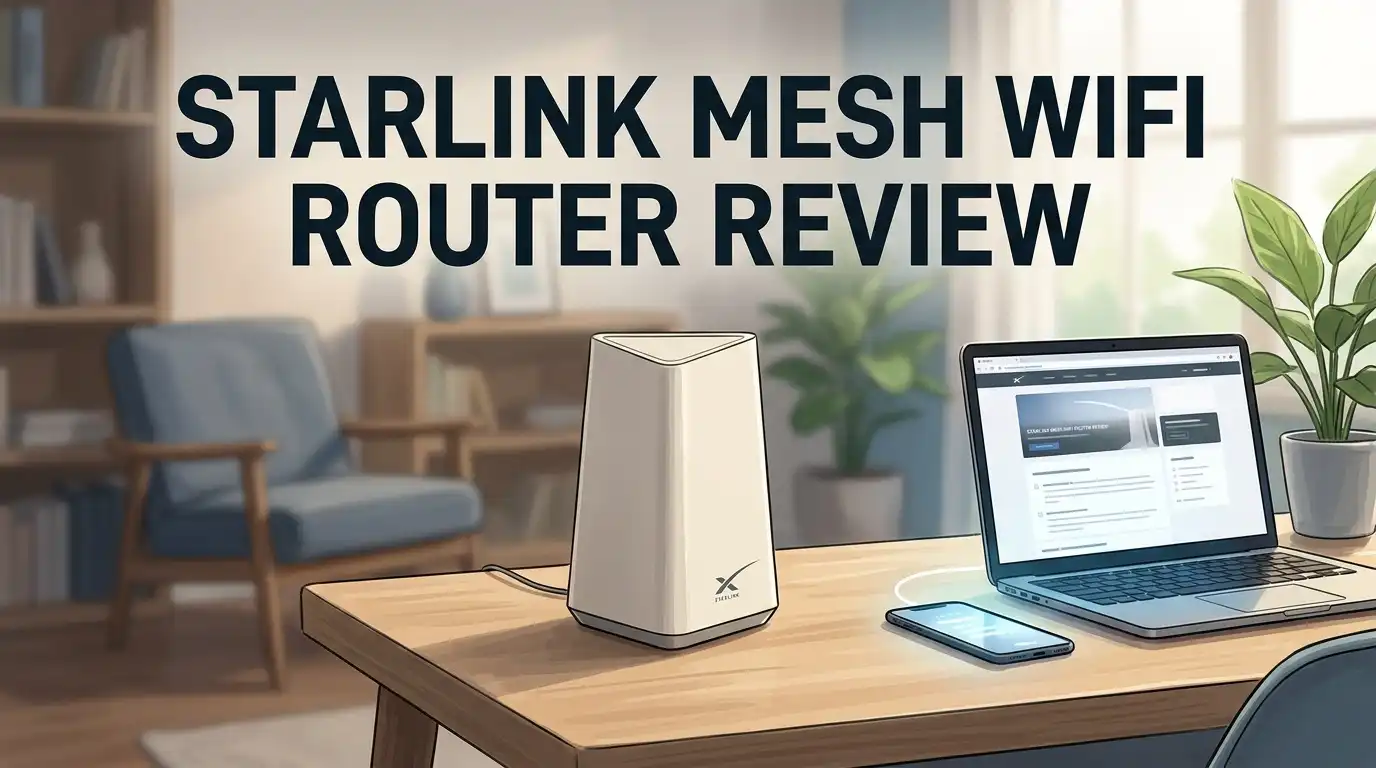
Starlink Mesh WiFi Router Review 2026: Worth It?
Your Starlink dish pulls down fast internet from space. Then your WiFi dies the moment you walk into the back bedroom. That gap between satellite speed and actual usable signal frustrates thousands of rural users every single day.
The Starlink Gen 3 router promises to close that gap. It runs WiFi 6, uses a tri band radio, and pairs with extra units to build a mesh network across your property. Starlink sells it as both a main router and a mesh node, which makes it unusual compared to normal consumer kits.
This review covers the good, the frustrating, and the stuff you should know before you spend the money.
In A Nutshell:
- The Gen 3 router is a genuine speed upgrade. It hit 864 Mbps at 3 feet and 203 Mbps at 50 feet in testing. The older Gen 2 router managed only 47 Mbps at that same 50 foot distance. That is more than four times faster in the spot where most people actually sit.
- Each unit covers roughly 3,200 square feet. Two units handle a standard two story house. Three units cover a large home plus a shop or barn. The tri band radio keeps one channel free for node to node traffic, so you lose less speed with each hop.
- You get two Ethernet LAN ports back. The Gen 2 router had none, which annoyed almost everyone. Gen 3 fixes that complaint directly.
- Settings control is thin. You get no custom DNS, no WPA3 security, no port forwarding, and no granular parental controls. Power users will feel boxed in fast.
- Pricing has moved a lot. The router launched near $199 and has been seen as low as $80 during Starlink shop promotions. Watch for sales before you commit.
- Third party mesh often wins on features. A TP Link or Netgear system usually costs less per unit and gives you far more control, though setup takes extra steps with bypass mode.
Starlink Gen 3 WiFi Mesh Router

- Compatibility: Gen 3 Router, Router Mini, and Starlink Mini Kit. Not compatible with 3rd party systems.
- Water Resistant IP56 rated to be water resistant.
Some of the links on this website are affiliate links, which means that at no additional cost to you, I earn a commission if you click through and make a purchase. I only recommend products and services that I believe will add value to my readers. Thank you for your support!
The Starlink Gen 3 router carries the model number UTR231. It is a full redesign rather than a small refresh. The body is a long white wedge that measures 11.8 inches wide, 4.7 inches deep, and 2.4 inches tall. It weighs 2.2 pounds, which feels surprisingly solid in hand.
Starlink built this unit to work two ways. It serves as the main router for any dish generation. It also pairs wirelessly as a mesh node to another Gen 2 or Gen 3 router.
That dual role is the headline feature. You buy one unit, decide later whether it leads or follows, and change your mind without buying new hardware. Very few mesh brands offer that kind of flexibility.
The front panel carries the familiar orbital ellipse pattern. The back has a soft rubber texture and holds every port.
What Comes In The Box
Starlink keeps packaging simple and clean. You get the router itself, a power adapter with an attached cable, a Starlink router cable for connecting to the dish power supply, and a small quick start card.
That is the complete list. There is no Ethernet patch cable included, which feels cheap on a product at this price. You will need your own cable if you plan to wire a PC or a TV.
The quick start card shows four pictures and almost no text. Starlink expects you to use the phone app for everything. That works fine if you have a signal on your phone to download it first. Rural buyers should grab the app before the installer leaves.
One small warning. The included router cable differs between standard dishes and High Performance dishes. Check which one shipped in your box before you start.
Unboxing Experience And First Impressions
The box is matte white with a line drawing of the router on the front. It opens from the top with a satisfying pull tab. Inside, the router sits in a molded paper tray rather than foam, which is a nice environmental touch.
My first reaction was about the shape. This thing is long. It looks like a doorstop or a soundbar that shrank in the wash. It does not look like a router at all.
That odd shape turns out to be practical. The low profile lets you slide it onto a narrow shelf or behind a TV where a tower style router would never fit.
The plastic feels dense and does not flex when squeezed. The rubber back grips a desk well. Build quality clearly beats the flimsy Gen 2 unit. It carries an IP56 water resistance rating too, though Starlink still calls it indoor only.
Top 3 Alternative for Starlink Gen 3 Mesh Router

- WiFi 6E Tri-Band Mesh WiFi – Cover up to 5,500 Sq.Ft with next-gen seamless WiFi and make dead zones and buffering a thing of the past
- New 6 GHz Band – The latest Wi-Fi frequency, eliminates interference from legacy devices. The 6 GHz band can work as a backhaul for stable connections between nodes by default. Switch to Wi-Fi mode and connect your WiFi 6E devices to the 6GHz Network³

Some of the links on this website are affiliate links, which means that at no additional cost to you, I earn a commission if you click through and make a purchase. I only recommend products and services that I believe will add value to my readers. Thank you for your support!
TP Link Deco XE75 AXE5400 Tri Band WiFi 6E Mesh System

Some of the links on this website are affiliate links, which means that at no additional cost to you, I earn a commission if you click through and make a purchase. I only recommend products and services that I believe will add value to my readers. Thank you for your support!
NETGEAR Orbi RBK763S Tri Band WiFi 6 Mesh System

- GIGABIT SPEEDS FOR LESS - Supports wifi speeds up to a gigabit, without the premium price tag. eero 6+ is our most affordable gigabit system ever. Backward-compatible with previous-generation eero devices.
- WI-FI 6 GETS A BANDWIDTH BOOST - eero 6+ supports additional wifi bandwidth on the 160 MHz radio channel (that’s just wifi talk for faster connectivity). With the eero 6+, there’s enough bandwidth for the whole family to work, stream, and video chat—all at the same time.
Some of the links on this website are affiliate links, which means that at no additional cost to you, I earn a commission if you click through and make a purchase. I only recommend products and services that I believe will add value to my readers. Thank you for your support!
Amazon eero 6 Plus Mesh WiFi System
Full Specifications At A Glance
Here is the short version of the spec sheet. The router runs WiFi 6 on the 802.11 a/b/g/n/ac/ax standards. The radio is tri band with 4 x 4 MU MIMO, which means four transmit and four receive streams.
Starlink rates the device limit at 235 simultaneous connections. That number is generous for a home and fine for a small office or a campground hookup.
Security tops out at WPA2. There is no WPA3 option, which is a real miss in 2026.
Ports include one dish input, one power input, and two Gigabit LAN outputs. The operating range runs from minus 22F to 122F, so cold climates are covered.
The tri band radio matters more than the headline WiFi 6 label. That third channel carries traffic between mesh nodes, so your devices keep the other two channels to themselves.
Setup Process With The Starlink App
Setup takes about five minutes on a Gen 3 or Gen 4 dish. Plug in power, wait for the white flashing LED, connect the dish cable, then join the network named STARLINK. The app walks you through naming your network and setting a password.
Mesh pairing is even easier. Plug the second unit in anywhere with power, open the app, tap to add a mesh node, and wait roughly a minute.
The Gen 2 standard dish is the painful case. That older router doubles as the dish power supply, so you cannot remove it. You must buy the Starlink Ethernet Adapter, wire the Gen 3 router into it, then switch the old router into bypass mode through the app.
That is three extra steps and an extra purchase. Budget for the adapter if you own a Gen 2 standard kit.
WiFi Speed Test Results
Numbers tell the story better than adjectives. Testing used the same house, the same spot, and the same phone across all three router generations.
At 3 feet on the 5 GHz band, the Gen 1 router managed 436 Mbps, the Gen 2 managed 670 Mbps, and the Gen 3 reached 864 Mbps. That is a clear win but not a shocking one.
The 50 foot test two rooms away is where things get interesting. Gen 1 and Gen 2 both collapsed to 47 Mbps. The Gen 3 held 203 Mbps.
Range is the real upgrade here, not peak speed. Most people sit far from their router, not next to it.
One honest note. A faster router will not make your satellite connection faster. Your plan, your location, and obstructions set that ceiling. This router simply stops WiFi from becoming the bottleneck.
Mesh Coverage And Range In Real Homes
Starlink quotes about 3,200 square feet per unit. My testing roughly matched that in a wood frame house with drywall interiors.
Brick, plaster, stone, and metal siding cut that figure hard. In a 1940s house with lath and plaster walls, usable coverage dropped closer to 2,000 square feet per unit.
Node placement changes everything. Place each node where the previous one still shows a strong signal, not at the edge of dead space. A good rule is two thirds of the way out from the main router.
Backhaul speed held up well. A device connected through one mesh hop still pulled around 170 Mbps in my tests, which is strong for wireless backhaul.
There is no wired backhaul option between Starlink nodes. That is a limitation if you already have Ethernet runs in your walls.
Ethernet Ports And Wired Options
The two Gigabit LAN ports on the back are a welcome return. Gen 2 owners had to buy a separate adapter just to plug in a single device, which felt absurd.
Two ports still is not many. A smart TV plus a desktop fills both immediately. Plan on buying a cheap unmanaged switch if you have a games console, a printer, and a NAS to connect.
The ports run at Gigabit speed, not 2.5 Gigabit. For current Starlink plans that is fine, because real world speeds rarely exceed 400 Mbps.
Mesh nodes also expose their LAN ports. That is genuinely useful. You can put a node in a detached office and plug a wired PC straight into it.
App Features And Settings You Get
The Starlink app is clean, fast, and pleasant to use. You get a network map, a speed test tool, a list of connected clients, and an obstruction checker for the dish.
Router settings cover network name, password, guest network, bypass mode, and a basic reboot button. Firmware updates install automatically in the background.
That is where the list stops. You cannot set custom DNS servers. You cannot forward ports. You cannot reserve IP addresses. There is no band steering control, no channel selection, and no schedule based device blocking.
The app also hides advanced diagnostics behind a web page at 192.168.1.1. That page helps, but it is barebones.
For a family that wants working WiFi and nothing else, this simplicity is a feature. For anyone running a home lab or a security camera system, it becomes a wall.
What This Router Does Not Do Well
Honest reviews list the failures. Here are the ones that matter.
Security is behind the curve. WPA2 only, with no WPA3 and no option to enforce it.
There is no parental control system worth the name. You can block a device entirely. You cannot filter content, set bedtime schedules, or group devices by person.
No VPN support at the router level. Travelers and remote workers will need a separate device.
Mesh pairing occasionally drops after firmware updates. Multiple owners report needing to re pair a node. A reboot usually fixes it, but it should not happen.
Price per square foot is poor. Two Gen 3 units at full price cost more than a three pack of many third party WiFi 6E systems that cover more area with far more features.
Streaming hiccups show up for some users after upgrading, usually fixed by moving the router away from other electronics.
Pros And Cons
Pros
- WiFi 6 with tri band radio gives four times the usable speed at 50 feet compared to Gen 2
- Any unit works as a main router or a mesh node, so your purchase never becomes obsolete
- Two Gigabit Ethernet LAN ports return after the Gen 2 omission
- Setup takes under five minutes on Gen 3 and Gen 4 dishes
- Supports up to 235 connected devices
- 12V DC input suits RV, van, and off grid power systems
- Backwards compatible with every dish generation including Starlink Mini
- IP56 rating and a wide temperature range handle rough environments
- Firmware updates install automatically with no user effort
Cons
- WPA2 security only, with no WPA3 support
- No custom DNS, port forwarding, or IP reservation
- Weak parental controls and no content filtering
- No wired backhaul between mesh nodes
- Only two LAN ports, which fills up fast
- Gen 2 standard dish owners must buy an Ethernet Adapter and use bypass mode
- No Ethernet cable included in the box
- Full price sits above comparable third party mesh systems
- Occasional mesh drop outs after firmware updates
Power Draw And RV Or Off Grid Use
This router accepts 12V DC input directly. That single detail makes it attractive for vans, boats, and cabins running on batteries.
Typical draw sits around 10 to 15 watts per unit under normal load. Over a day that works out to roughly 0.3 kWh, which a modest solar setup handles easily.
Skip the inverter and wire it to 12V directly. You avoid conversion losses and the unit runs cooler.
The wide temperature tolerance helps here too. Minus 22F to 122F means an unheated cabin or a hot cargo van will not kill it.
One caution for mobile users. The router has no cellular failover and no USB modem support. When the dish loses sky view, you lose internet completely.
Starlink Mesh Versus Third Party Mesh Systems
This is the decision most buyers actually face. Both paths work well.
Starlink mesh wins on simplicity. One app controls the dish and the WiFi together. Pairing takes a minute. There is nothing to configure and nothing to break.
Third party mesh wins on everything else. A TP Link Deco XE75 two pack covers 5,500 square feet, adds the 6 GHz band, supports WPA3, and usually costs less than two Gen 3 units. Netgear Orbi RBK763S pushes coverage to 7,500 square feet with three units.
The catch is bypass mode. You must disable the Starlink router WiFi through the app, then let the third party system handle routing. That takes ten minutes and some patience.
My advice is simple. Choose Starlink mesh if you value a single app. Choose third party if you want control.
Who Should Buy It
Buy the Gen 3 router if you own an original round Gen 1 dish. It fully replaces your old router and transforms a dated system into a current one.
Buy it if you own High Performance Gen 2 hardware. Pairing a premium dish with WiFi 5 makes no sense, and the swap is straightforward.
Buy it if you already run Gen 3 or Gen 4 hardware and need one extra node. Pairing is instant and the tri band backhaul performs well.
Skip it if you own a Gen 2 standard dish with no mesh units. You will need an adapter and bypass mode either way, so a third party system gives you more for less money.
Skip it if you need port forwarding, VPN support, or serious parental controls. The app will frustrate you within a week.
Price And Value In 2026
Pricing has been a moving target. The Gen 3 router launched around $199 in the Starlink shop. It later appeared at $80 during promotional periods, and third party Amazon sellers list both genuine and OEM equivalent units at varying prices.
At $80 this router is excellent value. You get WiFi 6, tri band mesh, two LAN ports, and flawless integration for less than most single band extenders.
At $199 the value case weakens sharply. That money buys a two pack of a feature rich WiFi 6E mesh system with wider coverage.
My recommendation is to watch for the sale price. Check the official Starlink shop and compare against Amazon listings before buying, since stock and pricing shift often. Prices may have changed since this review, so verify current figures yourself.
Final Verdict
![Generic [OEM] Mesh Router for Starlink Gen 3 with WiFi 6 | Works with Gen 2 Rectangular Dish and Gen 3 Flat Dish, White, UTR-32](https://thefilefix.com/wp-content/plugins/aawp/public/image.php?url=YUhSMGNITTZMeTl0TG0xbFpHbGhMV0Z0WVhwdmJpNWpiMjB2YVcxaFoyVnpMMGt2TVRGSE16UTFOVEJRTlV3dWFuQm58MTc5Mjg3ODU3Mw=)
- Optimized for Starlink Gen 3: Seamlessly integrates with Starlink Gen 3 flat dishes and Gen 2 rectangular dishes, ensuring robust and reliable connectivity.
- Advanced WiFi 6 Technology: Experience faster speeds, increased capacity, and reduced latency, perfect for streaming, gaming, and remote work.
Some of the links on this website are affiliate links, which means that at no additional cost to you, I earn a commission if you click through and make a purchase. I only recommend products and services that I believe will add value to my readers. Thank you for your support!
The Starlink Gen 3 mesh router does its core job well. It delivers real WiFi 6 speed, holds a signal at distance where older Starlink routers collapsed, and pairs into a mesh network with almost no effort.
The hardware deserves praise. The software does not. Starlink built a capable radio and then wrapped it in an app that treats users like they cannot be trusted with a DNS field.
Rate it around 7.5 out of 10. It earns a solid recommendation for Gen 1 owners, High Performance owners, and anyone adding a node to an existing Gen 3 setup at sale pricing.
Everyone else should price out a third party mesh system first. You will likely get wider coverage, better security, and real control for similar money, at the cost of one extra setup step.
FAQs
Does the Starlink Gen 3 router work with my old dish?
Yes. It is backwards compatible with the Gen 1 round dish, the Gen 2 rectangular dish, High Performance dishes, Gen 3 flat dishes, and the Starlink Mini. Gen 2 standard dish owners need the Starlink Ethernet Adapter plus bypass mode, since that old router also supplies dish power.
How many mesh nodes can I add?
Starlink officially supports up to three mesh nodes alongside the main router, giving you four units total. Each unit covers roughly 3,200 square feet in open wood frame construction. Dense walls reduce that figure, so plan placement based on signal strength rather than distance alone.
Will this router make my internet speed faster?
No. Your Starlink plan, your location, obstructions, and network congestion set your actual internet speed. This router raises your local WiFi speed, which helps only if weak WiFi was limiting you before. Many users were capped at 47 Mbps by old routers despite having much faster service.
Can I use a third party mesh system instead?
Yes. Put the Starlink router into bypass mode through the app, then connect your own system. TP Link Deco, Netgear Orbi, and eero all work well. You lose single app management but gain WPA3 security, port forwarding, custom DNS, and usually wider coverage for the price.
Does it support WiFi 6E or WiFi 7?
No. The Gen 3 router runs WiFi 6 on the 2.4 GHz and 5 GHz bands with a tri band radio. There is no 6 GHz band and no WiFi 7 support. If you want those newer standards, you will need a third party mesh system in bypass mode.
Is it suitable for an RV or off grid cabin?
Yes, and this is one of its strongest use cases. It accepts 12V DC input directly, draws roughly 10 to 15 watts, and operates from minus 22F to 122F. Wire it straight to your battery bank and skip the inverter for better efficiency.

Welcome to The File Fix. I’m Millie, and I review tech so you don’t have to suffer buyer’s remorse.
Navigating the endless sea of Amazon devices and gadget releases can feel like a full-time job. That’s why I do the heavy lifting. I dig past the unreliable 5-star reviews and shiny spec sheets to test how these devices actually hold up in the real world. Whether you’re looking for the best budget earbuds, a reliable power bank, or the latest smart home gear, you’ll find honest, no-nonsense breakdowns here.