Why Is My Smart Door Lock Draining Batteries So Fast?
Your smart door lock should make life easier, not harder. So when the batteries die every few weeks, the frustration is real. You replace them, feel relieved, and then the dreaded low battery alert pops up again.
Something is clearly wrong. The good news is that fast battery drain almost always has a clear cause, and most causes are easy to fix at home.
In this guide, you will learn exactly why your smart lock eats batteries and how to stop it. We cover door alignment, battery type, WiFi settings, weather, firmware, and more. Each fix is simple, step by step, and includes honest pros and cons. Let us help your lock run for months, not days.
Key Takeaways:
- Door misalignment is the number one battery killer. When the deadbolt rubs against the strike plate, the motor strains and burns power fast. Fixing alignment alone can double your battery life.
- WiFi locks drain faster than Bluetooth, Zigbee, or Z Wave locks. A constant WiFi connection pulls heavy power. Using a separate bridge often solves this overnight.
- Battery quality matters more than you think. Cheap, off brand cells sag in voltage and die early. Most lock makers recommend fresh, name brand alkaline batteries over lithium or rechargeable.
- Cold weather slows batteries down. In freezing temperatures, batteries lose voltage and the lock reports low power sooner than expected.
- Settings drain power silently. Auto lock, auto unlock, loud beeps, bright LEDs, and constant notifications all add up. Turning off what you do not need saves a lot.
- Always replace all batteries at once. Mixing old and new cells forces the motor to work harder and shortens overall life.
Understanding How Smart Lock Batteries Actually Work
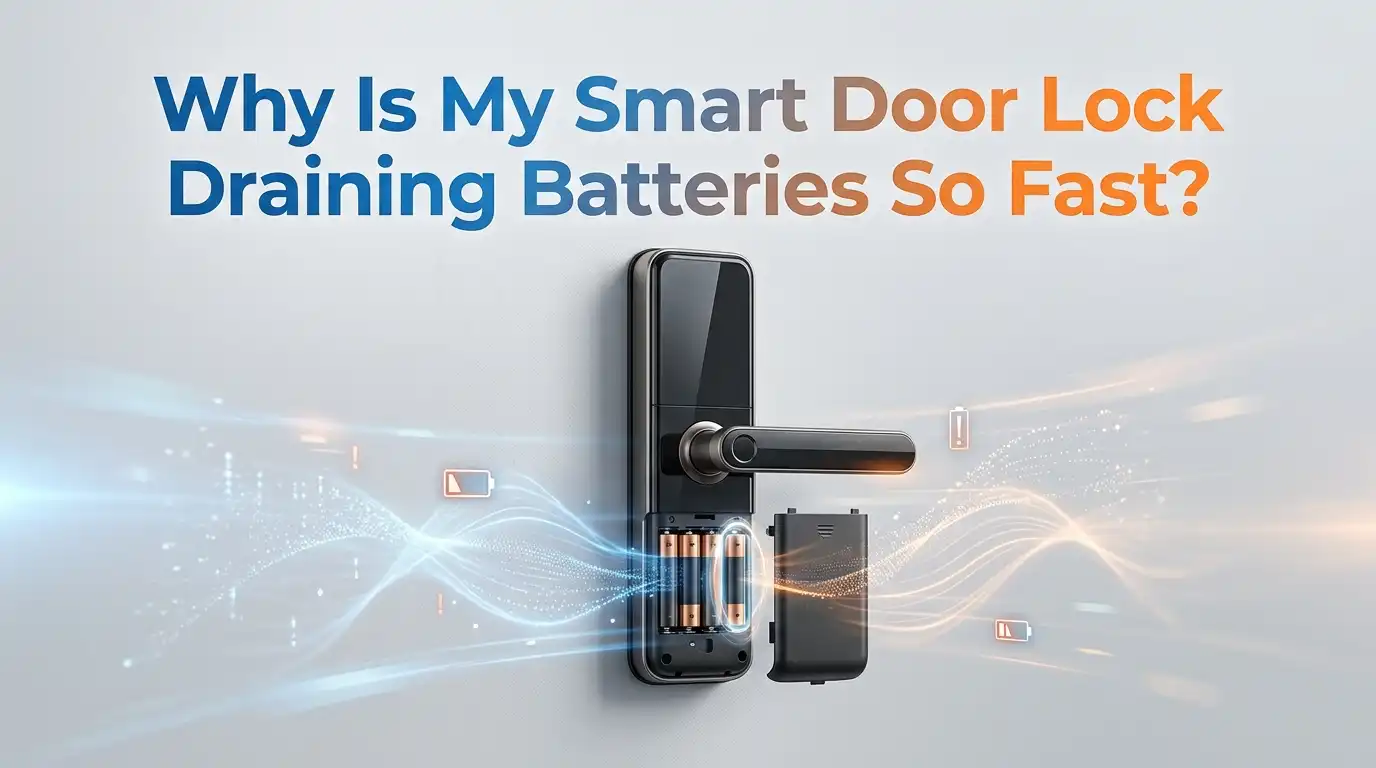
A smart lock is a tiny computer attached to a motor. The motor turns the deadbolt, and the computer handles WiFi, Bluetooth, keypads, and sensors. Every one of these tasks needs power. Most locks run on standard AA batteries, usually four to eight cells.
The motor uses the biggest single burst of energy each time you lock or unlock. The wireless radio uses smaller amounts, but it runs all day and night. This constant background drain often surprises people. A lock that never moves can still die from radio activity alone.
Knowing this split helps you target the real problem. Is the motor straining, or is the radio working overtime? Most drain issues come from one of these two sources. The rest of this guide shows you how to test and fix both.
Cause Number One: Your Door Is Misaligned
Door alignment is the most common reason smart locks drain fast. When your house settles or the weather shifts the frame, the deadbolt stops sliding smoothly. It rubs, sticks, or jams against the strike plate. The motor then fights this friction every single time.
Each strained turn pulls extra current. Over a week, those tiny struggles add up to massive battery loss. A lock that should last six months can die in three weeks from friction alone.
To test it, open your door fully and turn the lock. If it moves easily with the door open but struggles when closed, alignment is your problem. The deadbolt should glide into the hole without any push or grind.
Pros of fixing alignment: It is free, fast, and gives the biggest battery boost of any fix.
Cons: It may require minor drilling or filing, and severe frame warping might need a handyman.
Cause Number Two: How To Realign Your Door Step By Step
Fixing alignment is easier than most people fear. Start by closing the door and watching the deadbolt as it extends. Notice if it hits the top, bottom, or side of the strike plate hole. That tells you which way to adjust.
First, tighten every screw on the lock, strike plate, and hinges. Loose screws cause sag. Next, if the bolt hits one edge, remove the strike plate and file the hole slightly larger in that direction. Even two millimeters of clearance can fix the strain.
For bigger gaps, move the strike plate up, down, or out. You may need to drill new pilot holes. Test the lock after each change until the bolt slides freely with zero resistance.
Pros: Permanent fix, costs nothing, improves security too.
Cons: Takes patience, and filing metal can look rough if done carelessly.
Cause Number Three: WiFi Connection Is Eating Your Power
WiFi is the silent battery vampire of smart locks. A WiFi lock must stay connected to your router all day, and that radio pulls heavy current. Many users report changing batteries monthly on WiFi only locks.
Bluetooth, Zigbee, and Z Wave locks use far less power because their radios sip energy instead of gulping it. This is why many smart home fans avoid built in WiFi locks entirely.
A weak WiFi signal makes things worse. When the signal is poor, the lock keeps searching and reconnecting, which drains power even faster. The lock works hardest when it struggles to stay online.
To improve this, move your router closer to the door or add a mesh node nearby. A stronger signal means less searching and longer battery life.
Pros of WiFi: Direct remote control with no extra hardware.
Cons: Heavy battery drain and shorter life between changes.
Cause Number Four: Use A Bridge Instead Of Built In WiFi
Many lock brands sell a small bridge or hub that plugs into a wall outlet. This device handles the WiFi connection instead of the lock. The lock then talks to the bridge over low power Bluetooth, which uses far less energy.
The difference is dramatic. Users who switched from built in WiFi to a bridge often go from monthly changes to once or twice a year. The bridge stays powered by the wall, so your lock barely works at all.
Setup is simple. You plug the bridge into an outlet near the door, connect it to your WiFi in the app, then pair it with your lock. The lock keeps full remote access without the battery cost.
Pros: Huge battery savings while keeping remote control and alerts.
Cons: Costs extra money, needs a nearby outlet, and adds one more device to manage.
Cause Number Five: Cheap Or Wrong Batteries Are Failing You
The batteries you choose make a real difference. Cheap, off brand cells suffer from voltage sag, meaning they cannot push enough power during the motor burst. The lock then reads them as low far too soon.
Most major lock makers recommend fresh, name brand alkaline batteries. Brands like Duracell and Energizer hold steady voltage and deliver clean power to the motor. Quality cells often last two to three times longer than bargain ones.
Interestingly, many manufacturers warn against lithium batteries. Lithium holds high voltage then drops suddenly, which confuses the lock and can leave you locked out without warning. Rechargeable cells cause the same problem because they output lower voltage.
Pros of name brand alkaline: Reliable, steady power, and accurate battery readings.
Cons: They cost more than budget cells, and they are single use, so you replace them fully each time.
Cause Number Six: Mixing Old And New Batteries
This mistake is easy to make and surprisingly costly. When you mix old and new batteries, the weak ones drag the whole set down. The motor then works harder to pull the power it needs.
Batteries in a lock work as a team. One tired cell forces the others to overcompensate, which speeds up total drain. A single weak battery can ruin a fresh set in days.
The same applies to mixing brands or types. Different chemistries discharge at different rates, which creates an unbalanced load. Your lock cannot tell the difference, so it just keeps straining.
Always replace every battery at the same time with identical, fresh cells from the same pack. Never top up just one or two. Mark the install date with a small sticker so you can track real life span.
Pros of full replacement: Balanced power and accurate alerts.
Cons: Slightly more cost per change, since you swap all cells even if some seem fine.
Cause Number Seven: Power Hungry Features You Do Not Need
Smart locks come packed with features, and each one quietly uses power. Loud beeps, bright LED lights, voice prompts, and constant push notifications all add up. You may not need most of them.
Auto lock and auto unlock are the biggest hidden drains. Auto unlock uses your phone location, which means the lock checks your position constantly. This background activity wears down both your lock and your phone.
Open your lock app and review every setting. Turn off sounds you do not need, dim or disable the LED, and reduce notifications to important alerts only. Each change saves a little, and together they save a lot.
Pros of trimming features: Noticeable battery gains with no hardware change.
Cons: You lose some convenience, such as hands free entry or audio confirmation when the door locks.
Cause Number Eight: Cold Weather Is Draining Your Lock
Temperature affects every battery, and cold is the enemy. In freezing weather, the chemical reaction inside the battery slows down. This reduces voltage and makes the lock report low power early, even when some charge remains.
Locks on exterior doors face the worst of it. Wind, frost, and direct cold all pull at the cells. Sub zero days can cut your battery life noticeably and trigger false low battery warnings.
You cannot change the weather, but you can soften its impact. Add weatherstripping around the door to block drafts. A small keypad cover shields the lock from frost and wind. Keeping moisture out also prevents corrosion on the contacts.
Pros of weather protection: Steadier battery readings and fewer false alerts in winter.
Cons: Covers and seals cost a little, and extreme climates may still need more frequent changes.
Cause Number Nine: Outdated Firmware Wasting Energy
Your lock runs on software called firmware, and old firmware can waste power. Manufacturers release updates that fix bugs and improve battery efficiency. Skipping these means missing real savings.
Sometimes a bad firmware version causes the radio or motor to behave poorly. The lock might reconnect too often or fail to sleep properly between actions. A simple update can quietly fix drain you never knew was happening.
Check your lock app for available updates. Most updates install in a few minutes while the lock stays connected. Keep the lock near your phone or hub during the update so it does not drop midway.
Make this a habit. Check for updates every couple of months, and always update after replacing batteries.
Pros: Free fix, improves both battery and security.
Cons: A rare bad update can cause new issues, so read user reviews before installing major versions.
Cause Number Ten: Too Many Failed Access Attempts
Every failed attempt to open your lock costs power. A dirty keypad, a worn fingerprint sensor, or a stiff bolt all cause repeated tries. Each one wakes the lock and runs the motor for nothing.
Keypads collect grime, oil, and dust that block presses. Fingerprint readers struggle with wet or dirty fingers. Family members retrying codes over and over can drain a battery surprisingly fast.
Clean the keypad and sensor gently with a soft, dry cloth. Make sure everyone in your home knows the correct code or has a registered fingerprint. Fewer failed tries means fewer wasted motor cycles.
If the bolt is stiff, go back to the alignment fix, since friction also causes failed locks. A smooth, clean lock simply works the first time, every time.
Pros: Easy maintenance with steady battery gains.
Cons: Requires regular cleaning, and old sensors may still misread until replaced.
Cause Number Eleven: A Faulty Motor Or Internal Defect
Sometimes the problem is the lock itself. A failing motor, corroded contacts, or a defective sensor can drain batteries no matter what you do. This is less common, but it happens.
Look for warning signs. If the lock feels slow, makes grinding noises, or dies fast even after every other fix, the hardware may be at fault. Corrosion on the battery contacts is a clear red flag.
Open the battery cover and check for green or white crust on the metal contacts. Clean light corrosion with a dry cotton swab. If the contacts are badly damaged or the motor still strains, the unit may need repair.
Contact the manufacturer, since many locks carry a warranty. A defective lock should be repaired or replaced rather than fed endless batteries.
Pros of replacing a faulty lock: Ends the drain for good and restores reliability.
Cons: Costs money or warranty hassle, and you may face downtime without a working lock.
Cause Number Twelve: Choosing A More Efficient Lock Type
If you are still shopping or ready to upgrade, the lock type itself sets your battery fate. WiFi only locks drain fastest, while Zigbee, Z Wave, and Bluetooth locks last far longer. Choosing wisely prevents the problem before it starts.
Locks that pair with a low power hub give you remote access without the WiFi penalty. Some premium models even include solar panels or rechargeable packs. A good lock type can mean changing batteries once a year instead of monthly.
Before buying, check the radio type and read real user reports on battery life. Look for locks that support a bridge or hub for remote features. The manual usually lists expected battery life under normal use.
Pros of efficient locks: Long battery life and less maintenance.
Cons: They may cost more upfront and sometimes need a separate hub to reach full features.
A Simple Monthly Routine To Keep Batteries Lasting
Prevention beats repair, and a short routine keeps your lock healthy. Spend five minutes each month checking the things that matter most. This habit catches small issues before they drain your batteries.
Start by testing the bolt with the door closed. Make sure it glides without friction. Wipe the keypad and fingerprint sensor clean. Check the battery level in your app so a dying set never surprises you.
Once a month, glance at the app for firmware updates and install any waiting. In winter, inspect the weather seals around the door. These quick checks protect both battery life and security.
When the battery drops near twenty percent, replace the full set proactively. Mark the date so you learn your lock’s true rhythm.
Pros of a routine: Fewer surprises and longer battery life overall.
Cons: It takes a small, regular time commitment, though only a few minutes each month.
Frequently Asked Questions
How long should a smart lock battery normally last?
Most smart locks last around six to twelve months on a good set of alkaline batteries. WiFi only locks often last just one to three months. If yours dies in weeks, a fixable problem is almost always the cause, usually alignment or WiFi drain.
Are lithium batteries better for smart locks?
Surprisingly, no. Many lock makers warn against lithium cells. Lithium holds high voltage then drops suddenly, which can lock you out without warning and confuse the battery meter. Fresh name brand alkaline batteries give steadier, more predictable power for most locks.
Why does my lock say low battery right after I replaced them?
This usually means cheap batteries, mixed old and new cells, or cold weather. A weak cell or freezing temperature lowers voltage, which triggers a false alert. Use a full set of fresh, matching alkaline batteries and check your door for friction.
Does auto unlock really drain the battery that much?
Yes, it can. Auto unlock relies on your phone location, so the lock checks your position often. This constant background activity adds up over time. If your battery dies fast, try turning auto unlock off and use the keypad or app instead.
Can a misaligned door really kill my batteries?
Absolutely, and it is the top cause. When the bolt rubs the strike plate, the motor strains every time. That extra effort can cut battery life by more than half. Fixing alignment is free and often gives the single biggest improvement.
Will a WiFi bridge fix my drain problem?
For WiFi locks, often yes. A bridge handles the connection from a wall outlet, so the lock uses low power Bluetooth instead. Many users jump from monthly changes to twice a year. You keep remote access while the wall powered bridge does the heavy lifting.

Welcome to The File Fix. I’m Millie, and I review tech so you don’t have to suffer buyer’s remorse.
Navigating the endless sea of Amazon devices and gadget releases can feel like a full-time job. That’s why I do the heavy lifting. I dig past the unreliable 5-star reviews and shiny spec sheets to test how these devices actually hold up in the real world. Whether you’re looking for the best budget earbuds, a reliable power bank, or the latest smart home gear, you’ll find honest, no-nonsense breakdowns here.