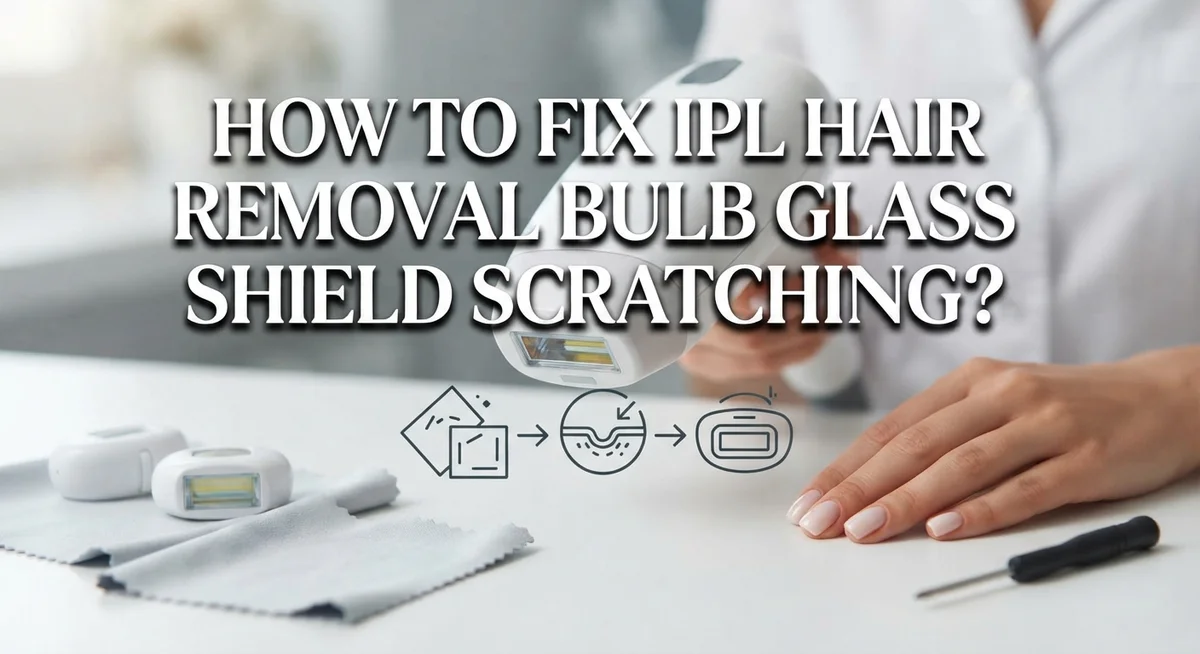
How To Fix IPL Hair Removal Bulb Glass Shield Scratching?
Have you noticed tiny scratches on your IPL hair removal bulb glass shield? You are not alone. This small glass part plays a big role in your device’s performance.
A scratched glass shield can affect how light passes through it. This means your IPL device may not work as well as before. It can also make your skin sessions less safe.
The good news? Most scratching issues happen because of simple mistakes. Wrong cleaning methods and improper skin contact are common culprits. Once you know what causes the damage, you can fix it or prevent it from happening again.
In this article, we will show you why glass shields scratch in the first place. You will learn the right way to clean your device without causing more harm. We will also cover simple habits that protect your bulb glass shield over time.
By the end, you will know exactly how to keep your IPL device working like new. Let’s get started and fix that scratching problem for good.
In a Nutshell
Here’s a quick recap of everything you need to know about fixing and preventing scratches on your IPL glass shield:
-
Scratches happen from harsh cleaning tools or rough handling during storage. Small scratches often affect light output more than you think.
-
Clean the glass shield gently with a diluted vinegar solution. Mix water and vinegar in equal parts for safe, effective cleaning.
-
Never use vinegar on plastic parts. It can damage the casing and other components around the glass.
-
Shave before every session instead of waxing or plucking. This keeps hair follicles intact, so your IPL device works properly.
-
Always do a patch test on a small skin area first. Avoid jumping straight to maximum settings.
-
Keep full contact between the nozzle and your skin during treatment. Proper contact reduces strain on the glass shield.
-
If scratches are deep or the device stops working well, professional repair may be the best option.
Following these simple habits protects your device and keeps your skin safe during every session.
Why the Glass Shield Scratches in the First Place
Your IPL glass shield scratches for several clear reasons. Understanding these causes helps you prevent damage and keep your device working properly.
Abrasive cleaning materials are the biggest culprit. When you scrub the glass with rough cloths, sponges, or hard brushes, you create tiny scratches. The glass is delicate, even though it looks tough. Harsh cleaning solutions also wear down the protective surface over time.
Direct contact with skin debris causes scratching too. Hair, dead skin cells, and oils build up on the glass shield. If you don’t remove this gently, it acts like sandpaper during your next session. The friction between dirty glass and skin creates microscopic damage.
Improper storage and handling damages the shield as well. Dropping your device or storing it loosely in a drawer exposes the glass to bumps and pressure. Even small impacts leave marks on the delicate surface.
Using vinegar on plastic parts nearby can cause problems. When vinegar drips or splashes onto plastic components, it weakens them. This indirect damage affects how the entire nozzle sits against your skin, causing uneven contact and additional stress on the glass.
Waxing or plucking before treatment creates another issue. When you remove hair below the skin surface, the IPL light has nothing to target. Your device works harder, and you press it more firmly against skin to get results. This extra pressure and friction scratch the glass faster.
Inconsistent nozzle contact with skin also matters. When the shield doesn’t sit flat against your skin, pressure concentrates on small areas. This focused pressure causes scratches to develop more quickly than with proper, even contact across the entire nozzle surface.
Signs Your IPL Glass Shield Is Damaged
A damaged glass shield shows clear warning signs. Visible scratches or cloudiness on the surface mean light cannot pass through properly. You may notice the glass looks dull instead of clear and transparent.
Performance issues tell you something is wrong. Your IPL device stops removing hair as effectively as before. Treatments take longer to show results, or you see fewer hairs falling out after sessions.
Uneven light distribution is another key sign. Some areas of your skin get treated while others don’t. This happens because scratches block or scatter the light beam.
Pay attention to unusual sounds or sensations. If you hear clicking or popping sounds during use, the internal bulb may be damaged. Your skin might feel irritated in certain spots where the light is strongest.
Check the glass shield under good lighting. Tilt it at different angles to spot fine scratches you might miss at first glance. Even small scratches affect performance over time.
Discoloration or dark spots on the glass indicate real damage. These spots show where the scratches have collected dust or where the surface has deteriorated. The shield loses its ability to transmit light clearly.
Your device may feel hot in the nozzle area. This suggests the light is not traveling through the shield efficiently. Instead, heat builds up inside the device.
If you notice any of these signs, stop using the device immediately. Continuing to use a damaged shield can harm your skin or damage the internal bulb further. Professional inspection can determine whether repair or replacement is necessary for your specific situation.
Step-by-Step: Safely Cleaning and Repairing Minor Scratches
Start by turning off your device and letting it cool completely. This prevents burns and makes handling safer. Once cool, examine the scratches under bright light to determine their depth and severity.
For minor surface scratches, gather soft materials you likely have at home. Use a microfiber cloth or soft cotton cloth as your primary cleaning tool. Never grab paper towels, tissues, or rough fabrics that can worsen existing damage.
Prepare a gentle cleaning solution by mixing equal parts white vinegar and distilled water. This 1:1 ratio creates an effective cleaner without harsh chemicals. Dampen your soft cloth with this solution and gently wipe only the glass shield area.
Apply light pressure while cleaning. Aggressive scrubbing causes new scratches rather than fixing them. Work in circular motions across the entire glass surface. Pay special attention to the edges where scratches often concentrate.
Immediately after cleaning, dry the glass shield completely with a separate dry cloth. Moisture left on the glass can interfere with your device’s light emission and effectiveness.
Important warning: Never apply vinegar solution to plastic components. The vinegar damages plastic parts and degrades device performance. Keep your cleaning cloth away from buttons, handles, and plastic trim.
For very fine scratches that don’t affect light output, you may leave them as is. The device still functions normally in most cases. However, if scratches are deep or create visible gaps in the glass, professional repair becomes necessary.
Test your device on a small skin patch after cleaning. Use a lower setting initially to confirm everything works properly. This patch test reveals whether the glass shield still performs its protective function correctly.
Choosing the Right Cleaning Solution for Glass vs. Plastic Parts
Your IPL device has two different material types that need separate cleaning approaches. Glass shields and plastic components require completely different solutions to stay safe and functional.
The glass shield needs gentle care with specific solutions. A 20 percent vinegar and water solution works well for glass surfaces. Mix equal parts white vinegar with distilled water in a clean container. This combination removes mineral deposits and light debris without damaging the optical surface. Apply the solution with a soft microfiber cloth using light circular motions. Never scrub aggressively on glass because this creates new scratches.
Plastic parts demand a different strategy entirely. Vinegar damages plastic components and causes discoloration or degradation over time. Instead, use distilled water alone on plastic surfaces. You can add a single drop of mild dish soap to the water if needed. Wipe plastic areas gently with a soft cloth and dry immediately afterward.
Before cleaning, always turn off your device and let it cool completely. This prevents accidental burns and protects internal components from thermal shock.
Identify which parts are glass and which are plastic on your specific model. The treatment window is typically glass, while the surrounding nozzle housing is usually plastic. Never mix your cleaning cloths between materials. Use one cloth exclusively for glass and another only for plastic.
Test your cleaning solution on a small inconspicuous area first. This confirms the solution won’t cause unexpected damage. After cleaning, dry everything thoroughly with a separate dry microfiber cloth. Moisture left on surfaces can cause electrical issues or mineral buildup.
Proper material selection prevents new damage while maintaining your device’s effectiveness. Taking time to use the right solutions protects your investment and ensures safe, reliable hair removal sessions.
Preventing Future Scratches Through Proper Use and Maintenance
Preventing scratches starts with how you use your IPL device every single day. Full contact between the nozzle and your skin is essential. Pressing the device flat against your skin ensures even light distribution and reduces stress on the glass shield.
Remove all visible hair from the treatment area before each session. Hair particles can scratch the glass when the nozzle glides across your skin. Shave the area instead of waxing or plucking, since IPL works best when hair follicles remain intact beneath the skin.
Start with lower intensity settings, especially on your first use. High power settings create more heat and pressure on the glass shield, which increases scratch risk over time. Gradually increase settings as your skin adapts to treatment.
Allow your device to cool between sessions. Heat buildup stresses the glass and makes it more vulnerable to damage. Most devices have built in cooling technology, but giving extra time between uses helps protect the shield.
Store your IPL device in a clean, dry location away from dust and debris. Dust particles can scratch the glass during use if they settle on the nozzle. Keep the device in its original case or a protective pouch when not in use.
Clean the glass shield regularly using only appropriate solutions. A diluted vinegar and water mixture works well for glass surfaces. Wipe gently with soft cloths rather than applying pressure.
Avoid dropping or bumping your device against hard surfaces. Even minor impacts can create hairline cracks that spread into larger scratches. Handle the device carefully during storage and transport to maintain the glass shield’s integrity.
Common Mistakes That Worsen Glass Shield Damage
Using the wrong cleaning materials is the fastest way to damage your glass shield beyond repair. Many people grab whatever cleaner sits under their sink, but this approach backfires quickly.
Harsh chemical cleaners strip away protective coatings on the glass surface. Bleach, ammonia based products, and abrasive scrubbers create micro scratches that spread over time. These scratches scatter light and reduce your device’s effectiveness significantly.
Applying vinegar to plastic components causes permanent damage. The acidic solution discolors plastic, makes it brittle, and degrades seals around the nozzle. Once plastic degrades, moisture enters the device and ruins internal components.
Using excessive water during cleaning introduces moisture into electrical parts. Your IPL device contains sensitive circuits that short circuit when wet. Water pooling near the nozzle opening causes corrosion that spreads internally.
Rubbing the glass shield with paper towels or tissues creates friction scratches. These materials are too abrasive and leave lint residue on the surface. The lint traps dust and makes future scratches more visible.
Ignoring pre treatment preparation worsens glass shield stress. Waxing or plucking before IPL removes hair follicles that the light targets. Your device works harder to compensate, generating excess heat that stresses the glass shield.
Skipping the cooling period between sessions overheats the glass. Thermal stress causes micro cracks that expand into visible scratches. The glass becomes brittle and more prone to damage from minor contact.
Never use maximum settings on untested skin areas. High intensity settings generate intense heat that can crack the glass shield if the nozzle loses contact with skin. Start with lower settings and gradually increase power as your skin adapts.
Storing your device in dusty environments allows particles to settle on the glass. These particles scratch the surface during the next use when you apply pressure.
Troubleshooting: When Scratches Affect Performance
When scratches affect your IPL device’s performance, you need to understand what’s actually happening. Scratches on the glass shield reduce light transmission, which means fewer photons reach your hair follicles. Your device simply won’t work as well, even at higher settings.
The first sign of performance issues is uneven hair removal results. Some areas show good results while others don’t respond. This happens because light scatters through scratched glass instead of focusing properly on the target area.
Safety becomes a concern too. Damaged glass can cause light to bounce unpredictably. In rare cases, this creates hot spots on your skin that feel uncomfortable or cause irritation. You might notice redness appearing in specific patterns rather than uniform coverage.
To check if scratches are affecting performance, look at the glass shield under good lighting. Run your finger gently across the surface. You’ll feel roughness if scratches are present. Compare results on treated versus untreated skin to see if effectiveness has dropped.
Performance degradation happens gradually. Early scratches barely impact results. As damage accumulates, you’ll notice the difference becomes more obvious. Light settings that once worked perfectly might stop delivering results.
The good news is that minor scratches don’t always require professional repair. Your device may still function adequately for maintenance treatments on already treated skin. However, for new areas or initial treatments, professional servicing becomes worthwhile.
Document your results before and after scratches appear. Take photos of treated areas. This helps you determine whether repair or replacement makes sense for your situation. Many users find that professional IPL laser repair restores performance to near original levels when scratches become problematic.
When to Seek Professional Repair
Professional repair becomes necessary when your IPL device stops working properly despite your best efforts. You should seek expert help if scratches have visibly compromised the glass shield’s structural integrity.
Visible cracks or deep gouges require professional attention immediately. These aren’t just cosmetic issues. They can allow moisture inside the device, which damages electrical components and creates safety hazards during use.
Contact a repair service when your device stops producing consistent results. Scratches that scatter light beams prevent proper energy delivery to hair follicles. A professional can assess whether the glass shield needs replacement or if the optical system requires realignment.
You should also reach out to professionals if you notice burning sensations or uneven heat distribution during treatment. This indicates light isn’t traveling correctly through the scratched shield. Continuing use could damage your skin or the device’s internal components.
Warranty coverage matters too. Check your device documentation before paying for repairs. Many manufacturers cover glass shield damage during the warranty period. Professional repair centers can verify your coverage and handle claims for you.
Don’t attempt DIY fixes on deep scratches. Trying to polish or sand the glass yourself often makes damage worse. You might remove protective coatings or create more surface irregularities that scatter light even more.
Professional technicians have specialized equipment to measure scratch depth and assess optical performance. They can determine if repair is possible or if replacement is your only option. This saves you money and frustration in the long run.
Getting professional help ensures your device returns to safe, effective operation. It also prevents further damage from occurring during continued use.
Final Thoughts
Taking care of your IPL glass shield does not need to be complicated. Small habits make a big difference over time.
Clean the glass regularly with a diluted vinegar solution. Keep the ratio light and always wipe gently.
Remember that plastic parts need different care. Never let vinegar touch these surfaces, since it breaks down the material.
Shaving before every session protects both your skin and the glass shield. It also helps the device work as intended, since IPL needs hair follicles present.
Always check that the nozzle makes full contact with your skin. This simple step prevents uneven strain on the glass surface.
Patch testing before full sessions matters too. Start on a small area and avoid high settings until you know how your skin reacts.
Minor scratches often do not stop your device from working well. Many users continue getting good results even with light surface marks.
However, watch for signs that scratches are affecting performance. Uneven hair removal or unusual heat during treatment are clear warning signs.
If problems continue despite good maintenance, professional repair is worth considering. Technicians can check scratch depth and confirm whether the device is still safe to use.
Your IPL device can last a long time with the right care. Consistent cleaning habits and gentle handling go a long way in preventing damage.
Think of glass shield care as part of your regular routine, not an extra task. A few minutes of attention after each session keeps your device working smoothly.
With good habits, you can enjoy effective hair removal results for many sessions to come.
Frequently Asked Questions
Can I use any cleaning solution on my IPL glass shield?
No. Use only a diluted vinegar solution (1 part vinegar to 1 part water) on the glass shield itself. Never apply vinegar to plastic parts, as it causes damage. For plastic components, use a soft, dry cloth instead.
Harsh cleaners, alcohol, or abrasive materials scratch the glass further. Stick with the vinegar solution and you’ll keep the optical surface clean without causing new damage.
Why does my IPL stop working after I notice scratches?
Scratches reduce light transmission through the glass shield. Your device may produce uneven results or weaker pulses in affected areas.
Minor scratches usually don’t stop the device completely. However, deep gouges or visible cracks compromise optical performance significantly. If your hair removal becomes spotty or inconsistent, scratches might be the culprit.
What’s the difference between shaving and waxing before IPL treatment?
Shave before every session. Waxing and plucking remove hair roots, which IPL needs to work effectively.
IPL targets the dark pigment in hair follicles beneath your skin. When you wax or pluck, you remove the entire follicle. Shaving leaves the root intact, so IPL can do its job properly.
How do I prevent scratches from forming on the glass shield?
Remove visible hair from the nozzle before each use. Always ensure full contact between the nozzle and your skin during treatment.
Partial contact causes the device to work harder and increases scratch risk. Clean the shield regularly with your diluted vinegar solution. Store your device in a safe, dust-free place when not in use.
When should I stop trying to fix it myself?
Seek professional repair if you notice burning sensations, uneven heat distribution, or persistent performance issues despite proper maintenance. Visible cracks or deep gouges require professional assessment immediately.
Don’t attempt DIY fixes on deep damage. Technicians have specialized equipment to measure scratch depth and determine if optical performance is compromised.

Welcome to The File Fix. I’m Millie, and I review tech so you don’t have to suffer buyer’s remorse.
Navigating the endless sea of Amazon devices and gadget releases can feel like a full-time job. That’s why I do the heavy lifting. I dig past the unreliable 5-star reviews and shiny spec sheets to test how these devices actually hold up in the real world. Whether you’re looking for the best budget earbuds, a reliable power bank, or the latest smart home gear, you’ll find honest, no-nonsense breakdowns here.