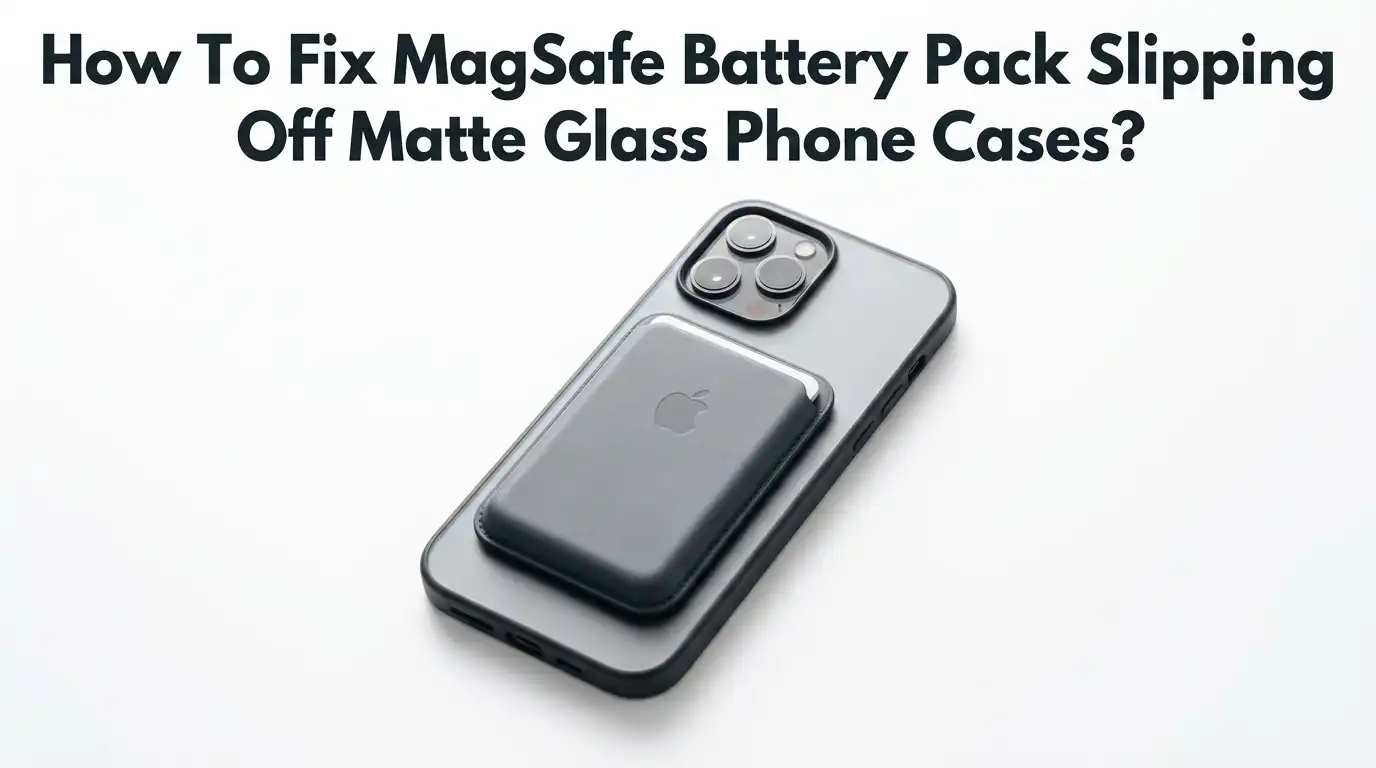
How To Fix MagSafe Battery Pack Slipping Off Matte Glass Phone Cases?
Your MagSafe battery pack keeps sliding down your phone. You snap it on, walk away, and minutes later it droops or drops onto the floor. This happens a lot with matte glass cases.
The smooth, low friction surface gives the magnets nothing to grip. The good news is that you can fix this fast. You do not need expensive gear or a new phone.
This guide walks you through simple, proven solutions step by step. You will learn why the slipping happens, what tools help, and how to keep your battery pack locked in place all day.
Key Takeaways
- Matte glass surfaces reduce friction, so even strong magnets let the battery pack slide down. The texture matters as much as the magnet strength.
- A weak or misaligned magnet ring is the most common cause. Your case may not have a true MagSafe ring inside it, only a generic magnet.
- Dirt and dust on the magnets cut the holding power. A quick clean often restores the grip right away.
- Adding a metal MagSafe ring or sticker to your case gives the magnets a strong, centered target to lock onto.
- Friction boosters like grip dots or thin films stop the slide on slick matte glass without changing your case.
- Choosing a certified MagSafe or Qi2 case is the long term fix that solves the problem at the source.
Why Your MagSafe Battery Pack Slips Off Matte Glass Cases
The slipping comes down to two things: friction and magnet strength. Matte glass feels smooth and dry to the touch. That smoothness gives the battery pack almost nothing to hold onto. Even when the magnet pulls tight, gravity wins because the surface lets it slide.
A glossy surface often grips better because it creates more contact stickiness, while matte glass reduces friction by a large margin. On top of that, many cases use cheap magnets or no proper ring at all.
When the magnet is weak, the pack wiggles and creeps down. Understanding this combo is the first step. Once you know it is both friction and magnet pull, you can target both problems with the fixes below.
Check If Your Case Has a True MagSafe Ring
Not every case that claims to be magnetic has a real MagSafe ring. Some cases only contain a single weak magnet or a metal plate. This is a huge reason packs slip.
To test it, place a known MagSafe accessory on the bare back of your phone first. Feel how strong the snap is. Then put your case on and try again. If the snap feels much weaker with the case on, your case lacks a proper ring of aligned magnets.
A true MagSafe ring uses a full circle of polarized magnets plus an alignment magnet. This holds the pack centered and firm. If your case fails this test, you know the case is the problem, not the battery pack. You can then upgrade the case or add a ring yourself.
Pros: This test is free and takes two minutes. It tells you exactly where the fault lies.
Cons: It does not fix the issue on its own. You still need a follow up solution.
Clean The Magnets On Both The Pack And The Case
Dust, lint, and fine metal dust build up on magnet surfaces over time. This buildup acts like a tiny spacer that pushes the pack away. Even a thin layer cuts the holding power and lets the pack slide. The fix is quick and costs nothing.
Take a soft microfiber cloth and lightly dampen it with water. Wipe the magnetic ring on the back of your case. Then wipe the magnetic surface of the battery pack. Make sure both surfaces are fully dry before you reconnect them.
For stubborn grime, mix a drop of mild dish soap with warm water and use that. Do this every few weeks if you carry your phone in a pocket or bag. Many users find their slipping problem disappears after one good clean.
Pros: Free, fast, and safe for your gear. It often solves the issue instantly.
Cons: The effect is temporary. Dust returns, so you must repeat it.
Add A Metal MagSafe Ring Or Sticker To Your Case
If your matte case lacks a strong ring, you can add one. MagSafe metal rings and magnetic stickers are cheap and easy to install. These adhesive rings stick to the back of your case and give the battery pack a strong, centered target.
Most kits come with an alignment guide so you place the ring dead center. To install, clean the back of your case first. Peel the backing off the ring.
Use the guide to line it up over the wireless charging zone. Press firmly for thirty seconds. A well placed ring can turn a weak case into a strong magnetic holder. This works on matte glass cases that have no built in magnets at all.
Pros: Affordable, strong, and works on almost any case. The hold improves a lot.
Cons: The adhesive can leave residue. The ring is visible and may look bulky.
Use Grip Dots Or Anti Slip Pads For Friction
Sometimes the magnet is strong enough, but the matte glass is just too slick. In that case, you fix the friction, not the magnet. Small silicone grip dots or thin anti slip pads solve this.
You place a few tiny clear dots around the magnet ring on your case. These dots add grip without blocking the magnetic connection. The battery pack then rests against them and cannot slide down. The dots fill the friction gap that matte glass creates.
You can find clear, low profile dots that barely show. Stick three or four around the ring, not over it. Press them down well. The pack will now stay put even when you move around or place the phone in your pocket.
Pros: Cheap, nearly invisible, and does not block charging. It targets the real problem.
Cons: Dots can collect dirt. They may peel off over time and need replacing.
Switch To A Certified MagSafe Or Qi2 Case
The best long term fix is a case built for the job. A certified MagSafe or Qi2 case has the correct magnet ring inside it from the factory. These cases pass strict tests for magnet strength and alignment.
The battery pack snaps on and stays locked. Look for the words “MagSafe certified” or “Qi2 certified” on the box. Certified cases use properly aligned magnets, often graded N52, which give the strongest pull in a slim shape.
A generic magnetic case may use weaker magnets that allow wiggle room. When you buy a real certified case, the slipping problem usually vanishes for good. Pair this with a matte finish that still has decent texture, and you get both grip and a clean look.
Pros: Solves the issue at the source. Strong, reliable hold with no extra add ons.
Cons: Certified cases cost more. You must replace your current case.
Make Sure The Battery Pack Is Aligned Correctly
A slipping pack is sometimes just a misaligned pack. The magnets only lock tight when the rings line up perfectly. If you snap the pack on off center, it sits crooked and slides. Take the pack off and place it slowly.
Let the magnets pull it into the center on their own. You will feel a firm click when it lands right. A correctly aligned pack feels snug and does not rotate or wiggle. If it still shifts, check that no case lip or camera bump blocks full contact.
Some thick cases create a gap that throws off the alignment. Press the pack flat against the case and confirm it sits level. Proper alignment alone can stop a lot of slipping.
Pros: Free and instant. It fixes user error that many people overlook.
Cons: It will not help if the underlying magnet or friction is the real fault.
Try A Thin Friction Film Over The Matte Surface
A thin grip film is another smart option for slick matte glass. These films are clear sheets that add texture to the back of your case. You cut a small piece and place it around the magnet zone.
The film adds grip while staying nearly invisible. It works much like the grip dots but covers a wider area for a smoother look. The film raises the friction of the matte surface so the pack cannot creep down.
To apply it, clean the case back, peel the film, and smooth it on with a card to remove air bubbles. Keep the film off the exact center so the magnet contact stays clean. This is a tidy fix that does not change the feel of your phone much.
Pros: Clean look, broad grip, and easy to trim to size. It keeps charging clear.
Cons: Bubbles can form during install. The film may need replacing as it wears.
Reduce The Weight Load On The Magnets
A heavy battery pack strains the magnets more than a light one. The more weight the magnets hold, the more likely the pack slides on matte glass. If your pack is bulky, the slipping gets worse. You can reduce the strain in simple ways.
Hold the phone upright less often while charging. Lay it flat on a table when you can, so gravity does not pull the pack down. Less downward force means the magnets hold longer and the pack stays put.
If you carry the phone in a pocket, place it screen out so the pack faces your leg for support. A lighter pack also helps a lot. When you choose a new pack, a slimmer, lighter model puts less load on the magnets.
Pros: Costs nothing and reduces strain right away. It helps any setup.
Cons: It is a workaround, not a true fix. It limits how you use your phone.
Avoid Thick Or Uneven Case Designs
Case thickness plays a big role in magnet strength. Magnets lose power fast as the gap grows. A thick matte case pushes the pack farther from the phone magnets, so the hold weakens. Curved edges and raised camera bumps also cut the flat contact area the pack needs.
A thinner case keeps the magnets close, which keeps the pull strong. When you pick a case, choose one with a slim profile and a flat back around the charging zone.
Avoid cases with deep ridges or thick rubber over the magnet area. If your current case is very thick, that alone may explain the slipping. Swapping to a slimmer matte case can restore a firm hold without any other changes.
Pros: Improves hold by keeping magnets close. Slim cases feel better in hand too.
Cons: Thinner cases offer less drop protection. You may sacrifice some safety.
Use A Magnetic Case Booster Plate
A booster plate is a thin metal disc you add inside or under your case. It strengthens the magnetic field and gives the pack a firmer target. These plates work well when your case has weak built in magnets.
You place the plate over the wireless charging zone, then put your case back on. The metal pulls toward the pack magnets and tightens the connection. A booster plate can noticeably reduce wiggle and slide on slick matte glass.
Install it by cleaning the surface, centering the plate with the guide, and pressing it flat. Make sure it does not block the charging coil. Test the charge after install to confirm power still flows. This is a low cost upgrade for cases that almost work but not quite.
Pros: Cheap, slim, and strengthens weak cases. It adds grip to the magnets.
Cons: Poor placement can block charging. It adds a small bump to the case back.
Keep Your Phone Case Surface Free Of Oils And Lotion
Skin oils, hand lotion, and sunscreen transfer onto your case all day. These films make matte glass even more slippery. A greasy surface lets the battery pack slide much faster. The fix is part of your routine.
Wipe the back of your case with a dry microfiber cloth each day. Once a week, use a slightly damp cloth to remove built up oils. A clean, oil free surface gives the pack the most grip the matte finish can offer.
Avoid touching the magnet zone with greasy fingers right before you attach the pack. If you use hand cream often, keep a small cloth nearby. This simple habit stops a lot of slow, sneaky slipping that builds up over a few hours of normal use.
Pros: Free, easy, and improves grip every day. It also keeps your phone hygienic.
Cons: You must keep doing it. Oils return quickly with normal handling.
When To Replace The Battery Pack Itself
Sometimes the pack is the real problem. Magnets inside a battery pack can weaken after drops or heavy use. A worn pack will slide on any case, even a perfect one. To check, test the pack on a bare phone or a known good MagSafe case.
If it still slips there, the pack magnets have failed. A pack with a weak magnet ring cannot hold its grip no matter what case you use. Cheap third party packs often start weak and get worse fast. If yours is old or low quality, a replacement may be the smartest move.
Choose a certified pack with strong, properly aligned magnets. A good pack pairs with a good case to give you a firm, slip free hold every time.
Pros: Fixes the issue fully if the pack is the fault. A new pack restores reliability.
Cons: Replacement costs money. You must confirm the pack is truly the problem first.
Frequently Asked Questions
Why does my MagSafe battery pack slip more on matte cases than glossy ones?
Matte glass has a smooth, low friction surface that gives the magnets little grip. Glossy surfaces often create more contact stickiness. So even with equal magnets, the pack slides more on matte glass. Adding grip dots or a friction film fixes this.
Can I make a non MagSafe matte case work with my battery pack?
Yes. You can add an adhesive MagSafe metal ring or sticker to the back of your case. Use the alignment guide to center it over the charging zone. This gives the pack a strong target and stops most slipping right away.
Will cleaning the magnets really stop the slipping?
Often yes. Dust and fine metal particles build up on the magnets and act like a spacer. This cuts the holding power. A quick wipe with a damp microfiber cloth on both the case ring and the pack restores grip in many cases.
Does case thickness affect how well the pack holds?
Yes, a lot. Magnets weaken fast as the gap grows. A thick matte case pushes the pack away from the phone magnets. A slim case keeps the magnets close and the hold strong, so choose a thinner design when you can.
How do I know if my battery pack is the problem and not the case?
Test the pack on a bare phone or a known good MagSafe case. If it still slips there, the pack magnets are weak. If it holds firm on the bare phone but not your case, then the case is the issue.
Are grip dots safe for wireless charging?
Yes, when placed correctly. Put the dots around the magnet ring, not over the center. This keeps the charging coil clear so power still flows. The dots only add friction so the pack cannot slide down.