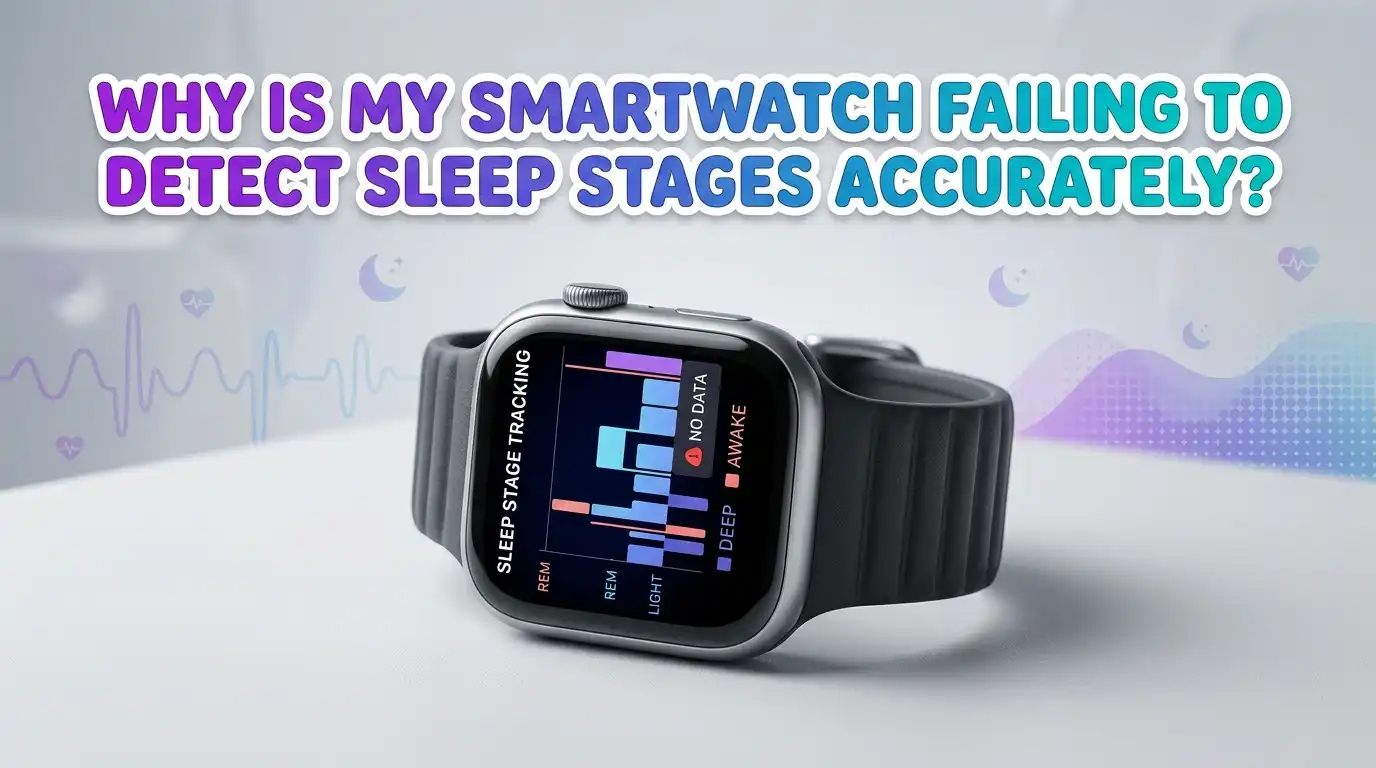
Why Is My Smartwatch Failing To Detect Sleep Stages Accurately?
You strap on your smartwatch every night. You expect a clean breakdown of light sleep, deep sleep, and REM. Yet the report keeps looking strange. Maybe it shows zero deep sleep. Maybe it logs you as awake when you slept fine. Maybe it skips REM entirely.
You are not alone. Millions of smartwatch users see the same mismatch between how they actually slept and what their wrist tells them. The good news is most of these errors come from fixable causes. Loose straps, old firmware, wrong settings, and even your sleeping position can throw off the numbers.
This guide walks you through every common reason your smartwatch misreads sleep stages. You will get clear, step by step fixes for each issue. By the end, your sleep reports should look much closer to your real night.
Key Takeaways
- Smartwatches estimate sleep stages. They do not measure brain waves like a clinical sleep study. They use heart rate, motion, and heart rate variability to make an educated guess.
- Strap fit matters more than any setting. A loose band lets the optical heart sensor lose contact with your skin. This single issue causes most sleep stage errors.
- Software bugs and outdated firmware can break sleep detection overnight. Always keep your watch and its companion app on the latest version.
- Sleep schedule settings, sensor permissions, and battery saver modes often disable parts of sleep tracking without telling you. Check these first before blaming the hardware.
- Skin tone, tattoos, wrist hair, and arm position all affect optical sensor readings. Small adjustments to how you wear the watch can fix a lot.
- No consumer wearable matches a polysomnography test. Use the data as a trend tool, not a medical diagnosis. Look at weekly patterns rather than single nights.
How Your Smartwatch Actually Tracks Sleep Stages
Your smartwatch does not see your brain. It watches your body and guesses. The optical heart rate sensor on the back shines green light into your skin. It measures how blood flow changes with each beat. The accelerometer tracks wrist motion. Some watches add a SpO2 sensor or skin temperature reading.
The algorithm then looks for patterns. Slow, steady heart rate with little movement suggests deep sleep. A faster, more variable heart rate with twitches points to REM. Frequent motion means light sleep or wake.
This is an indirect method. A clinical sleep test uses brain wave sensors, eye movement sensors, and chin muscle sensors. Your watch has none of these. So even a perfect smartwatch makes informed estimates. Knowing this helps you set realistic expectations before you start troubleshooting.
Pros of this method include comfort, low cost, and nightly tracking. Cons include lower accuracy on REM and wake detection, and big drops in accuracy when sensor contact slips.
The Strap Is Too Loose Or Too Tight
This is the single biggest cause of bad sleep stage data. The optical sensor needs steady skin contact. If the band slides up your wrist during the night, the watch sees a flat or noisy heart rate signal. The algorithm then logs you as awake or stuck in light sleep.
A band that is too tight is also a problem. It restricts blood flow and creates pressure marks that distort the readings.
Here is the fix. Wear the watch one finger width above your wrist bone. Tighten it so it does not slide when you twist your arm, but loose enough to fit a fingertip under the band. Switch to a sport loop or silicone band for sleep if you normally wear a metal link bracelet. Metal bands shift more during sleep.
Pros of a snug fit include far better heart rate accuracy and cleaner stage detection. Cons include possible skin irritation, so let your wrist breathe during the day.
Your Watch Firmware Or App Is Out Of Date
Sleep algorithms get updated often. Apple, Garmin, Samsung, Fitbit, and others push firmware patches that change how stages are scored. If you skip updates, you may be running an old, buggy version.
I have seen this on Galaxy Watch users after major Wear OS updates. Sleep tracking sometimes breaks until the next patch arrives. Apple Watch users reported the same issue after watchOS 26.0.2.
To fix this, open your phone companion app. Check for both watch firmware and app updates. Install everything. Restart the watch after updating. Then give it two or three nights to recalibrate before you judge the new data.
Pros of updating include bug fixes, new sleep features, and better algorithms. Cons include the rare update that introduces fresh bugs. If a recent update broke your tracking, check user forums to see if a rollback or hotfix is coming.
Sleep Tracking Settings Are Disabled Or Misconfigured
Many users assume sleep tracking turns on by default. It often does not. You may need to enable it manually, set a sleep schedule, and grant sensor permissions.
On Apple Watch, open the Watch app on your iPhone. Go to Sleep. Make sure Track Sleep with Apple Watch is on. Set a sleep schedule with bedtime and wake time. On Galaxy Watch, open Samsung Health, go to Sleep, and check that continuous monitoring is active. On Fitbit and Garmin, set your typical sleep window in the app.
Without a sleep window, some watches only track when they detect you in bed. This often misses the start of sleep or the early morning hours. Setting a clear schedule gives the algorithm a frame of reference.
Pros of a set schedule include more complete data and earlier detection of sleep onset. Cons include odd readings if you nap during the day or work night shifts. In those cases, look for a manual sleep mode toggle.
Battery Saver Mode Is Killing Your Sensors
Battery saver and power saving modes turn off the very sensors sleep tracking depends on. The continuous heart rate monitor often shuts down. SpO2 readings stop. Some watches even pause motion tracking.
If you charge your watch in the morning and switch to power saver to make it last until bedtime, you might be fine. But if power saver kicks in automatically during the night because the battery is low, your sleep stages will look broken.
The fix is simple. Charge your watch for 30 to 60 minutes before bed every evening. Aim to start the night with at least 50 percent battery. Disable any auto power saver setting that activates below a certain percentage. Turn off the always on display during sleep to save battery without losing sensor data.
Pros of full sensor mode include accurate stage detection. Cons include shorter battery life and more frequent charging.
Your Wrist Has Tattoos, Hair, Or Dry Skin
Optical heart rate sensors work by reading reflected green light. Dark tattoos absorb that light. Thick wrist hair scatters it. Very dry or scarred skin can reflect it unevenly. All of these conditions feed bad data into the sleep algorithm.
If you have a tattoo on your wrist, wear the watch on the other arm or move it higher up where the skin is clear. Trim wrist hair if it is dense. Apply a light, fragrance free moisturizer during the day, but not right before bed, since lotion residue can make the watch slide.
Some newer watches use red and infrared light alongside green. These sensors handle darker skin tones and tattoos better. If your current watch struggles after every fix, the hardware itself might be the limit.
Pros of switching wrists include immediate signal improvement. Cons include awkward feel if you are used to wearing it on your dominant side. Give it a week to adjust.
Sleeping Position Is Compressing The Sensor
If you sleep with your wrist tucked under a pillow, pressed against your face, or curled tight against your body, the sensor gets blocked. The watch loses skin contact intermittently. This creates gaps in heart rate data that the algorithm fills with guesses.
Side sleepers face this most often. The bottom arm gets pinned and the watch shifts. Stomach sleepers with arms under the pillow have the same problem.
Try wearing the watch on your top arm if you are a consistent side sleeper. Use a thinner pillow so your wrist does not curl as much. If you sleep with a partner, avoid having the watch face pressed against them.
Pros of position changes include fewer sensor dropouts and better REM detection. Cons include initial discomfort if you are switching wrists. Position habits take a few weeks to retrain.
Inconsistent Sleep Schedule Confuses The Algorithm
Sleep tracking algorithms learn your patterns over time. They expect roughly the same bedtime and wake time. If you go to bed at 10 pm one night and 3 am the next, the algorithm struggles to find the boundary between wake and sleep.
Shift workers, new parents, and frequent travelers see the most errors. The watch may log a long nap as a full night. Or it may miss the start of sleep entirely.
The fix takes effort. Try to anchor your wake time, even on weekends. Use your watch’s sleep mode or do not disturb feature to mark when you intend to sleep. Some watches let you log naps manually. Use that feature instead of letting the watch guess.
Pros of a steady schedule include sharper data and better health overall. Cons include real life flexibility losses. If your schedule must vary, accept that some nights will look messy.
Environmental Factors And Movement During Sleep
Restless sleep, shared beds, and pets can all confuse motion based stage detection. If your partner moves and shakes the mattress, your accelerometer registers it. If a cat jumps on your arm, the watch reads it as wake time.
Caffeine, alcohol, and late workouts also raise your heart rate and break the patterns the algorithm expects. Alcohol especially suppresses REM sleep, and your watch may show that correctly even when you feel like you slept deeply.
Track your habits alongside your sleep data. Avoid caffeine after 2 pm. Skip alcohol within three hours of bed. Finish workouts at least two hours before sleep. Use a separate mattress topper if your partner moves a lot.
Pros of habit changes include genuinely better sleep, not just better looking data. Cons include lifestyle adjustments that take willpower. Start with one change at a time.
The Watch Is Simply Wrong About REM And Wake
Independent research keeps finding the same limits. Consumer wearables hit around 78 percent agreement with clinical tests on total sleep time. They drop to 20 to 50 percent accuracy on detecting wakefulness within sleep. REM detection is also weak across most brands.
Wearables tend to misclassify wake as light sleep. They underestimate how often you actually wake up briefly. So if your watch shows zero awakenings but you remember tossing and turning, trust your memory.
You cannot fix this with settings. It is a hardware and method limit. The fix is to change how you read the data. Look at total sleep time and consistency. Watch weekly trends. Ignore single night surprises.
Pros of this mindset include less anxiety about imperfect numbers. Cons include losing faith in detailed stage breakdowns, which is honestly the right response.
Reset, Reinstall, Or Re Pair Your Watch
If you have tried every fit and setting fix and the data is still wrong, software corruption may be the cause. A factory reset clears it. Back up your data first through the companion app. Then reset the watch.
After the reset, pair the watch fresh with your phone. Reinstall the companion app if needed. Sign in again. Set up sleep tracking from scratch with your schedule and goals. Wait three to five nights for the algorithm to learn your baseline before you judge it.
This is a last resort step because it takes time. But it solves stubborn cases that updates alone cannot fix.
Pros of a reset include a clean slate for the algorithm. Cons include lost local data, time to reconfigure, and a few nights of less personalized tracking while it relearns.
When To Consider A Sleep Study Instead
If you keep seeing very low deep sleep, frequent awakenings, or symptoms like loud snoring, gasping, or daytime exhaustion, your watch is not the right tool. These signs point to possible sleep apnea, insomnia, or another medical issue.
A clinical polysomnography test or a home sleep apnea test gives real answers. Doctors place sensors on your scalp, face, chest, and finger. They measure brain waves, breathing, and oxygen directly. No smartwatch comes close to this level of detail.
Talk to your doctor if your sleep feels off for more than a few weeks. Bring your watch data as a starting point. It is useful as a conversation tool even if the stage breakdown is rough.
Pros of a sleep study include diagnosis grade accuracy and treatment options. Cons include cost, time, and the inconvenience of sleeping with wires. For real concerns, it is still worth it.
Frequently Asked Questions
How accurate are smartwatch sleep stages compared to a real sleep study?
Most consumer smartwatches agree with clinical tests on total sleep time about 75 to 80 percent of the time. Stage accuracy is lower. REM and wake detection often fall to 50 percent or less. Use the data for trends, not diagnosis.
Why does my smartwatch say I got no deep sleep?
The most common cause is a loose strap that lost skin contact. Tighten the band, move it one finger above your wrist bone, and check that battery saver mode was off overnight. Update the firmware if the issue continues.
Can I improve sleep tracking by wearing the watch on my dominant or non dominant hand?
Most brands recommend the non dominant wrist because it moves less. But if you sleep on that side, switch to the top arm. The goal is steady sensor contact, not a specific hand.
Does showering or swimming with my watch affect sleep tracking?
Water itself does not damage modern sleep tracking. But moisture trapped under the band can irritate skin and loosen fit. Dry the watch and your wrist fully before bed.
How long does it take for a smartwatch to learn my sleep pattern?
Most algorithms need three to seven nights of consistent wear to build a baseline. After a reset or new watch, give it a full week before judging the data.
Is it worth wearing my smartwatch to bed every night?
If the data helps you build better habits, yes. If it makes you anxious about imperfect numbers, take breaks. Sleep quality matters more than sleep scores.