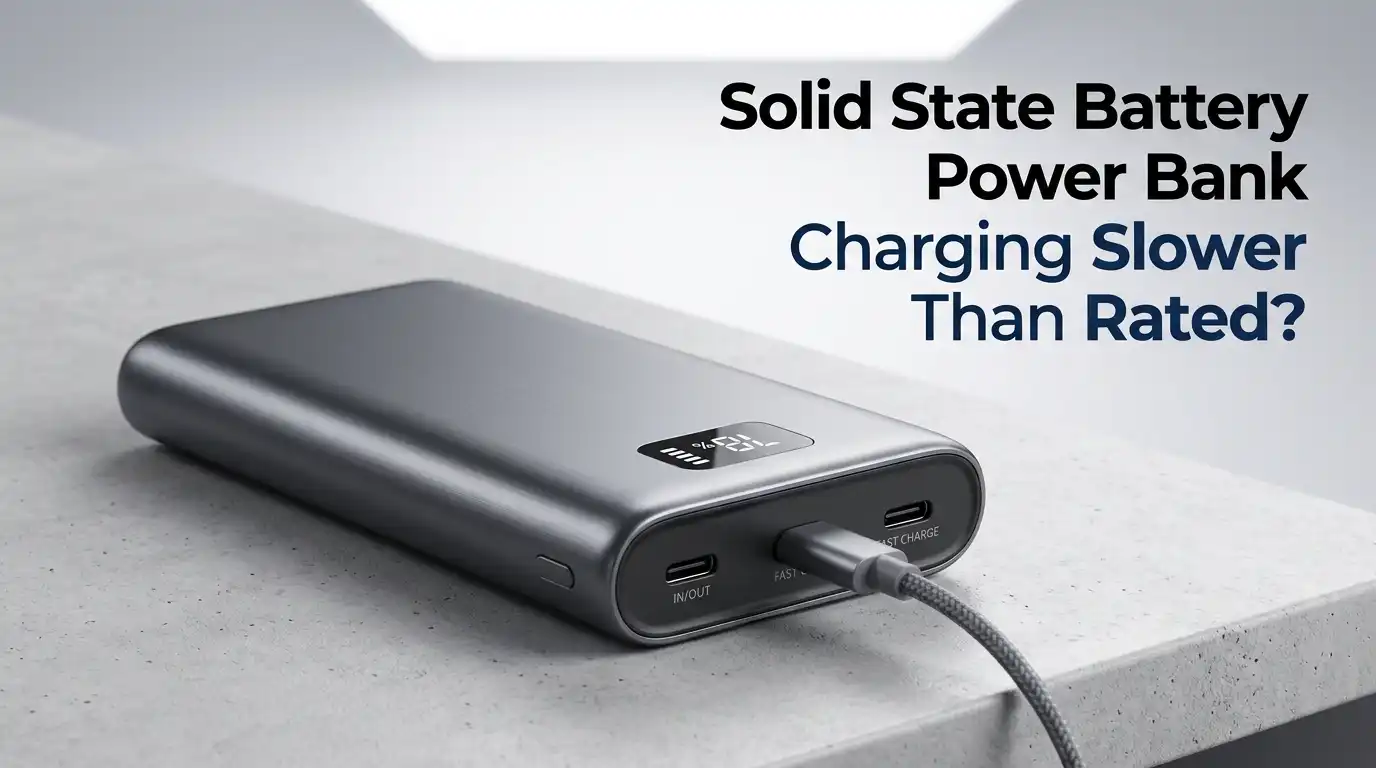
Solid State Battery Power Bank Charging Slower Than Rated?
You just bought a brand new solid state battery power bank. The box says it supports 35W or even 65W fast charging. You plug it in, expecting a quick top up, and then you wait. And wait. The charging speed feels nothing like what was promised. Sound familiar?
You are not alone. Thousands of people experience the same frustration with their solid state power banks. The good news is that the problem is almost never the battery itself.
The real issue usually hides somewhere along the charging chain. A weak charger, a bad cable, a mismatched protocol, or even room temperature can slow your power bank to a crawl.
In a Nutshell
- Your charger might not deliver enough power. A solid state power bank rated for 35W input will charge slowly if you use a 5W or 10W adapter. Always match the charger’s output wattage to the power bank’s maximum input rating for the fastest possible charge time.
- The USB cable is often the hidden bottleneck. A damaged or low quality cable can reduce power delivery by 30% or more. Thin copper cores and worn connectors create resistance, and that resistance turns electricity into heat instead of stored energy. Use a short, certified USB C cable rated for fast charging.
- Charging protocol mismatches cause silent slowdowns. Your power bank may support USB PD (Power Delivery), but your charger may only support QC (Quick Charge). If the two devices cannot agree on a fast charging standard, they default to a slow 5V/1A connection. Check that both devices share the same protocol.
- Heat triggers built in safety limits. Solid state batteries handle heat better than traditional lithium ion cells, but they still have thermal protection. Charging in hot environments or under direct sunlight forces the power bank to reduce its input current to stay safe. Charge in a cool, ventilated spot for the best results.
- Charging other devices at the same time splits the power. If you plug your phone into the power bank while the power bank is also plugged into the wall, the incoming energy gets divided. This means the power bank itself charges much slower than it should.
- Dirty or damaged ports reduce electrical contact. Dust, lint, and pocket debris inside USB C ports increase resistance and reduce charging speed. A quick clean with a wooden toothpick or compressed air can restore full speed.
What Makes Solid State Power Banks Different From Traditional Ones
Solid state battery power banks use a gel like or solid electrolyte instead of the liquid electrolyte found in traditional lithium ion cells. This design change gives them several advantages.
They generate less heat during charging, offer higher energy density, and can last for over 1,000 charge cycles compared to roughly 300 to 500 for standard power banks.
However, solid state power banks still depend on the same external charging ecosystem. They need the right charger, the right cable, and the right protocol to reach their rated speed. The battery chemistry inside may be superior, but the accessories you connect to it can still bottleneck performance.
Pros: Longer lifespan, better thermal stability, higher safety margins.
Cons: Still limited by external accessories, higher price point, newer technology with fewer models available.
Your Charger Output Is Too Low for the Power Bank’s Input Rating
This is the most common cause of slow charging. Many people grab whatever adapter is nearby and assume it will work. A 5W phone charger plugged into a power bank rated for 30W input will charge it roughly six times slower than the right adapter would.
Check the fine print on your charger. Look for the output wattage. Then check your power bank’s specs for its maximum input wattage. These two numbers need to match or come close. For example, a power bank with a 35W PD input needs at least a 30W to 35W PD charger to hit full speed.
If your charger outputs only 5V at 1A (which equals 5W), you could be waiting 15 to 20 hours for a full charge on a 20,000mAh unit. A proper 20W PD charger cuts that time down to roughly 4 to 5 hours.
Pros of using a matched charger: Fastest possible charging, less total time plugged in.
Cons: You may need to buy a separate higher wattage charger if one was not included.
Your USB Cable Is Holding Back the Charging Speed
Cables look simple, but they play a critical role. A thin, cheap cable with low gauge copper wires creates internal resistance. That resistance limits how much current flows through. The result is slow charging, even if your charger and power bank both support high speeds.
Some users have reported that switching from an old cable to a new certified one reduced their charging time by 2 to 3 hours. A cable that “works” does not always “work well.” Internal wire damage, bent connectors, and corroded pins all slow things down without any visible sign on the outside.
Use a USB C cable rated for at least 60W or 100W with an E Marker chip for best results. Keep it short. Longer cables create more resistance. A 1 foot or 3 foot cable will outperform a 6 foot cable in most cases.
Pros of a quality cable: Faster and more stable charging, better durability.
Cons: Shorter cables mean less flexibility in where you charge.
Charging Protocol Mismatch Between Charger and Power Bank
Fast charging is not a single universal standard. Several protocols exist, including USB Power Delivery (PD), Qualcomm Quick Charge (QC), and various brand specific standards. Your charger and power bank must support the same protocol to achieve fast charging speeds.
If your charger supports QC 3.0 but your solid state power bank only accepts USB PD input, the two devices will fail to “handshake” on a fast charging voltage. They will fall back to the basic 5V/1A standard. This means your power bank charges at just 5W instead of its rated 30W or higher.
Check the specifications of both your charger and your power bank. Look for matching protocol names. USB PD is the most universal fast charging standard for modern power banks. A GaN charger with multi protocol support is a reliable solution because it can speak multiple charging languages.
Pros of protocol matching: Full speed charging, no wasted potential.
Cons: Requires some research to check compatibility before buying.
Heat Is Forcing Your Power Bank to Throttle Charging Speed
Solid state batteries are more heat resistant than traditional lithium ion cells, but they are not immune to thermal limits.
Most power banks have built in NTC (Negative Temperature Coefficient) sensors that monitor internal temperature. If the temperature exceeds roughly 40 to 45 degrees Celsius, the charging circuit automatically reduces the input current to prevent damage.
Common situations that cause overheating include charging in a hot car, leaving the power bank in direct sunlight, placing it on a soft surface like a bed or couch that traps heat, and charging while simultaneously powering another device. Each of these scenarios raises the internal temperature and triggers throttling.
Move your power bank to a cool, flat, hard surface in a well ventilated area. Remove any case or cover. Let air circulate around it. This simple step can make a significant difference in charging speed.
Pros of cool charging: Faster speed, longer battery lifespan.
Cons: You need to be mindful of placement every time you charge.
You Are Charging Other Devices While Recharging the Power Bank
Pass through charging sounds convenient. Plug the power bank into the wall and plug your phone into the power bank at the same time. Everything charges together, right? Technically, yes. But the incoming power from the wall gets split between your phone and the power bank’s own battery.
If your wall charger delivers 30W and your phone draws 15W, only 15W remains for the power bank. That is half the speed you expected. The more devices you connect, the slower the power bank charges itself.
For the fastest recharge, let the power bank charge on its own with nothing else connected. Once it is full, then use it to charge your other devices. This simple habit can cut your total wait time in half.
Pros of dedicated charging: Maximum input speed, less heat generated.
Cons: You cannot charge your phone and power bank at the same time.
Dirty or Damaged USB C Ports Are Reducing Power Transfer
This is one of the most overlooked causes. Your pockets, bags, and desks collect dust and lint. Over time, tiny particles get pushed into the USB C port of your power bank. This debris sits between the connector and the pins, creating a poor electrical connection that increases contact resistance.
Higher contact resistance means less current flows through. The charger may be sending 30W, but only 15W actually reaches the battery because the rest gets lost at the dirty connection point. You might also notice the cable feels loose or wiggles more than usual.
Use a wooden toothpick or a blast of compressed air to gently clean the port. Never use metal tools. Metal can short circuit the pins or scratch the internal contacts. After cleaning, try reconnecting your cable. You may see an immediate improvement.
Pros of regular port cleaning: Restored charging speed, prevents long term damage.
Cons: Requires careful handling to avoid port damage.
Your Power Bank’s Firmware May Need an Update
Some modern solid state power banks include programmable charging controllers with updatable firmware. Manufacturers release firmware updates that can fix bugs in power negotiation, improve thermal management algorithms, and even increase supported charging speeds.
If your power bank connects to a companion app, check for available firmware updates. Some brands push updates through Bluetooth or USB connections. An outdated firmware version might limit the input wattage or fail to properly negotiate with newer chargers.
This is a newer feature and not every power bank supports it. But for those that do, a quick update can sometimes resolve persistent slow charging issues without any hardware changes.
Pros of firmware updates: Software fix, no cost, can unlock better performance.
Cons: Not all power banks support updates, process varies by brand.
The Ambient Temperature Is Too Cold for Optimal Charging
Extreme heat slows charging, and so does extreme cold. Solid state batteries perform best in a moderate temperature range, typically between 15 and 35 degrees Celsius (59 to 95 degrees Fahrenheit). Cold temperatures increase the internal resistance of the battery cells, which reduces how much current they can safely accept.
If you charge your power bank in an unheated garage during winter or leave it in a cold car overnight, the charging circuit will limit the input to protect the cells. This can reduce charging speed by 20% to 40% compared to charging at room temperature.
Bring your power bank indoors and let it reach room temperature before plugging it in. This small step ensures the battery cells are in their optimal operating range and can accept the full rated charging current.
Pros of temperature aware charging: Protects battery health, ensures consistent speed.
Cons: Adds a waiting period in cold conditions.
You Are Using the Wrong Port on the Power Bank
Many solid state power banks have multiple ports. One might be USB C with PD input support, another might be USB A for output only, and a third might be a micro USB legacy input. Not every port supports fast charging input.
If you plug your charger into the wrong port, the power bank may charge at only 5W or 10W instead of its maximum rated speed. Some power banks label their ports clearly, but others require you to check the user manual.
Always use the USB C port marked for input or input/output. This is almost always the one that supports the highest wattage. If your power bank has two USB C ports, check which one handles PD input. Using the correct port is a zero cost fix that takes three seconds.
Pros: Instant speed improvement, no purchases needed.
Cons: Port labels can be unclear on some models.
Battery Age and Cycle Count Affect Long Term Charging Speed
Even solid state power banks degrade over time. Although they last much longer than lithium ion models (over 1,000 cycles versus 300 to 500 cycles), the internal resistance of the cells slowly increases with each charge and discharge cycle. Higher internal resistance means slower charging and reduced capacity.
After many months of heavy daily use, you might notice the power bank takes longer to reach 100%. It may also get warmer during charging or seem to lose charge faster than before. These are normal signs of gradual battery wear.
There is no fix for aging cells. However, you can slow the process by avoiding full 0 to 100% charge cycles, keeping the battery between 20% and 80% when possible, and storing it in a cool place. If your power bank is significantly slower than its original performance after years of use, it may be time to consider a replacement.
Pros of proper cycle management: Extended lifespan, maintained performance.
Cons: Requires ongoing attention to charging habits.
Step by Step Troubleshooting Checklist for Slow Charging
Follow this checklist in order to find and fix your slow charging problem. Start with the easiest fixes first. Step one: swap your USB cable for a short, certified USB C cable rated for fast charging. Step two: check your wall charger’s output wattage and make sure it matches your power bank’s input rating.
Step three: verify that both devices support the same fast charging protocol (USB PD, QC, etc.). Step four: unplug all devices from the power bank and let it charge alone. Step five: move the power bank to a cool, hard, ventilated surface away from sunlight. Step six: clean the USB C port with compressed air or a wooden toothpick.
Most users solve their slow charging problem within the first two steps. If the issue continues after all six steps, check for firmware updates or contact the manufacturer for support. The problem is rarely the battery itself.
How to Prevent Slow Charging Problems in the Future
Prevention is easier than troubleshooting. Build a few simple habits to keep your solid state power bank charging at full speed for years. Store your charger, cable, and power bank together so you always use the right accessories. Buy a quality GaN charger that supports multiple fast charging protocols.
Avoid leaving your power bank plugged in for days after it reaches 100%. Overcharging stress, while managed by internal circuits, still creates unnecessary heat over extended periods. Charge in a room temperature environment whenever possible. Clean your ports once a month if you carry the power bank in a bag or pocket daily.
Finally, keep an eye on how long a full charge takes. If it starts creeping up over time, review your accessories before blaming the battery. A fresh cable or a better charger often brings the speed right back to where it should be.
Frequently Asked Questions
Why is my solid state power bank charging at 5W instead of 30W?
Your charger and power bank likely failed to negotiate a fast charging protocol. This happens when the charger supports a different standard (like QC) than the power bank (which may need USB PD). They fall back to the default 5V/1A connection. Check that both devices share the same protocol, and use a USB C cable that supports PD negotiation.
Can a bad cable really slow down my power bank that much?
Yes. A worn or low quality cable can cut your charging speed in half or more. Internal wire damage and thin copper cores increase resistance, which limits current flow. Many users see a 2 to 3 hour improvement just by switching to a new, short, certified USB C cable rated for high wattage.
Is it safe to use a 65W charger with a 35W power bank?
Yes, this is safe. Your power bank will only draw the maximum wattage it is rated to accept. A 65W charger will deliver 35W to a 35W power bank. The power bank’s internal charging controller manages this negotiation automatically. You will not damage the battery by using a higher wattage charger.
Does charging my phone and power bank at the same time hurt the power bank?
It does not damage the power bank, but it slows down the recharge significantly. The incoming power splits between your phone and the power bank’s battery. For the fastest recharge time, let the power bank charge alone and use it to charge your devices afterward.
How long should a 10,000mAh solid state power bank take to fully charge?
With a proper 20W PD charger and a quality cable, a 10,000mAh solid state power bank should reach full charge in roughly 2 to 3 hours. If you use a 5W charger, that time jumps to 8 to 10 hours or more. Always match the charger wattage to the power bank’s rated input for the fastest results.
Do solid state power banks lose charging speed over time?
They do, but much more slowly than traditional lithium ion power banks. Solid state cells typically maintain strong performance for over 1,000 charge cycles. You may notice gradual slowdowns after extensive use over several years. Keeping the battery between 20% and 80% and avoiding extreme temperatures will help preserve charging speed for longer.