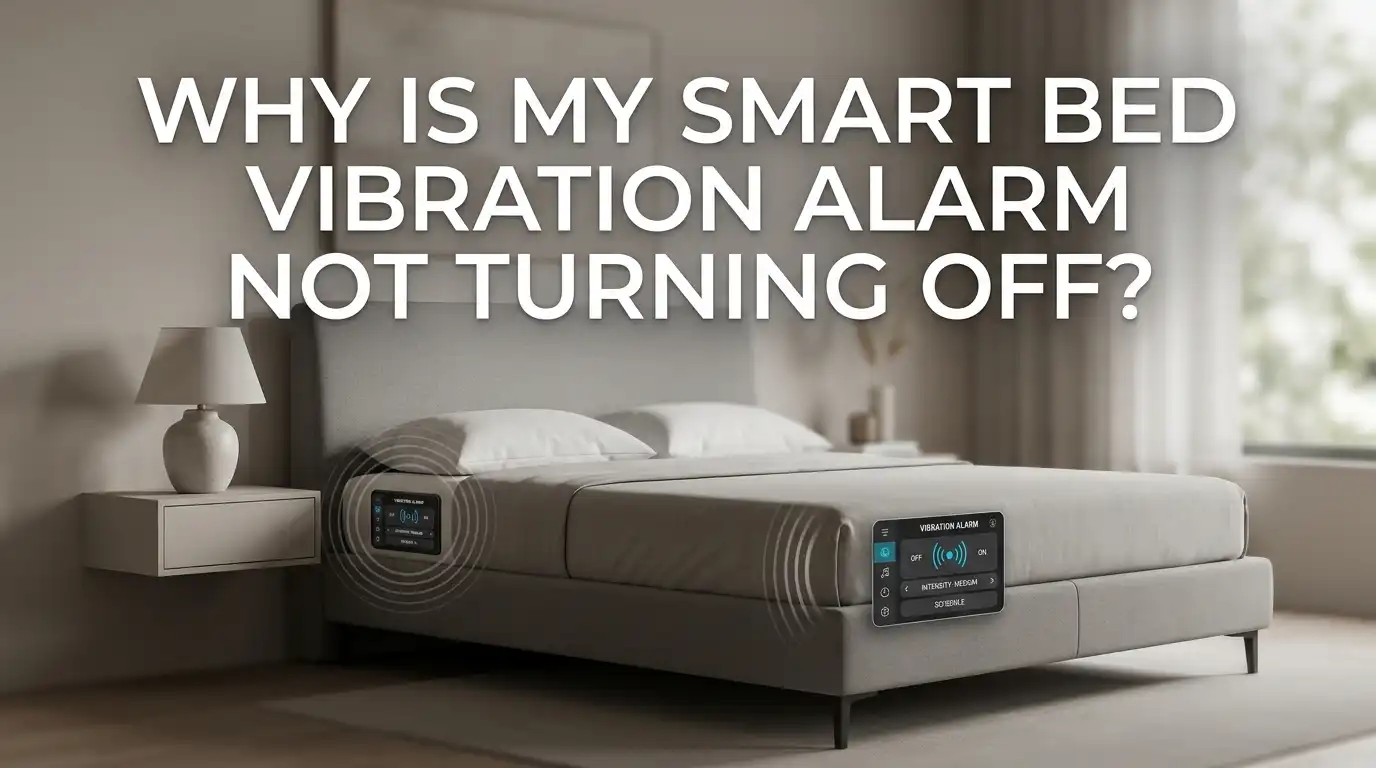
Why Is My Smart Bed Vibration Alarm Not Turning Off?
A smart bed vibration alarm should help you wake up gently, not trap you in a buzzing nightmare that refuses to stop. Yet many sleepers find themselves slapping the mattress at 6 a.m., desperate to silence a stubborn shake.
The motor keeps humming, the app shows “off,” and the bed still rattles. Sound familiar? You are not alone. This problem hits owners of Eight Sleep Pods, Sleep Number beds, Sonic Bomb shakers, and many under mattress vibration units.
The good news is that most cases have a fix you can do yourself in under ten minutes. This guide walks you through every reason the alarm sticks on, and gives you clear steps to silence it for good.
In a Nutshell
- Frozen software is the top cause. A quick reboot of the bed hub, app, or paired phone clears the loop in most cases. Power cycling the unit for 30 seconds usually does the trick.
- App and bed sync issues keep the alarm running even when your phone shows it as dismissed. Toggle the alarm off in the app, then force close it before reopening.
- Stuck snooze buttons or sensors trick the bed into thinking you are still asleep. Clean the touch pad, check the pressure sensor, and inspect the remote for jammed keys.
- Firmware bugs after an update can cause the motor to run past the set duration. Check for the latest firmware patch from the maker and install it right away.
- Hardware faults like a worn motor relay or loose cable need a deeper fix. Contact support if the alarm keeps running after a full reset.
- Battery issues in remotes and backup units can stop the stop signal from reaching the motor. Swap in fresh batteries as a quick test.
What a Smart Bed Vibration Alarm Actually Does
A smart bed vibration alarm uses a small motor placed under the mattress, inside the base, or in a shaker puck. The motor spins a weight that shakes the bed at your set wake time. Most models pair with an app over Wi Fi or Bluetooth. The app sends the start signal, and a tap on your phone or a press on the bed should send the stop signal.
Some beds also use a pressure sensor to detect when you sit up or step out. The sensor then ends the alarm on its own. When any link in this chain breaks, the motor keeps running. Knowing how the system works helps you spot which part has failed.
Reason 1: The App Lost Connection with the Bed
The most common cause is a dropped link between your phone and the bed hub. Your app shows the alarm as dismissed, but the bed never got the message. The motor keeps shaking because it is waiting for a stop command that never arrived.
Check your Wi Fi router first. If the bed uses Wi Fi, a weak signal or a router reboot during the night can break the link.
Open the app and look for a green dot or “connected” label near the bed name. If it shows red or “offline,” tap the bed in the app and wait for it to reconnect. Pulling the bed plug for 30 seconds and plugging it back in forces a fresh handshake.
Pros of this method: fast, free, and fixes most cases. Cons: you may lose sleep tracking data from that night, and the bed can take two or three minutes to fully reboot.
Reason 2: The Alarm App Has Frozen
Sometimes the app itself locks up while showing the stop screen. You tap, the button flashes, but nothing happens on the bed side. This is a classic mobile app freeze.
Force close the app fully. On an iPhone, swipe up from the bottom and flick the app off the screen. On Android, tap the square button and swipe the app away. Then reopen the app and try the stop button again. If that fails, restart your phone with a full power off, not just a screen lock. A fresh phone boot clears stuck background tasks.
Pros: solves freeze loops in seconds and needs no tools. Cons: you must unlock your phone while still half asleep, and some apps need a fresh login after a force close.
Reason 3: The Snooze Button Is Stuck
Many smart beds have a physical snooze pad on the rail or a button on a wired remote. If this pad sticks down due to dust, spilled drink residue, or worn rubber, the bed reads it as a constant snooze press. The alarm restarts every few minutes and never fully ends.
Inspect the snooze pad with a flashlight. Press it a few times and listen for a clean click. If it feels mushy or sticks, wipe around the edge with a dry cloth or a cotton swab dipped in a tiny bit of rubbing alcohol. Let it dry fully before testing. For wired remotes, pop off the back cover and check for crumbs under the keys.
Pros of cleaning: cheap, easy, and often the only fix needed. Cons: deep grime may need full remote replacement, and alcohol can fade printed labels if you use too much.
Reason 4: The Pressure Sensor Thinks You Are Still in Bed
Some smart beds end the alarm only when the pressure sensor reads zero weight. If a pillow, blanket pile, or pet sits on the sensor zone, the bed thinks you are still asleep. The motor keeps shaking until the weight clears.
Stand up and pull all bedding to one side. Walk away from the bed for a full minute. Watch if the alarm stops on its own. If it does, the sensor was the cause. Recalibrate the sensor through the app settings. Look for a menu called “bed calibration,” “sensor reset,” or “zero weight reset.” Follow the prompts with the bed empty.
Pros: a clean recalibration fixes false readings for months. Cons: not all beds expose this setting to users, and some calibrations need a full eight hour sleep cycle to relearn your body weight.
Reason 5: Firmware Bug After a Recent Update
A fresh firmware push can break the alarm stop command. Owners of Eight Sleep and other smart beds have reported alarms that ignore the stop tap right after an update. The motor runs for the full set duration, sometimes 20 minutes or more.
Open the app and check for a newer patch. Makers often push a fix within days of a bad update. Go to settings, then device, then firmware version. Tap “check for update.” If a patch is ready, install it while the bed is plugged in and still. Never unplug the bed during a firmware install. A broken install can brick the hub.
Pros: a real patch fixes the root cause for all users. Cons: you may wait days for the fix, and the install itself can take 15 to 30 minutes during which the bed is offline.
Reason 6: Dead or Weak Batteries in the Remote or Shaker
Battery powered shakers like the Sonic Bomb puck rely on fresh cells to hear the stop button. When the cells drop below a safe voltage, the motor still spins on its last charge but the receiver chip cannot read your button press. The shake runs until the cells fully die.
Swap in fresh alkaline or lithium batteries. Check the maker’s manual for the right type. Mixing old and new cells gives mixed results and can leak acid into the case. A weak battery often shows a faint or slow shake before the stop fails. That is your early warning sign.
Pros: cheap, fast, and prevents leak damage. Cons: you must keep spare cells on hand, and some shakers use odd sizes like A23 or CR2032 that local stores may not stock.
Reason 7: The Motor Relay Has Worn Out
Inside the motor unit sits a small relay that switches the power on and off. After thousands of alarm cycles, the relay contacts can weld shut. The motor then keeps power even after the stop signal arrives. This is a real hardware fault.
Listen for a clear click when the alarm should end. No click means the relay is stuck. Tap the motor housing firmly with your knuckle. Sometimes the shock frees a lightly welded contact. This is a short term fix at best. The real repair needs a new relay or a new motor module.
Pros: the tap trick can buy you a few more weeks. Cons: a welded relay will fail again soon, and motor swaps often need a tech visit or a return to the maker under warranty.
Reason 8: A Software Conflict with Another Sleep App
If you run more than one sleep app on your phone, two alarms can fire at once. You stop one in the smart bed app, but the second app keeps the vibration command active in the background. The bed keeps shaking because it still hears one active alarm.
Check every sleep, alarm, and health app on your phone. Look for hidden alarms in apps like Sleep as Android, Alarmy, Apple Health, or Google Fit. Turn off any alarm you do not need. Keep only the smart bed app active for wake times. A single source of truth stops the cross talk.
Pros: clean app setup also saves phone battery and clears notification clutter. Cons: you lose some advanced sleep tracking features if you remove a favorite app.
How to Do a Full Factory Reset on Your Smart Bed
When nothing else works, a factory reset wipes the bed memory and starts fresh. This clears stuck schedules, ghost alarms, and corrupt settings. Most smart beds have a reset hole or a long press combo on the hub.
Find the reset port on the back or bottom of the hub. Use a paperclip to press and hold for 10 to 15 seconds. The lights will blink and the unit will reboot. Then open the app and pair the bed again as if it were new. Save your sleep data first if the app offers an export. A reset deletes local history on some models.
Pros: a deep reset fixes problems no quick fix can touch. Cons: you lose custom settings, saved schedules, and any data not synced to the cloud.
When to Call Support or a Technician
If you have tried every step above and the alarm still runs, the fault is likely deep inside the hardware. A burned motor driver, a failed main board, or a torn sensor cable needs a pro. Do not open sealed motor units yourself, since this often voids the warranty.
Gather your proof first. Note the date the problem started, any recent updates, and the steps you tried. Record a short video of the stuck alarm. Support teams move faster when you show the issue clearly. Most makers cover the motor and hub under a one to two year warranty.
Pros: a real repair restores full function and may be free under warranty. Cons: shipping the bed back can leave you without sleep tracking for a week or more.
How to Prevent the Problem from Coming Back
Once your alarm works again, a few habits keep it from sticking next time. Reboot your bed hub once a month by pulling the plug for a minute. This clears small memory leaks before they grow.
Keep the app and firmware up to date, but wait two or three days after a major release. Early adopters often find bugs first, and a small wait lets the maker patch them.
Clean the snooze pad and sensor area every week with a dry cloth. Dust is the silent killer of touch buttons. Finally, set a backup alarm on your phone in case the bed fails again. A second alarm saves you on the day a fix is needed.
FAQs
Why does my smart bed vibration alarm keep restarting after I stop it?
This usually means the snooze button is stuck or the app sent a snooze command instead of a full stop. Clean the snooze pad and double tap the stop button in the app. A firm, single press on the right control ends the alarm fully.
Can I unplug the bed to stop the alarm in an emergency?
Yes, pulling the plug stops the motor right away. This is safe as a one time fix. Do not make it a habit, since frequent power cuts can damage the firmware and shorten the life of the hub.
How long should a normal vibration alarm last before auto stopping?
Most smart beds run the alarm for 5 to 20 minutes, then stop on their own. If yours runs longer, check the alarm duration setting in the app. A bug or a stuck input can push it past the set limit.
Will a factory reset delete my sleep tracking history?
A reset clears local data on the hub, but cloud data stays safe in your account. Log back in after the reset and your past sleep scores should sync within a few minutes.
Is it safe to use the smart bed while the alarm fault is being fixed?
Yes, the bed itself is safe to sleep on. Just turn off the alarm feature in the app and use your phone alarm instead until the fix lands. The mattress, heating, and cooling features still work as normal.