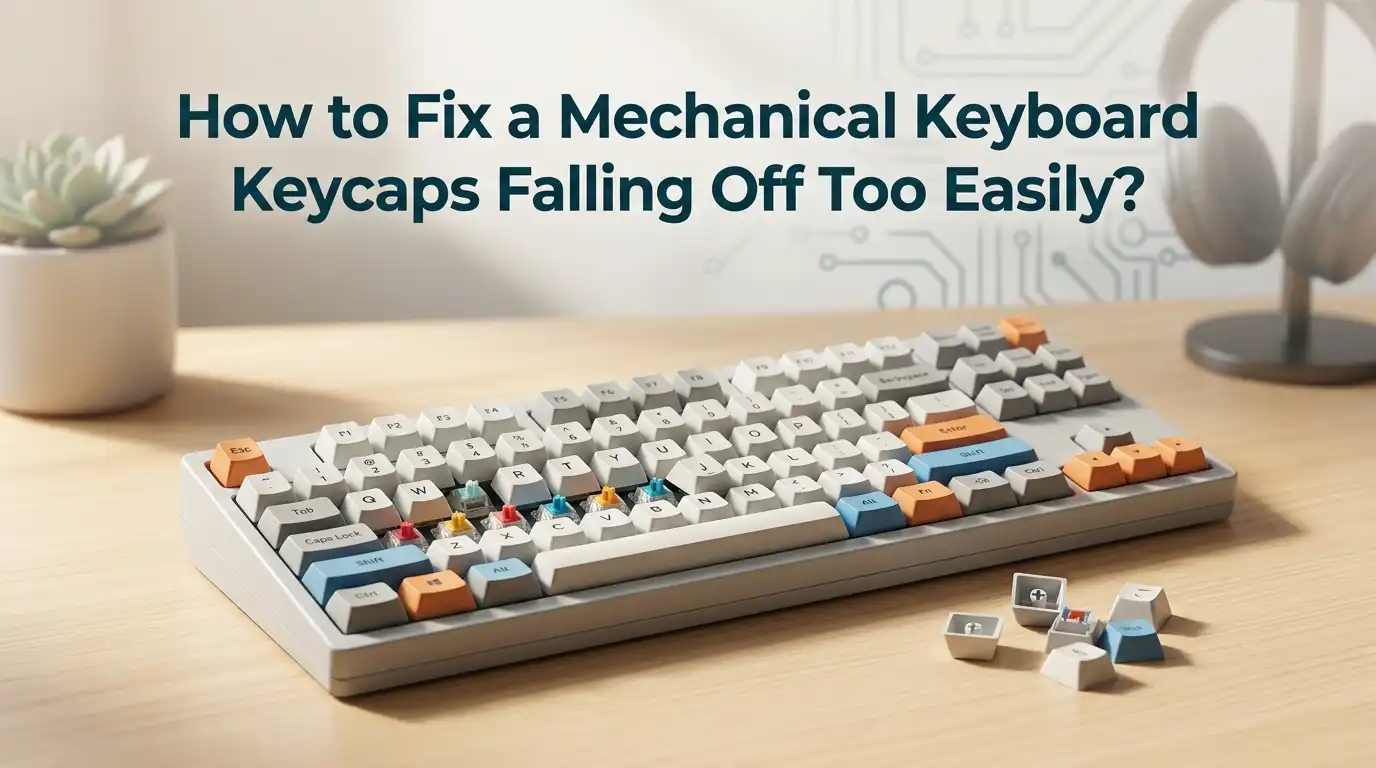
How to Fix a Mechanical Keyboard Keycaps Falling Off Too Easily?
Your favorite mechanical keyboard feels amazing under your fingers until one keycap pops off mid sentence. Then another one wobbles. Soon, you find yourself pressing them back every hour. This problem feels small at first, but it can ruin your typing flow and slow your work.
Loose keycaps happen to almost every mechanical keyboard owner at some point. The good news is you do not need to throw away your keyboard or buy a new set of keys right away.
Most fixes take only a few minutes and use items you already own at home. Tape, warm water, glue, or a simple inspection can bring your keys back to life.
Key Takeaways
- The stem is the main suspect. A loose or cracked stem inside the keycap is the top reason keys keep falling off. Always check the cross shaped hole under the keycap first.
- Tape is the fastest fix. Wrapping a thin strip of electrical tape, scotch tape, or PTFE tape around the switch stem adds friction and tightens the fit in under a minute.
- Warm water can reshape stems. Soaking a worn keycap in 60 to 70 degree Celsius water for five to ten minutes helps soft plastic stems shrink back to size.
- Glue and epoxy fix broken stems. For cracked or snapped stems, a small drop of super glue or two part epoxy rebuilds the bond. Sand the area first for better hold.
- Switch damage matters too. Sometimes the keycap is fine, and the switch stem itself is worn. Hot swap keyboards make switch replacement easy, while soldered boards need more work.
- Prevention beats repair. Pulling keycaps straight up with a wire puller, avoiding rough cleaning, and storing spare caps in a box will keep your set healthy for years.
Why Do Mechanical Keyboard Keycaps Fall Off So Easily
Mechanical keycaps sit on a small plus shaped stem. Over time, this connection can loosen. The most common cause is wear from removing and reinstalling keycaps too many times. Every pull stretches the plastic just a little.
Cheap ABS plastic keycaps wear faster than PBT ones. Heat from your fingers and oils also soften the inner walls of the stem. Some budget keycap sets ship with stems that are already slightly oversized from the factory, which means they never grip well.
Drops, hard typing, or aggressive cleaning can also crack the small cross inside the cap. Once a crack forms, the keycap will never hold tight again until you repair or replace it. Knowing the cause helps you pick the correct fix instead of guessing.
Check the Keycap Stem Before You Try Any Fix
Before reaching for tape or glue, flip the loose keycap over and look inside. You will see a small plus shaped hole. This is the stem mount. Shine a flashlight inside and look for white stress marks, cracks, or missing pieces of plastic.
If the stem looks clean and whole, the problem is most likely a loose fit caused by wear. A tape fix or warm water fix will work. If you see a visible crack or a broken arm of the cross, you need a glue repair or a full keycap replacement.
Also check the switch stem on the keyboard itself. Press a working keycap onto that switch. If the working keycap also wobbles, your switch is the issue, not the cap. This quick test saves hours of wrong fixes.
Pros: Free, takes one minute, prevents wasted effort.
Cons: You need good lighting and sometimes a magnifier to see small cracks.
Fix Loose Keycaps With the Tape Method
The tape method is the most popular fix in the mechanical keyboard community. It works because tape adds a thin layer of material between the switch stem and the keycap, increasing friction. Electrical tape, scotch tape, PTFE plumbing tape, or even masking tape all work.
Start by removing the loose keycap with a wire puller. Cut a small square of tape, about the size of your fingernail. Place it over the switch stem, then press it down so the cross shape pokes through slightly. Push the keycap back on firmly until you hear a soft click.
Pros: Cheap, fast, fully reversible, works on any MX style switch.
Cons: Tape can wear out after months of heavy typing. You may need to redo the fix once or twice a year.
Try the Warm Water Method for Worn Stems
This method comes from the artisan keycap community. It works best on resin and ABS keycaps where the stem has stretched slightly over time. Heat causes the plastic to contract back toward its original shape.
Boil water, then let it cool to about 60 to 70 degrees Celsius, which feels hot but not painful to touch. Pour it into a small cup. Drop the loose keycap into the water and let it soak for five to ten minutes. Pull it out with a spoon, dry it gently, and mount it on the switch right away.
The keycap will cool while gripping the stem, locking into a tighter fit. Do not use boiling water, as it can warp the legend or melt the cap.
Pros: No glue or tape needed, restores original feel, great for resin caps.
Cons: Works only on certain plastics, risk of warping if water is too hot.
Repair a Broken Keycap Stem With Super Glue
If the cross inside the keycap is cracked or partly missing, glue is your friend. Super glue, also called cyanoacrylate, bonds plastic quickly and dries clear. This fix is best for small cracks where the stem still holds its shape.
Clean the inside of the keycap with isopropyl alcohol and let it dry. Place a tiny drop of super glue on the cracked area. Do not flood the stem, as glue can fill the cross and block the switch. Press the broken pieces together with a toothpick. Let it cure for at least one hour before mounting.
For added strength, sand the inside lightly with fine sandpaper before gluing. The rough surface helps the glue grip better.
Pros: Strong bond, low cost, easy to find at any store.
Cons: Permanent, messy if you use too much, may discolor clear caps.
Use Two Part Epoxy for Heavy Damage
When the stem is fully broken off or missing pieces, super glue alone will not hold. Two part epoxy is the stronger choice. It mixes a resin and a hardener that cure into a tough plastic like material.
Mix a small amount on a piece of cardboard using the instructions on the package. Apply it to the broken stem area with a toothpick. Press the keycap onto a switch coated with a thin layer of petroleum jelly, which acts as a release agent. Let the epoxy cure overnight, then remove the cap. The cured epoxy now forms a perfect new stem shape.
Pros: Very strong, rebuilds missing plastic, lasts for years.
Cons: Takes longer to cure, more expensive than super glue, requires careful mixing.
Replace the Switch If the Stem Is Worn
Sometimes the keycap is perfect, but the switch underneath is the real problem. Switch stems can wear down after millions of presses, leaving the cross too thin to grip any cap. Hot swap keyboards make this fix simple.
Pull the keycap off, then use a switch puller to lift the switch straight out. Drop in a new switch of the same type, press it down until it clicks, and reattach the keycap. The whole process takes under a minute per switch.
For soldered keyboards, you will need a soldering iron, desoldering pump, and steady hands. If you have never soldered before, watch a few tutorials first or take the board to a repair shop.
Pros: Permanent fix, restores like new feel.
Cons: Hot swap only easy on supported boards, soldered boards are harder.
Swap the Keycap Set for a Better Quality One
If many keys feel loose at once, your whole keycap set may be the issue. Some budget sets have oversized stems straight from the factory. No amount of tape will fix a poor design across every key.
Look for keycap sets made from PBT plastic with Cherry profile or OEM profile stems. PBT is harder and holds its shape longer than ABS. Trusted brands list stem tolerances in their product pages, which is a good sign of quality control.
When you install the new set, press each cap straight down with even pressure. Avoid rocking them side to side, which can stretch the new stems before you even start typing.
Pros: Solves the root cause, gives a fresh look and feel.
Cons: More expensive than other fixes, requires picking the right profile.
Clean Your Keyboard the Right Way
Dust, crumbs, and skin oils build up around switches and inside keycaps. Over time, this debris can push keycaps out of position or block them from seating fully. A clean keyboard holds keycaps better and lasts longer.
Power off your keyboard and unplug it. Use a can of compressed air to blow out the switch area. Remove keycaps one at a time and wipe each stem with a cotton swab dipped in isopropyl alcohol. For the caps themselves, soak them in warm soapy water, then air dry fully before remounting.
Never use harsh cleaners like bleach or acetone. These can crack plastic stems and make the problem worse.
Pros: Free, improves hygiene, often fixes minor looseness.
Cons: Takes time, must wait for parts to dry fully before reassembly.
Use a Keycap Puller the Correct Way
Wrong removal technique is a hidden cause of loose keycaps. Many people pull keycaps off with their fingers or a flathead screwdriver. Both methods stretch and crack the stem over time.
Always use a wire keycap puller, not a plastic ring style puller. Slide the wire ends under two opposite sides of the keycap, then pull straight up with steady pressure. Do not twist or rock the cap. The cap should release with one smooth motion.
If you remove and reinstall keycaps often, like for cleaning or photos, expect the stems to wear faster. Buy a backup set of caps to rotate, which spreads the wear across more pieces.
Pros: Protects stems, costs only a few dollars.
Cons: Wire pullers can scratch keycap sides if used roughly.
Try the Heat Shrink Tubing Trick
For users who want a longer lasting fix than tape, heat shrink tubing is a smart option. This thin plastic sleeve shrinks tightly when heated, creating a snug new layer around the switch stem.
Cut a tiny piece of small diameter heat shrink tubing, about three millimeters tall. Slide it over the switch stem. Use a hair dryer on high heat to shrink it for ten to fifteen seconds. Once cooled, press the keycap on top. The tubing fills the gap and grips the cap firmly.
Pros: Lasts much longer than tape, looks cleaner, easy to remove later.
Cons: Needs a hair dryer or heat gun, requires buying tubing if you do not have any.
When to Replace Instead of Repair
Sometimes repair is not worth the effort. If the keycap stem is shattered into multiple pieces, or if the legend is faded and worn, replacement is the smarter choice. A single keycap usually costs less than a coffee.
Many brands sell individual replacement caps, especially for common keys like the spacebar, enter, and shift. Check that the profile, size, and stem type match your current set. OEM and Cherry profiles are the most common, but DSA, SA, and XDA shapes also exist.
If your keyboard came with a unique font or color scheme, contact the manufacturer for an exact match. Mixing profiles can cause uneven typing height and feel.
Pros: Looks and feels brand new, no glue mess.
Cons: Color matching can be tricky, shipping takes time.
How to Prevent Keycaps From Falling Off in the Future
Prevention is easier than repair. Treat your keyboard gently and your keycaps will last for years. Avoid removing keycaps unless you really need to. Each removal wears the stem a little more.
When you do clean, use compressed air first to avoid pulling caps. Store your keyboard in a dust free area, and consider a dust cover if you live in a dry or sandy environment. Type with normal force, not by slamming keys, since hard impacts can shock the stems over time.
Finally, keep a small repair kit ready: a wire puller, electrical tape, super glue, and a few spare switches. With these on hand, any loose key takes only minutes to fix.
Pros: Saves money, keeps your keyboard looking new.
Cons: Requires forming good habits over time.
FAQs
Can I use regular glue instead of super glue to fix a broken keycap stem?
Regular white glue or wood glue will not hold plastic well. Super glue or two part epoxy are the best choices because they bond plastic strongly and dry clear. Always use small amounts to avoid blocking the switch.
How long does the tape fix usually last on a mechanical keyboard?
The tape fix can last anywhere from a few months to over a year, depending on how often you type and remove the keycap. Electrical tape and PTFE tape last longer than scotch tape because they grip better and resist heat.
Are PBT keycaps less likely to fall off than ABS keycaps?
Yes, PBT keycaps are generally more durable. PBT plastic is harder and holds its stem shape longer than ABS. ABS caps become shiny and stretch faster, which can lead to looser fits over time.
Will warm water damage the legends on my keycaps?
Water at 60 to 70 degrees Celsius is usually safe for double shot and dye sublimated legends. However, pad printed or laser etched legends can fade with heat. Test on a less used key first if you are unsure.
Can I fix a loose spacebar the same way as a regular keycap?
Mostly yes, but spacebars also use stabilizers, which are separate parts that hold the long key flat. If your spacebar is loose, check both the stem fix and the stabilizer clips. Sometimes the stabilizer wire has popped out of its housing.
Is it safe to use a hot swap switch puller on a soldered keyboard?
No, never try to pull a switch out of a soldered keyboard with a switch puller. You will damage the PCB and possibly break solder joints. Soldered switches must be desoldered first with proper tools before removal.