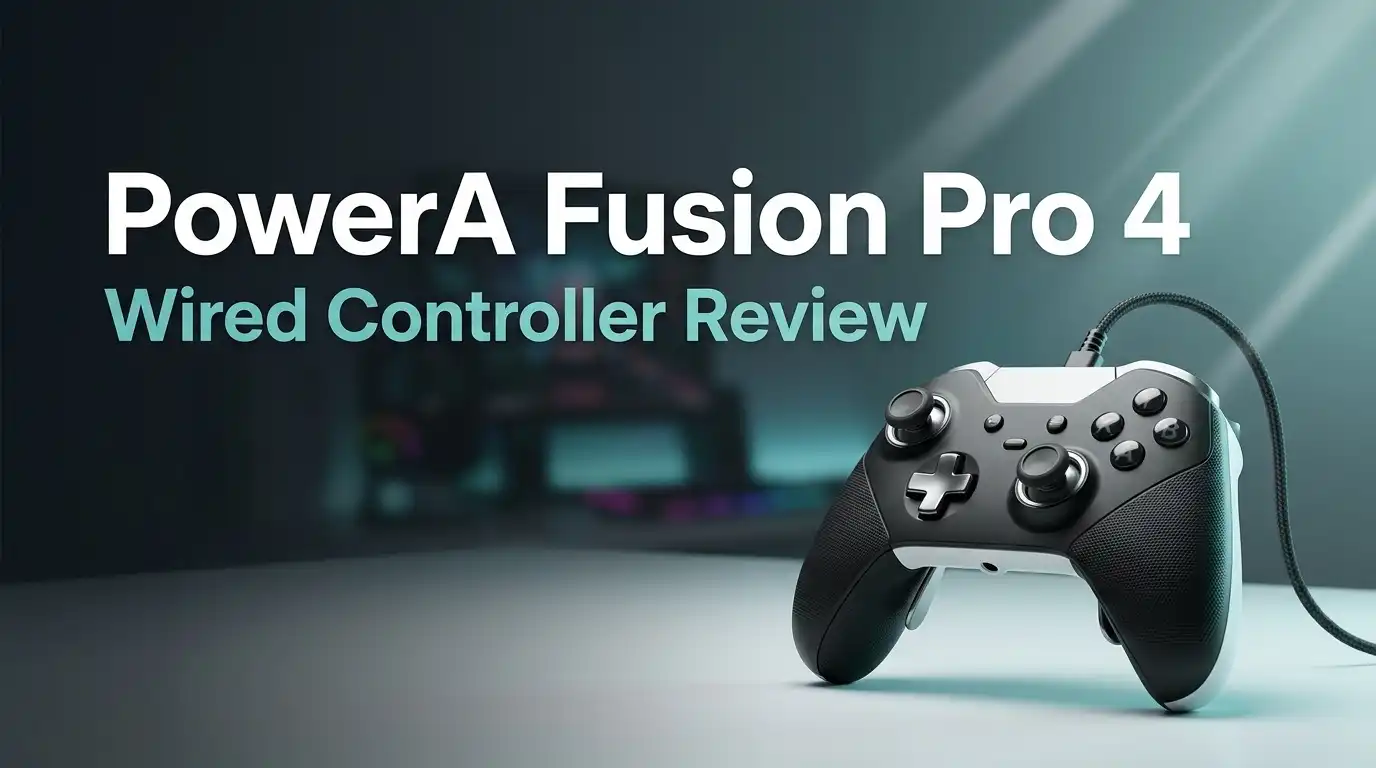
PowerA Fusion Pro 4 Wired Controller Review 2026: Worth Buying?
Gaming controllers break hearts. Sticks drift, paddles rattle, and prices climb past $180 for something that should just work.
The PowerA Fusion Pro 4 Wired Controller tries a different approach. It packs Hall Effect sticks, four back buttons, and trigger locks into a package that costs well under the price of an official pro pad.
I spent weeks with this controller across shooters, racers, and long RPG sessions. Some features surprised me. Others annoyed me. This review covers both sides honestly, because a controller that looks great on a spec sheet can still feel wrong after three hours of play.
In a Nutshell:
- Hall Effect sticks remove the drift worry. The magnetic sensors never physically touch, so the most common controller failure point basically disappears. This is the single biggest upgrade over older Fusion models.
- Quick Twist Thumbsticks are genuinely clever. You twist each stick to change its height between three settings. No swapping parts, no loose pieces to lose, no pausing your match.
- Four mappable back buttons work without menus. You press the map button on the back, choose an input, and you are done. It works on Xbox and PC the same way.
- The wired connection means near zero latency. A 10 foot braided USB C cable keeps you connected with no battery anxiety and no dongle to misplace.
- It is not perfect, and the flaws are real. The back paddles need firm pressure, the D pad feels average, the grip texture can feel scratchy, and you lose the swappable faceplates that older Fusion pads offered.
- Value is the strongest argument. At roughly $70 to $80, it undercuts premium pro controllers by a wide margin while matching most of their core features.
PowerA Fusion Pro 4 Wired Controller

- Quick-Twist Thumbsticks – Easily adjust the height for each thumbstick in the middle of a game with a simple twist: no need to swap out parts. Three height settings for each thumbstick let you customize them to your gameplay style
- Hall Effect Modules – Contact-free magnetic sensors in the thumbsticks provide a more fluid pro-level feel to help with precision and longevity

Some of the links on this website are affiliate links, which means that at no additional cost to you, I earn a commission if you click through and make a purchase. I only recommend products and services that I believe will add value to my readers. Thank you for your support!
The Fusion Pro 4 is an officially licensed Xbox controller. It works with Xbox Series X, Xbox Series S, Xbox One, and Windows PCs. PowerA built it as the wired half of a two product refresh, sitting below the pricier wireless version with RGB lighting.
The headline features include Hall Effect thumbstick modules, Hall Effect impulse triggers, three way trigger locks, four programmable rear buttons, dual rumble motors, and a 3.5mm audio jack with an onboard volume dial.
Everything is tuned for competitive play. The controller measures about 6.14 inches long and 4.21 inches wide, matching standard Xbox pad dimensions closely.
PowerA backs it with a two year warranty, which is longer than most rivals offer. That alone tells you the company feels confident about the new internals.
Unboxing Experience and First Impressions
The box is smaller than I expected. Older Fusion Pro controllers shipped in bulky packaging stuffed with spare thumbstick caps and faceplates. This one trims all that away, because the Quick Twist design makes spare sticks unnecessary.
Inside you get the controller, the 10 foot braided USB C cable, and a short paperwork sleeve. That is it. No carry case, no extra parts, no charging stand. The wired model keeps things lean.
Lifting it out, the first thing I noticed was the weight. It feels solid without feeling heavy. The all black finish looks sharper than previous versions, which had an odd greenish tint on the grips.
The matte plastic resists fingerprints well. Setup took under a minute. I plugged it into my Xbox, the console recognized it instantly, and I was in a game before the cable finished uncoiling.
Design, Build Quality and Comfort
PowerA did not reinvent the shape here, and that was the right call. The Fusion Pro 4 mirrors the classic Xbox layout with offset sticks, a familiar face button cluster, and curved grips that fill your palms naturally.
The textured rubber grips are covered in tiny raised PowerA logos. They add real grip during sweaty sessions. Some players find this texture slightly abrasive at first. After a few days my hands adjusted, but it is rougher than the soft rubber on an official Xbox pad.
Bumpers click crisply. Triggers glide smoothly with no grinding. The face buttons feel tight and responsive with a satisfying snap. Build quality is the strongest part of this controller. Nothing creaks when you twist the body, and the seams line up cleanly. It feels like a product built to survive years of abuse.
Top 3 Alternative for PowerA Fusion Pro 4 Wired Controller

- Versatile Compatibility: Supports Xbox Series X/S, Xbox One X/S consoles, and PC Win10 and above (including the Steam game platform).
- Precise Control: Features Hall Joysticks and Hall trigger for comfortable feel, long life, and enhanced gaming accuracy.
Some of the links on this website are affiliate links, which means that at no additional cost to you, I earn a commission if you click through and make a purchase. I only recommend products and services that I believe will add value to my readers. Thank you for your support!
GameSir G7 SE Wired Controller

- XBOX ELITE WIRELESS CONTROLLER SERIES 2: Play like a pro with adjustable-tension thumbsticks, wrap-around rubberized grip, and shorter hair trigger locks..Audio : 3.5mm stereo headset jack. Also compatible with the Xbox One Stereo Headset Adapter and all other Xbox controller accessories made by Microsoft.
- CORE ESSENTIALS: Includes just the components you need to unleash your best game. Additional components sold separately for even more customization with the Complete Component Pack.
Some of the links on this website are affiliate links, which means that at no additional cost to you, I earn a commission if you click through and make a purchase. I only recommend products and services that I believe will add value to my readers. Thank you for your support!
Xbox Elite Wireless Controller Series 2 Core

- Turtle Beach Enhanced Audio Features
- Superhuman Hearing Sound Setting
Some of the links on this website are affiliate links, which means that at no additional cost to you, I earn a commission if you click through and make a purchase. I only recommend products and services that I believe will add value to my readers. Thank you for your support!
Turtle Beach Recon Wired Controller
Hall Effect Thumbsticks and Stick Drift
This is the feature that matters most. Traditional controller sticks use potentiometers that physically scrape against contacts. Over time those contacts wear down and your character starts walking on its own. Every gamer knows this pain.
Hall Effect modules use magnets and sensors that never touch. No contact means no wear, and no wear means no drift. This is the first Fusion controller to include them on both the sticks and the triggers.
In practice the sticks feel smoother than older Fusion pads. Small movements register cleanly, which helps during slow scope adjustments in shooters. The dead zone is tight out of the box.
I tested the sticks on a gamepad testing site and the input circles traced evenly with no jitter. For anyone who has thrown away a drifting controller, this feature alone justifies the purchase.
Quick Twist Thumbsticks Explained
I had never seen this on another controller. Instead of pulling off a stick cap and pressing on a taller one, you grip the stick and twist it. The stick rises or lowers between three preset heights.
The change takes about two seconds. You can do it between rounds or even during a loading screen. Taller sticks give you finer aim control, while shorter sticks allow faster flicks. Racing games feel better with shorter sticks. Sniping feels better with taller ones.
My worry was that the twist mechanism would loosen during intense play. It never did. The locking feel is firm and positive. The tradeoff is that PowerA removed swappable faceplates to make room for this system. I think most players will accept that trade without complaint.
Three Way Trigger Locks and Impulse Triggers
Both triggers have a small switch on the back with three positions. Full travel gives you the complete pull for racing games where throttle control matters. The middle setting shortens the pull slightly. The shortest setting turns the trigger into something close to a mouse click.
Each trigger locks independently. That means you can set the left trigger to full travel for aiming and the right trigger to hair pull for firing. Shooter players will appreciate this immediately.
The impulse triggers include rumble motors, so supported games deliver vibration directly under your fingertips. Driving over gravel in a racing game feels distinct from driving on tarmac.
Combined with the dual rumble motors in the grips, feedback feels detailed rather than buzzy. The trigger switches themselves are easy to reach without looking.
Four Mappable Back Buttons
The Fusion Pro 4 places four rear buttons where your middle and ring fingers rest. Two sit on each grip. They are textured with the same tiny logo pattern as the handles, which keeps your fingers from sliding off.
Mapping takes seconds. You hold the small program button in the center of the back, press the rear button you want to assign, then press the face button or input you want it to copy. No app or system menu is required. This works identically on console and PC.
Here is my honest complaint. The paddles require noticeably more pressure than those on competing pro controllers. Light taps sometimes do not register. The upside is that you almost never trigger them by accident during frantic button mashing. Whether that trade works for you depends on your grip strength and playstyle.
PowerA Gamer HQ App and Customization
PowerA ships a companion app for both PC and Xbox. Gamer HQ detects the controller the moment you plug it in and opens a clean dashboard.
From there you can adjust stick dead zones, change trigger actuation ranges, tune vibration strength, calibrate the sticks, manage audio settings, and save button profiles. The dead zone sliders are the most useful tool for competitive players. Shrinking the inner dead zone makes aim adjustments feel sharper.
The interface is simple and loads fast. It does not demand an account or constant internet access. Firmware updates also come through this app, which matters because PowerA has pushed refinements since launch.
You do not need the software for basic use, since button mapping works on the controller itself. But if you want to squeeze out the last bit of precision, this app earns its install.
Audio Features and the Headset Dial
A 3.5mm jack sits on the bottom edge for wired headsets. Directly above it, on the face of the controller, PowerA placed a small dial with a mute button in the center.
This dial controls volume and the game to chat balance depending on the mode. Muting your microphone takes one press. That is faster than reaching for an inline cable remote or opening a console menu during a match.
Audio quality through the jack is clean with no background hiss on my headset. Voice chat came through clearly to teammates with no complaints about volume.
The dial has a textured edge so you can find it by feel. It is a small addition, but it solves a real problem. Anyone who has fumbled to mute during an awkward moment will understand the value here.
Gaming Performance in Real Sessions
I tested the Fusion Pro 4 across shooters, racing games, platformers, and long RPG sessions. The wired connection delivers input with no perceptible delay. Button presses land exactly when you expect.
In shooters the tight stick response and short trigger pull made a measurable difference in reaction speed. Aiming down sights felt controlled rather than twitchy. In racing games the full travel trigger setting gave me the fine throttle control that short pulls remove.
During a four hour RPG session my hands stayed comfortable. The weight distribution is good and the grips do not force your wrists into an awkward angle. Fatigue was never an issue.
The D pad handled fighting game inputs adequately, though it is the weakest component on the controller. Diagonal inputs sometimes registered when I wanted a clean cardinal direction.
What This Controller Does Not Do Well
Honest reviews list the problems, so here they are. The D pad is merely acceptable. It feels mushy compared to the crisp D pads on premium pro controllers, and fighting game players should look elsewhere.
The back paddles need firm pressure. Players who prefer feather light paddle activation will find these stiff. Some longtime Fusion owners argue the Pro 3 paddles felt better.
You lose swappable faceplates and swappable thumbstick caps. Previous Fusion models let you customize the look and stick shape. The Quick Twist design replaces that flexibility.
There is no carry case in the box, which feels cheap on a controller at this price. The grip texture can feel scratchy to sensitive hands. Finally, this pad does not support Bluetooth, Nintendo Switch, or PlayStation systems at all.
Pros and Cons
Pros
- Hall Effect sticks and triggers remove the stick drift problem that kills most controllers
- Quick Twist Thumbsticks let you change stick height in seconds with no loose parts
- Four mappable back buttons program directly on the controller with no app required
- Three way trigger locks work independently on each trigger
- Excellent build quality with no creaking, flexing, or loose panels
- Two year warranty beats most competitors in this price range
- Onboard audio dial with instant microphone mute
- 10 foot braided cable is long enough for couch gaming
- Strong value compared to premium pro controllers
Cons
- D pad quality is average and weak for fighting games
- Back paddles require firm pressure to activate
- No swappable faceplates or thumbstick caps anymore
- No carry case included with the wired model
- Grip texture feels abrasive to some players
- Xbox and PC only, with no Switch or PlayStation support
- Wired only, so the cable is always present
Price and Value in 2026
The Fusion Pro 4 Wired launched around $69.99 and typically sells between $70 and $80. Discounts push it lower during sale events, and I have seen it drop near $55.
Compare that to premium pro controllers that start above $130 and climb past $180 with accessories. You are paying roughly half price for most of the same core features. Hall Effect sticks, trigger locks, and four paddles cover the essentials.
What you give up is wireless freedom, a carry case, and the absolute best D pad. For a player who games at a desk or near a console, those losses are small. Budget controllers under $40 cannot match the feature set here. Premium pads cannot match the price. The Fusion Pro 4 sits in a comfortable middle ground that makes financial sense for most people.
Who Should Buy This Controller
Buy this if you play shooters or racing games on Xbox or PC and want pro features without pro pricing. The trigger locks and paddles genuinely improve competitive play.
Buy this if you have lost controllers to stick drift. The Hall Effect modules directly solve that problem and the two year warranty covers the rest.
Buy this if you game at a desk. A wired connection with a 10 foot cable is ideal for PC setups and nearby console seating.
Skip this if you need wireless freedom. The wireless Fusion Pro exists for that, though it costs considerably more. Skip this if fighting games are your main genre, because the D pad will frustrate you. Skip it if you own a Switch or PlayStation, since this pad does not work with either platform.
Final Verdict
The PowerA Fusion Pro 4 Wired Controller is a smart purchase for Xbox and PC players who want serious features at a fair price. The Hall Effect sticks remove the biggest long term risk in controller ownership. The Quick Twist Thumbsticks are a genuinely original idea that works better than swappable caps.
The flaws are real but narrow. A soft D pad and stiff paddles will bother specific players, and the missing carry case is a small letdown.
I rate it 8.5 out of 10. It is not the most luxurious controller available, and it does not pretend to be. It is a well built tool that performs reliably and costs far less than the obvious alternatives. For most players, that combination is exactly right.
Frequently Asked Questions
Does the PowerA Fusion Pro 4 work on PlayStation or Nintendo Switch?
No. This controller is officially licensed for Xbox only. It works with Xbox Series X, Xbox Series S, Xbox One, and Windows 10 or Windows 11 PCs. It will not function on PlayStation consoles, Nintendo Switch, Mac, or mobile devices.
Do the Hall Effect sticks really prevent drift?
Hall Effect sensors use magnets instead of physical contacts, so there is no friction wear inside the stick module. This eliminates the most common cause of drift. No component lasts forever, but this design removes the main failure point found in traditional controllers.
Can I remap the back buttons without a computer?
Yes. Hold the program button located in the center of the back panel, then press the paddle followed by the input you want it to copy. The mapping saves instantly. You can do this mid game on a console with no app installed.
How long is the cable?
The braided USB C cable measures 10 feet. That length suits both desk setups and couch gaming at a reasonable distance from your console.
Is the Fusion Pro 4 better than the Fusion Pro 3?
The Pro 4 adds Hall Effect sticks and triggers plus the Quick Twist height system, which the Pro 3 lacks. The Pro 3 offers swappable thumbstick caps and a different grip texture that some owners prefer. For drift resistance, the Pro 4 wins clearly.
Does it include a carry case?
The wired Fusion Pro 4 does not include a case. Only the wireless Fusion Pro model ships with a protective case, a charging stand, and a USB dongle.
Is the PowerA Gamer HQ app required?
No. The controller works fully without it. The app adds dead zone tuning, vibration control, calibration, and firmware updates, which are useful but optional for casual players.

Welcome to The File Fix. I’m Millie, and I review tech so you don’t have to suffer buyer’s remorse.
Navigating the endless sea of Amazon devices and gadget releases can feel like a full-time job. That’s why I do the heavy lifting. I dig past the unreliable 5-star reviews and shiny spec sheets to test how these devices actually hold up in the real world. Whether you’re looking for the best budget earbuds, a reliable power bank, or the latest smart home gear, you’ll find honest, no-nonsense breakdowns here.