Nikon Z50 II Camera Review: A Comprehensive Guide
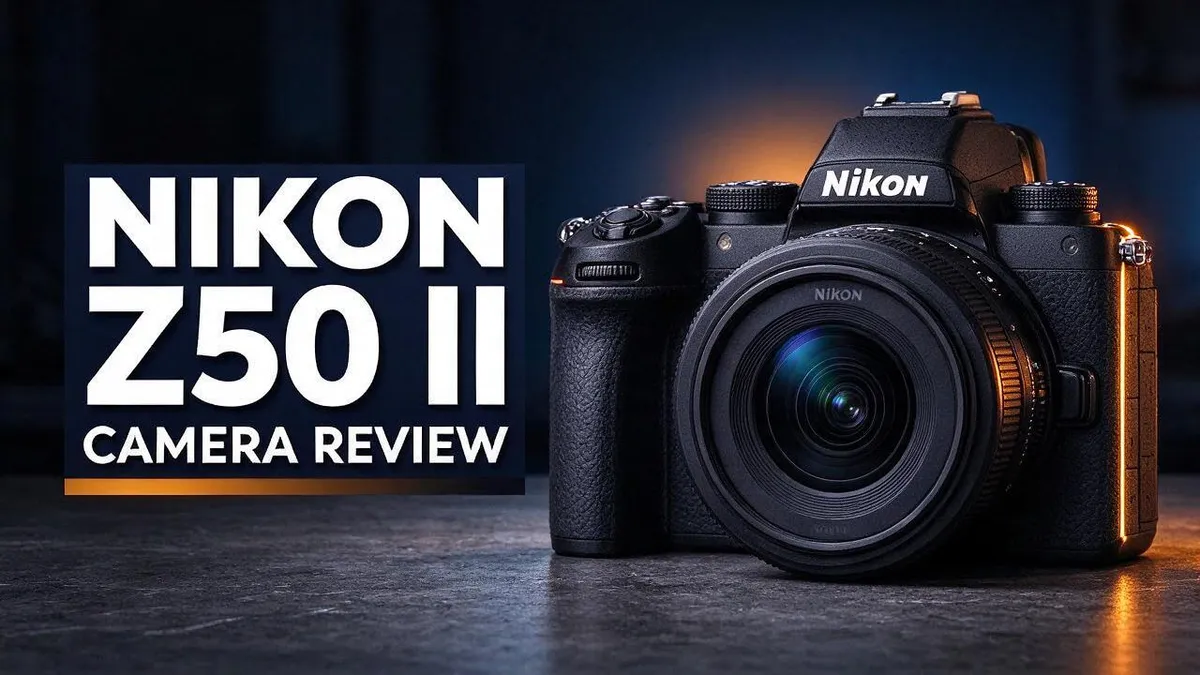
Looking for a camera that feels good in your hands? The Nikon Z50 II could be the right fit. It is a compact mirrorless camera with a 20MP sensor and a weather resistant build.
Many photographers want sharper autofocus without a big, heavy body. This model brings improved subject tracking and friendlier handling. Reviewers often call it a capable entry level body with pro level image potential.
Still, it has limits. The body is small, and it lacks built in image stabilization. The electronic viewfinder is also smaller and less bright than the one on the Nikon Z5 II.
So who should buy it? This camera suits anyone who wants creative modes and solid results in a light package. Let’s look at its strengths, weak spots, and how it compares with rivals.
In a Nutshell
- Quick verdict: The Z50 II suits photographers who want pro style image potential in a small, travel ready body. Reviewers describe it as a capable choice for growing photographers.
- Everyday handling: Improved ergonomics make longer shoots more comfortable. You can spend less time fighting the controls and more time framing shots.
- Outdoor readiness: The weather resistant build handles dust, drizzle, and changing conditions during hikes, city walks, or travel days. Pack it with confidence on rougher trips.
- Stabilization trade off: Without in body stabilization, steady technique matters more. Pair the camera with stabilized lenses or brace your elbows to keep handheld shots sharp in dim light.
- Viewfinder reality: The smaller, less bright electronic viewfinder may feel limiting in bright sun. Test it in person before you commit, especially if you rely on eye level framing.
- Alternatives to compare: The Z5 II offers a larger, brighter viewfinder with in body stabilization. Fujifilm brings a wider lens selection and higher resolution sensors, while a used Nikon Z7 offers another route worth exploring.
Image Quality and Sensor

- Advanced 20.9MP Sensor and EXPEED 7 Processor: The Nikon Z50II Mirrorless Camera 20.9MP DX-format CMOS sensor and EXPEED 7 image processor deliver exceptional image quality, enhanced low-light performance with ISO up to 204800, and up to 30 fps continuous shooting. Ideal for photographers seeking high resolution and fast action capture in a compact, versatile body for a range of creative pursuits.
- Precision Autofocus with Subject Detection: Featuring AI-powered autofocus with recognition for 9 subject types, including humans, animals, and vehicles, Nikon Z50 II Mirrorless Camera ensures sharp focus even during rapid motion. With enhanced Eye-Detection AF and Bird Detection mode, this camera is perfect for wildlife and portrait photographers aiming for consistent accuracy in every shot.
Some of the links on this website are affiliate links, which means that at no additional cost to you, I earn a commission if you click through and make a purchase. I only recommend products and services that I believe will add value to my readers. Thank you for your support!
The 20MP sensor gives the Nikon Z50 II a useful balance of detail and file size. You get enough resolution for sharp prints and generous cropping.
Colors look natural and pleasing straight out of the camera. Skin tones stay soft, and landscapes keep rich greens and blues.
Dynamic range helps you hold detail in both bright skies and darker shadows. This matters most in harsh sunlight or during sunset walks.
Low light shooting holds up well for a body this size. Indoor events, evening street scenes, and cozy cafe shots look clean at moderate settings.
Noise appears more often at very high ISO values, so exposure matters. Shooting at lower ISO keeps grain low and colors clean.
Resolution sits in the middle of the pack. Fujifilm models in this class often offer higher resolution, which helps when you plan very large prints.
If you need maximum detail, a used Nikon Z7 is worth a look. It gives you a higher resolution option within the Nikon system.
Lens choice shapes image quality just as much as the body does. A sharp prime lens often reveals more detail than a basic zoom.
The Nikon Z lens lineup keeps growing, though Fujifilm still offers a wider selection. Pick optics that match your subjects and your shooting style.
Shooting in raw gives you the most control over final images. Raw files hold more data for recovering highlights and fine-tuning white balance.
Those files take more storage space, so plan your memory cards ahead of time. Editing software then brings out the full detail the sensor captures.
Overall, the Z50 II delivers pleasing image quality for its class. Strong detail, natural color, and flexible raw files make it a reliable choice for everyday shooting and travel photos.
Autofocus and Subject Tracking
Autofocus is where the Nikon Z50 II makes a clear step forward. Its improved autofocus and subject tracking help you keep moving targets sharp.
Tracking works well for kids, pets, and sports. You pick a subject, and the camera follows it across the frame.
Good tracking starts with the right setup. Choose a focus area before you press the shutter. A small focus point over your subject gives the camera a clear target.
Subject detection modes help the camera find people and animals on its own. This feature saves time when your subject moves quickly.
Continuous autofocus matters most during fast action. Keep the shutter half pressed, and the camera adjusts as your subject moves.
Tracking also pairs well with burst shooting. More frames give you more chances to catch a sharp moment. Scan through the set later and keep the best one.
Focus on the eye when possible. Sharp eyes make portraits feel alive, even when the subject moves.
Low light slows focus down on any camera. Bright, even light helps the lens lock on faster. Try to shoot near a window or in an open area when you can.
Lens choice matters here too. Lenses with quick, quiet focus motors help the body react faster. Check the focus speed before you choose a new lens.
Freezing motion needs a fast shutter speed. Without built in stabilization, slow shutter speeds can blur your subject. Start near 1/500 of a second for running kids or cyclists.
Tracking can lose a subject behind a tree or in a crowd. Reframe the shot, then let the camera reacquire focus.
Practice makes the feature shine. Test tracking on a walk around your neighborhood. You learn how the camera responds before a big trip or event.
Overall, the autofocus feels confident for everyday shooting. It handles sports, pets, and street scenes with ease.
Viewfinder, Handling and Build
Your eye spends a lot of time at the viewfinder. Its feel matters just as much as its specs.
Check the eye sensor first. Hold the camera to your eye and see how quickly the display switches. A fast switch keeps you from missing moments.
Adjust the diopter for sharp text. Turn the dial until the settings look crisp. This step helps glasses wearers avoid squinting.
The rear screen works well for low angles and street shots. Still, you lose the steady stance a viewfinder gives you.
Grip feel decides comfort. Hold the body with one hand and see whether your fingers rest naturally on the front grip.
Button placement matters too. Spend time finding the controls you use most, such as exposure compensation and focus mode.
Assign a custom button early. One press can change a setting that would otherwise need a trip through the menus.
The build feels sturdy in the hand. Check that the mount, dials, and battery door move smoothly without gritty resistance.
A strap adds real security. Use a wrist strap or neck strap during long days out or fast moves.
Try the camera with your favorite lens before you decide. Balance changes a lot when glass joins the body.
Handling rewards hands on testing. Spend ten minutes with the body, and you will know if it suits your style.
Lighting in shops can hide flaws. Take the camera near a window or outside, so you see the real finish.
Bright sun can wash out the display. Shield the eyepiece with your hand to block stray light and see detail more clearly.
Cleaning keeps handling smooth. Wipe the body with a soft cloth after shoots near sand or salt spray.
Gentle handling extends the life of any camera. Store it with the lens cap on and keep the strap free of grit.
Your comfort with the Z50 II grows over time. The more you shoot, the more natural the controls will feel.
Top 3 Alternatives
Canon EOS R50

- Includes Versatile 18–45mm Lens: Covering wide to standard focal lengths, this compact zoom lens is great for daily content, portraits, and street shooting.
- Oversampled 4K with Dual Pixel AF: Enjoy sharp, smooth footage with reliable subject tracking, face/eye detection, and autofocus built for creators.
Some of the links on this website are affiliate links, which means that at no additional cost to you, I earn a commission if you click through and make a purchase. I only recommend products and services that I believe will add value to my readers. Thank you for your support!
The Canon EOS R50 is a small mirrorless camera for new photographers. Its subject detection autofocus locks onto faces, eyes, and animals fast.
This helps beginners capture sharp shots of kids and pets. It records 4K video and offers a flip-out screen for vlogging. Its simple menu makes learning easy for first-time users.
Sony ZV-E10 II

- The Sony ZVE-10 II with the 16-50mm lens is your ideal travel companion, delivering high-quality photos and 4K videos in a portable package.Boasting a 26MP APS-C Exmor R CMOS sensor and a powerful BIONZ XR image processor, this camera ensures exceptional image and video quality, even in low light conditions. Equipped with a flip-out LCD screen and built-in microphone, it's designed for vloggers and content creators, offering convenience and professional audio capture.
- Capture stunning photos and videos with the 26MP APS-C Exmor R CMOS sensor and a powerful BIONZ XR image processor, delivering impressive image quality even in low light conditions.Real-time Eye Autofocus and Tracking technology keeps your subjects in focus, making it effortless to capture sharp, professional shots.Share your content wirelessly with Wi-Fi and Bluetooth, and control your camera remotely, simplifying your workflow and enhancing your creative capabilities.
Some of the links on this website are affiliate links, which means that at no additional cost to you, I earn a commission if you click through and make a purchase. I only recommend products and services that I believe will add value to my readers. Thank you for your support!
The Sony ZV-E10 II is built for content creators. It offers strong video features in a lightweight body. Its directional microphone helps capture clear sound without extra gear.
Many creators like the fully articulating screen for selfie shots. The camera also supports vertical video for short social clips. Its interchangeable lenses give users room to grow.
Fujifilm X-T30 II

- Bundle Items Include: 1 x FUJIFILM X-T30 II Mirrorless Camera with XC 15-45mm OIS PZ Lens (Silver) + 1 x 64GB Extreme Pro SD Card + 1 x Soft Case + 1 x Battery For FUJI + 1 x Tripod + 1 x Wireless Shutter + 1 x Hand Strap + 1 x Cleaning Kit + 1 x USB Card Reader + 1 x Memory Card Wallet + 1 x Lens Cap
- Exceptional Image Quality in a Compact Form: The 26.1MP APS-C X-Trans BSI CMOS 4 Sensor delivers stunning detail, accurate color reproduction, and smooth tonal transitions, even in low light. With 100% phase-detection AF and 425 selectable points, it ensures precision focus for stills and video. Ideal for photographers and videographers, Vloggers and Filmmaker seeking professional performance in a portable design.
Some of the links on this website are affiliate links, which means that at no additional cost to you, I earn a commission if you click through and make a purchase. I only recommend products and services that I believe will add value to my readers. Thank you for your support!
The Fujifilm X-T30 II suits photographers who love classic controls. Its physical dials make changing settings quick and fun. Its APS-C sensor delivers sharp, colorful images.
Film simulation modes give photos a retro look straight from the camera. Many users enjoy shooting JPEGs without heavy editing. The electronic viewfinder helps shooters frame scenes with confidence.
Creative Modes and Shooting Experience
Creative modes give the Nikon Z50 II a playful side. You can turn a plain scene into a bold or soft image. The mode dial puts these looks within easy reach.
Picture styles adjust color, contrast, and sharpness inside the camera. You preview the look on screen before you press the shutter. That saves editing time later.
Monochrome shooting feels fresh on this body. Black and white images focus on shape, light, and texture. Try it on a rainy street or a plain wall.
Think of the creative modes as a learning tool. Each setting shows how exposure and color affect the final photo. Beginners often learn faster this way.
Experiment with intentional blur for drama. A slow shutter speed can show motion in flowing water or passing traffic. Mount the camera on a tripod to keep the rest sharp.
Exposure compensation gives you quick control over brightness. Dial it up for snow or down for dark scenes. Your meter often needs a gentle nudge.
Bracketing captures several exposures in one sequence. Later, you pick the best frame or blend them. This helps with sunsets and bright windows.
The shooting experience feels calm and simple. Menus stay clear, so you spend less time hunting for settings. Muscle memory grows fast with regular use.
Practice each mode on one subject. Shoot the same flower or coffee cup in every style. Compare the results side by side.
Keep a short notes list of settings that worked. Over time, you build a personal shortcut guide. That helps you return to favorite looks quickly.
Creative freedom grows with each outing. The Z50 II gives you room to experiment. Your photos will show your own voice over time. Have fun and let curiosity lead.
Shooting in RAW keeps more detail for editing. JPEG files are faster to share. Pick the format that fits your plans. Both options work well on this camera.
Lens Ecosystem and Stabilization
The Nikon Z50 II uses the Z mount, so it works with a growing set of Nikon lenses. Many photographers start with a kit zoom and add more glass over time. Lens choice shapes what this camera can do.
Since the body has no stabilization, lens choice matters even more. Many Nikkor Z lenses include their own vibration reduction, often called VR. This helps steady your frame when light drops.
Look for VR on the lens barrel or product page before you buy. A lens with VR gives you extra steadiness for handheld shots. It still helps to keep your elbows tucked and your breathing calm.
Fujifilm offers a wider lens selection, and that gap is real. Think about your subjects first. A long telephoto suits wildlife and sports, while a fast prime suits portraits and street scenes.
Adapters can open another door. The FTZ adapter lets you mount many older Nikon F mount lenses on the Z body. Your favorite glass stays in use. Test autofocus first, since results vary by lens.
Here is a simple habit for steady shots. Set your shutter speed to match your focal length. For example, use 1/100 second with a 100mm lens. Slower speeds call for a tripod or a firm stance.
A tripod or monopod helps you wait for the right moment. Your body stays still while you frame the scene. This matters most for landscapes, night shots, and macro work.
Third party makers also build lenses for the Z mount. More choices can help you find the focal length that fits your style. Read reviews from people who use the same body.
Plan your kit in stages. Start with one versatile zoom. Add a prime later when you know what you enjoy shooting most. This approach keeps your setup focused and simple.
Pros and Cons
Pros
- Strong performance with improved autofocus and subject tracking.
- Improved ergonomics make the body comfortable to hold for long shoots.
- Many creative modes let you shape bold or soft images.
- The compact body suits travel and everyday carry.
- Reviewers see pro level image potential in this capable body.
Cons
- No in body image stabilization means lens choice matters more.
- The EVF is smaller and less bright than the Z5 II’s.
- Fujifilm offers a wider lens selection.
- Fujifilm also offers a higher resolution sensor in similar models.
Who Should Buy It
Not every photographer needs the same camera. The Nikon Z50 II suits some people far better than others. Here is who should consider it first.
Smartphone users ready for more often hit the limits of their phone quickly. This camera offers a clear step up in image quality and control. Many people buy a camera like this after years of phone photos.
Parents and sports fans shoot fast moments that never repeat. The improved autofocus and subject tracking help keep moving kids, pets, or players sharp. You catch more keepers without constant guesswork.
New photographers who want room to grow will appreciate the balance here. The camera feels approachable at first, yet it offers plenty of depth. Each outing teaches you something new about light, timing, and framing.
Shooters who rely on handheld low light work may want something different. The Nikon Z5 II offers stabilization built into the body and a larger, brighter viewfinder. Choose it if steady handheld results matter most to you. Spend time with both bodies if you can.
Photographers who crop heavily should weigh their options carefully. Extra resolution gives you more room to trim a frame. Compare the Nikon Z50 II against rival options before you commit.
Buyers open to used gear can explore the used Nikon Z7. It is often cited as a strong alternative for those who want a different path. Check the condition and included accessories carefully.
Anyone seeking a simple and capable body will likely feel at home. The Nikon Z50 II combines a compact frame with strong image potential. That mix suits everyday photography well.
Ask yourself one question before buying. What will you shoot most often? Write down your top three subjects. Then match them to the strengths listed above.
Final Verdict
The Nikon Z50 II suits people who want a small, capable camera that grows with them. It does not try to be everything for everyone.
Think about how you learn. Every outing becomes a lesson for a new photographer. You can test ideas, review results, and improve quickly.
Consider where you will shoot. The camera you bring is the one that gets used. Pack it for hikes, city walks, and family gatherings.
Run a short test first. Borrow or rent the camera for a weekend. Shoot your usual subjects in your usual light, then review the files on a large screen.
Your shooting style decides the outcome. Fast action, family moments, and everyday snapshots suit this body well. Other styles may call for a different path.
Keep your expectations realistic. No camera fixes every problem. This one gives you a solid foundation, and your skills do the rest.
A friendly camera invites you to shoot more. Practice builds confidence, and confidence produces better pictures over time.
Build a simple routine. Charge spare batteries before each outing. Pack extra memory cards and a lens cloth so small problems never stop your day.
Join a local group. Photo clubs and online forums offer feedback. Kind critiques can show blind spots you would miss alone.
Keep notes on what you enjoy shooting, because that record guides your next purchase. Your final choice should feel calm, not rushed. Take a few days, read sample photos, and trust your gut. Good gear feels right when you hold it.
Remember that every photographer starts somewhere. The Nikon Z50 II can be the first step on a long creative path.
In short, choose this camera if you want a light and easy tool with a fun learning curve. Skip it if you need top resolution or a wide lens family right now.
Frequently Asked Questions
Do I need extra gear to get started?
Your first purchase should be a memory card with plenty of space. Choose a card with a fast write speed so the camera keeps up when you shoot bursts. A spare strap and a lens cleaning kit also help. Many people add a small tripod later for night scenes and self portraits.
How should I store and edit my photos?
Save your files to a computer or cloud folder every week. This habit keeps your collection safe and easy to find. If the camera supports it, shoot in raw format for more room to adjust light and color later. Basic editing software can fix exposure and crop your frames in a few minutes.
When should I think about a bigger upgrade?
Pay attention to the moments when the camera holds you back. Keep a short list of shots you missed or struggled to capture. If the same problem appears again and again, that list shows whether it is time to explore other models. Growth comes from knowing your needs, not from chasing new features.
How long does it take to learn the basics?
Most beginners feel comfortable with the controls within a few weeks. Shoot a little every day to build muscle memory. Review each set of photos and pick one thing to improve next time. Steady practice works better than long gaps between outings.

Welcome to The File Fix. I’m Millie, and I review tech so you don’t have to suffer buyer’s remorse.
Navigating the endless sea of Amazon devices and gadget releases can feel like a full-time job. That’s why I do the heavy lifting. I dig past the unreliable 5-star reviews and shiny spec sheets to test how these devices actually hold up in the real world. Whether you’re looking for the best budget earbuds, a reliable power bank, or the latest smart home gear, you’ll find honest, no-nonsense breakdowns here.