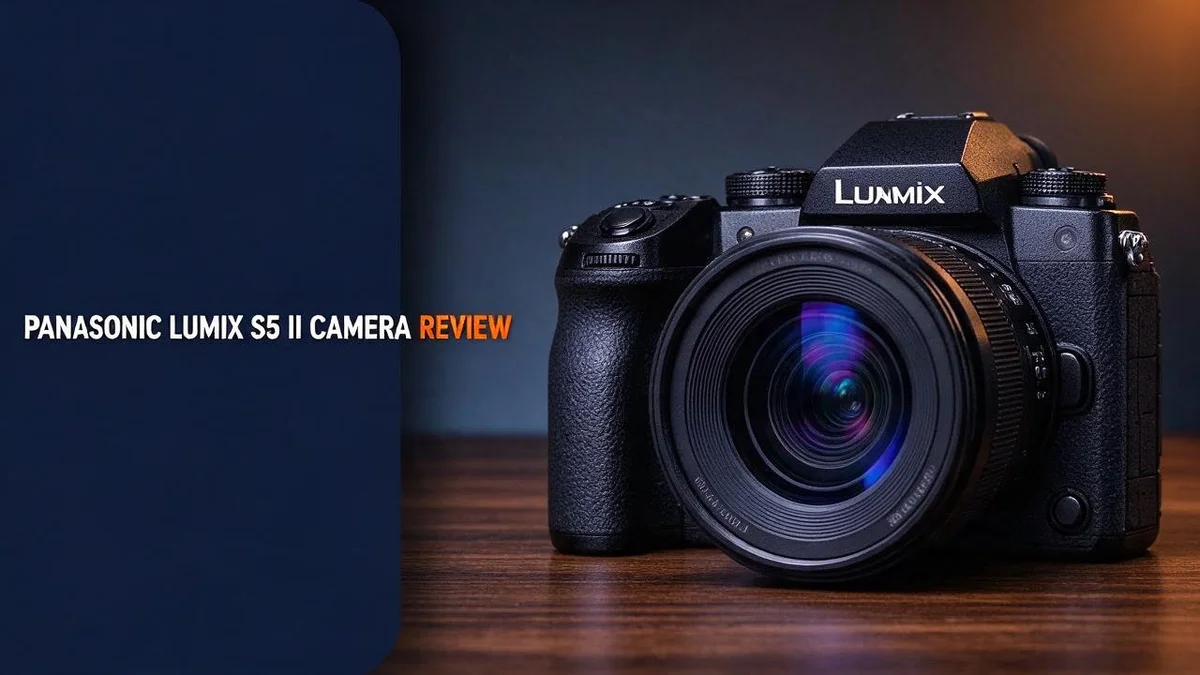
Panasonic Lumix S5 II Review: 6K Full-Frame Hybrid Camera Tested
Looking for a camera that handles both photos and video with ease? The Panasonic Lumix S5 II is built for exactly that. Panasonic announced it on January 25, 2023, and it quickly caught the attention of photographers and filmmakers.
At its core sits a 24.2MP full frame CMOS sensor. The imaging engine processes signals about twice as fast as the previous generation. That means smoother shooting and quicker handling of your files.
The biggest upgrade is for video creators. You get 6K open gate recording and 4K 60p 4:2:2 footage. Full size HDMI output comes built in too. Best of all, the old recording limit of 30 minutes is gone.
In this review, we will look at what the S5 II does well. We will also explain who should consider it.
In a Nutshell
- Longer recording sessions: The S5 II removes the 30 minute recording limit found on the original S5. You can keep rolling for much longer without stopping.
- Faster signal processing: A new imaging engine runs about twice as fast as the prior generation. This speed helps the camera handle demanding footage with less lag.
- Pro video modes: You get 6K open gate and 4K 60p in 4:2:2. These options give you more room to crop and grade your footage later.
- Full size HDMI port: The body includes a full size HDMI output. You can send a clean feed to an external monitor or recorder on set.
- Flexible rear screen: The 3.0 inch LCD attaches on a flexible hinge. With 3,680k dots, it helps you frame shots from high or low angles.
- Related models to compare: The Panasonic Lumix S5IIX shares the same body with a different model variant. The S1II and S1RII from the same family offer other options for shooters who need more.
Sensor and Image Quality

- Bundle Items Include: 1 x Panasonic Lumix S5 II Mirrorless Camera with 20-60mm Lens, 1 x Lilliput A7S 7" Full HD Monitor, 2 x 64GB Memory Card, 1 x 3 Piece Filter Kit, 1 x Graduated Color Filter Kit, 1 x Photo Software With PhotoMirage, AfterShot, Painter Essentials, PaintShop Pro, and Video Studio, 3 x DMW-BLK22 Replacement Battery, 1 x Soft Bag, 1 x Triple Shoe Bracket, 1 x External Charger, 1 x Led Light, 1 x Memory Card Reader and more...
- Built for modern content creators, the second-generation Panasonic Lumix S5 II balances strong photographic performance with advanced video capabilities in a compact mirrorless body. Enhanced autofocus, improved stabilization, and expanded video tools support high-quality still images and smooth cinematic footage, making it suitable for social media, short films, interviews, and commercial content creation.
Some of the links on this website are affiliate links, which means that at no additional cost to you, I earn a commission if you click through and make a purchase. I only recommend products and services that I believe will add value to my readers. Thank you for your support!
Good image quality starts with how the sensor handles light. Many shooters notice how colors stay consistent between photos and video. This matters when you cut clips together with stills from the same day.
Color matching across formats is a real benefit. When you shoot both stills and footage, the files share a similar look. That saves time during editing. You spend less effort correcting white balance from one format to the other.
Dim scenes are where many cameras struggle. Shadow detail is a key test for any camera. Pulling detail from darker areas feels easier when files hold more information. Test this in a dim room before a big shoot.
Cropping gives you flexibility. High resolution stills let you crop tighter without losing too much sharpness. This helps when you cannot move closer, such as at a wedding ceremony or on a wildlife walk.
Large prints also look better with these detailed files. A photo can fill a wall frame with clean edges and fine texture. Hobbyists who sell prints or share work on big screens will likely appreciate that extra detail.
Skin tones deserve attention too. Portraits often show natural color when lighting is steady. Check how faces look under window light and indoor lamps to judge the results for yourself.
Video makers get a cleaner base for color grading. The footage keeps more color information, so editors can push tones further without heavy banding. That gives you more freedom in the edit.
Overall, the sensor and processing work together for dependable results. Everyday shooters and pros alike can trust the files they capture. Try a few test shots in your own lighting to see how it fits your style.
Video Capabilities: 6K Open Gate and 4K 60p
The S5 II offers 6K open gate recording. Open gate uses the full height and width of the sensor before any crop. You get a wide, clean frame that you can shape later.
That extra image area gives you room to work. You can reframe a shot in the edit without losing much detail.
One take can also feed several delivery sizes. You can make wide cinema shots or tighter crops for social media.
Next comes 4K 60p in 4:2:2. The 60 frames per second setting gives you smooth motion for sports and action. Shoot at 60p, then play the clip at 24p for a dreamy slow motion effect.
The 4:2:2 format keeps more color detail than common 4:2:0 files. Editors can pull clean keys for green screen work. Fine hair and soft edges also stay easier to manage.
Heavy video modes need fast storage. Choose memory cards with high write speeds for 6K and 4K 60p. Plan extra backup drives for long shoots.
Shutter settings also shape motion. Many filmmakers use a shutter angle near 180 degrees. This keeps motion blur looking natural at 24p and 30p.
Large files need planning. 6K and 60p clips fill drives quickly. Export times can also run long on older computers.
Match the mode to your project. Shoot 6K when you need framing options. Pick 4K 60p for fast action. Stay with 4K 24p for a classic film look.
In short, these modes give video makers flexibility. Pick the setting that fits your goal and your storage plan. Your footage will look sharp and smooth.
Good planning keeps your workflow fast and calm. Test your setup before a big project starts.
Design and Rear Screen
The S5 II keeps a familiar shape that many photographers already know. The grip is deep, so your fingers rest in a secure spot. This matters most during long shoots when your hands start to tire.
Key buttons sit close to your thumb and index finger. You can change settings without taking your eye away from the viewfinder.
The rear screen is where you spend much of your time. A sharp display helps you check focus and framing quickly. With 3,680k dots, fine details look clear on the screen.
The flexible screen opens up many shooting angles. Low shots near the ground become easy to frame. You can also turn the display toward yourself for vlog style shots, so you see your face while you talk.
Outdoor work brings glare that can hide details. Tilt the screen away from the sun to keep the image visible. Shading the display with your hand also helps in bright light.
The screen also helps on a tripod. Angle it up or down to reach a comfortable viewing position. Gimbal operators can see the picture from many sides too.
Screens can pick up scratches when you carry the camera loose. Keep a soft cover in your bag for protection. Clean the display gently with a microfiber cloth.
Overall, the design favors comfort and control. The screen adds flexibility that many shooters will appreciate. Good handling makes every session feel smoother.
Learning the menu layout pays off fast. Practice changing key settings before a big shoot. Muscle memory keeps your attention on the subject.
Top 3 Alternatives
Sony a7 IV

- 33MP full-frame Exmor R back-illuminated CMOS sensor.Operating temperature : 0 to 40 °C (32 to 104 °F), Rated input : 100 - 240 V , 50/60 Hz, 0.2 A.
- 8x more powerful, next generation BIONZ XR image processing engine

Some of the links on this website are affiliate links, which means that at no additional cost to you, I earn a commission if you click through and make a purchase. I only recommend products and services that I believe will add value to my readers. Thank you for your support!
The Sony a7 IV offers a 33 MP full frame sensor. It gives sharp, detailed photos in most lighting.
Video fans will love the 4K recording at up to 60 fps. The flip out screen also helps with vlogging and selfies.
Its autofocus tracks people and animals with ease. Battery life lasts long enough for a full day of shooting.
Canon EOS R6 II

- Items Included: Canon EOS R6 Mark II Mirrorless Camera,Canon RF 24-105mm f/4-7.1 IS STM Lens,Canon LP-E6NH Lithium-Ion Battery,Canon LC-E6 Charger,Canon R-F-5 Camera Cover,Camera Strap,Shoe Cover,Canon E-67 II Lens Cap,Canon Lens Dust Cap RF, Shoulder Bag,64GB Memory Card
- Advanced Full-Frame Performance: Capture next-level detail and dynamic range with the Canon EOS R6 Mark II, featuring a newly developed 24.2MP full-frame CMOS sensor powered by the high-speed DIGIC X processor. This mirrorless system offers professional-grade stills and cinematic video with exceptional low-light capabilities, extended dynamic range, and fast continuous shooting at up to 40fps with the electronic shutter—perfect for wildlife, weddings, sports, and more.
Some of the links on this website are affiliate links, which means that at no additional cost to you, I earn a commission if you click through and make a purchase. I only recommend products and services that I believe will add value to my readers. Thank you for your support!
The Canon EOS R6 II focuses on speed and low light performance. Its 24 MP sensor handles dim scenes with ease.
Sports and wildlife shooters can capture fast bursts of action. The camera also keeps moving subjects sharp.
Canon fans will feel at home with the familiar menus. The grip feels comfortable during long shoots.
Nikon Z6 III

- Bundle Includes: Nikon Z6 III Mirrorless Camera with 24-120mm lens + Camera Bag + 128GB Memory Card
- 24.5MP PARTIALLY STACKED FULL FRAME SENSOR: The Nikon Z6 III features a newly developed 24.5MP FX-format partially stacked CMOS sensor paired with the powerful EXPEED 7 image processor for faster readout speeds, improved rolling shutter performance, and enhanced responsiveness. Designed for photographers and content creators, this advanced sensor system supports exceptional image quality, strong low-light performance, and fast operation across a wide range of photography applications.
Some of the links on this website are affiliate links, which means that at no additional cost to you, I earn a commission if you click through and make a purchase. I only recommend products and services that I believe will add value to my readers. Thank you for your support!
The Nikon Z6 III brings a bright electronic viewfinder and a fresh design. It pairs a 24.5 MP sensor with fast readout speeds.
Video creators can record 6K footage with less rolling shutter. This helps when filming fast movement.
This model suits people who want flexible file options and strong image quality. Its controls are clear and easy to learn.
Autofocus and Stabilization
Autofocus decides how quickly the camera locks onto your subject. A fast lock matters most when people or pets move. Many photographers rely on this feature every day.
Subject detection helps the camera find faces, eyes, and bodies. Turn it on for portraits and street scenes. It keeps focus on the right person.
Focus tracking follows a moving target across the frame. This helps with sports, kids, and animals. You can choose the focus area that suits each scene.
Stabilization steadies the image when your hands move. It helps most during handheld shooting. Slow shutter speeds feel much easier to manage.
Stabilization matters more with longer lenses. Small shakes show up quickly at telephoto lengths. A steady frame keeps fine details crisp.
Walking shots also benefit from steady footage. Pair stabilization with a fast enough shutter speed. Your results look sharper and more controlled.
Focus and stabilization work as a team. Smooth focus changes make video look natural. Test both settings before you start an important shoot.
Low light tests autofocus more than bright scenes. Dim rooms can slow the lock and cause hunting. Good lighting helps the camera decide faster.
Pick the right mode for each job. Single focus suits still subjects. Continuous focus fits moving subjects better and keeps the lock during motion.
Look through the menu for focus area options. Assign a custom button to switch modes quickly. This saves time when the moment matters most.
Keep your eye on the subject. Gentle pressure on the shutter button helps the camera hold focus. Smooth habits lead to steadier shots overall.
Battery and Power
A full day of shooting can drain a battery faster than you expect. Plan your power before you leave home.
Video recording uses more energy than still photos. Long clips, high frame rates, and constant screen use all add up quickly.
Carry at least one spare battery. Swapping packs takes seconds, so you never miss a fleeting shot. Keep the spare in a pocket close to your body.
Cold weather hits batteries hard. Keep your camera and spare packs warm inside a jacket until you need them.
Turn off what you do not need. Lower the screen brightness and turn off unused display modes. Setting a shorter auto power off time also saves energy.
Check your charge before every outing. A quick look at the battery icon on the screen prevents surprises.
The S5 II removes the old 30 minute recording limit. That freedom means longer takes, so power planning matters even more. Think about your battery before a long interview or event.
Use the viewfinder when possible. Using the viewfinder can cut down on screen time. Shooting at eye level also helps steady the camera in bright light.
Keep a simple power kit. Pack a charger, cables, and spare packs in one small bag. Store the kit in the same place every time so nothing gets left behind.
Test your setup before a big shoot. Run your camera for an hour and note how fast the charge drops. This simple test gives you a clear picture of your needs.
Charging habits matter. Keep spare packs charged before a trip. Label them so you can rotate older packs first.
In short, power planning keeps your sessions smooth. Pack extra energy, stay warm, and watch your settings. Then you can focus on the photos and videos you came to create.
Ports and Connectivity
The Panasonic Lumix S5 II includes a full-size HDMI port. This port suits anyone who shoots video on a set or in a studio. A standard cable fits right in, so you can skip extra adapters.
An external monitor shows your frame on a bigger and sharper screen. Focus checks become much easier on that larger view. Directors and assistants can also watch the same feed as you.
The camera records 6K open gate and 4K 60p 4:2:2 footage. These modes give you plenty of detail for editing and color grading. Solid connections help you move that footage through your workflow without extra hassle.
A full-size connector is also easier to plug in when you wear gloves or work in dim light. Small connectors can feel fiddly in those moments. Bigger ports save time when every second counts.
Cables take a lot of abuse on busy shoots. Choose a quality HDMI cable with firm connectors. Label each cable so you can grab the right one fast.
Keep any port covers closed in dusty or wet conditions. Loose dust can settle inside an open port. A quick check before you head out keeps your connections clean.
Always test your setup before the real shoot. Connect the monitor, roll a short clip, and check the image. Confirm that the resolution and frame rate match what you expect.
The S5IIX shares this same body, so its port layout should match. The S1II and S1RII also give you more options if you need extra connections. Compare each model so you pick the right tool for your next project.
Pros and Cons
Pros
- The imaging engine runs about twice as fast as the prior generation.
- The 24.2MP sensor captures lots of detail for both photos and video.
- The 3.0″ flexible rear screen tilts for low and high shooting angles.
- The 6K open gate footage gives you room to crop in post.
- 4K 60p footage creates smooth slow motion when you slow it down.
Cons
- Official drawbacks are not listed in our current research.
- 6K files are large, so you need fast memory cards and ample storage.
- The S1II and S1RII may suit some shooters better than this model.
- Your lenses and gear can change results, so test before you buy.
Who Should Buy It
The Panasonic Lumix S5 II suits hybrid creators best. If you shoot photos and video every week, this camera fits your routine. It does not force you to choose one favorite style.
Solo creators also benefit from this setup. Many people run the camera, the microphone, and the lights alone. The 24.2MP sensor gives you room to crop stills and still keep good detail.
Event and documentary shooters may find it useful. Unpredictable moments leave little time for menu hunting. A camera that responds quickly helps you catch the right frame.
Photographers who need a second body should consider it. A matched pair helps when you cover one event from two angles. Two identical bodies keep your color and handling consistent.
Beginners who want a flexible tool can start here. You can grow into the features over time. Video and photo modes sit in one body, so you learn one system.
Travelers who want one main camera can benefit too. Carrying a single body saves space in your bag. You still capture stills and clips during long days away from home.
Vloggers and solo filmmakers should test the handling first. Hold the camera for a full session before you decide. Comfort matters as much as specs on long shoots.
Visit a store or rent one if you can.
Who might skip it? Shooters who only take casual snapshots may not need this depth. A simpler option could serve them better.
Your workflow decides the answer. Ask how often you shoot video and how you edit footage.
Write down your top three shooting needs before you start. Honest answers reveal whether this camera fits your goals.
Final Verdict
The Lumix S5 II earns a strong place in the lineup. It fixes the frustrating limit that stopped long recordings on the older model.
Removing the old recording time limit changes how you plan a shoot. You can let the camera roll through a wedding speech or a long interview. Fewer stops mean fewer missed moments.
Think about your daily routine. A camera should fit your habits, not force new ones. This model suits people who already know their workflow.
Who should wait? Shooters on a tight schedule may want more time with the menus first. Ask yourself whether your current gear already covers your needs. A short test often answers that question quickly.
Long sessions bring heat and battery concerns. Pack spare batteries and watch the body temperature during test runs. Good planning keeps the camera running all day.
Handling matters as much as specs. Grip, button layout, and menu flow shape your daily experience. Spend time with the body in your hands before you commit.
Audio gear deserves a look too. A good microphone and headphones help you catch problems early. Clean sound often matters more than sharp pixels for viewers.
Finally, keep your expectations realistic. No camera fixes weak lighting or shaky framing. Skill still drives the final image, and this body rewards careful practice.
Plan a short practice shoot each week to build confidence. Keep notes on what works, so future shoots run smoother. Small habits add up over time.
Our final take is simple. The S5 II delivers a clear upgrade for hybrid work and long form recording. Rent one for a weekend first, then decide with confidence.
Frequently Asked Questions
When was the Lumix S5 II announced?
Panasonic announced the Lumix S5 II on January 25, 2023. This date helps you see where it sits in Panasonic’s lineup. Newer models often bring updates that older cameras lack, so knowing the release timing helps you judge what has changed.
How much faster is the processor?
The imaging engine offers about two times faster signal processing than the previous generation. This speed helps the camera handle large video files with less lag. You may notice smoother performance when you switch between recording and playback.
What is the difference between the S5 II and the S5IIX?
The S5IIX uses the same body as the S5 II, so the design feels familiar. The main difference lies in the model variant. Read the feature list for each version so you know which one fits your shooting style.
Does the camera include a full size HDMI port?
Yes, the S5 II includes a full size HDMI port. This port fits standard cables and gives a secure connection to external monitors. It also helps when you send a clean signal to an outside recording device.

Welcome to The File Fix. I’m Millie, and I review tech so you don’t have to suffer buyer’s remorse.
Navigating the endless sea of Amazon devices and gadget releases can feel like a full-time job. That’s why I do the heavy lifting. I dig past the unreliable 5-star reviews and shiny spec sheets to test how these devices actually hold up in the real world. Whether you’re looking for the best budget earbuds, a reliable power bank, or the latest smart home gear, you’ll find honest, no-nonsense breakdowns here.