Canon PowerShot V1 Review: Specs, Image Quality, Video and Verdict
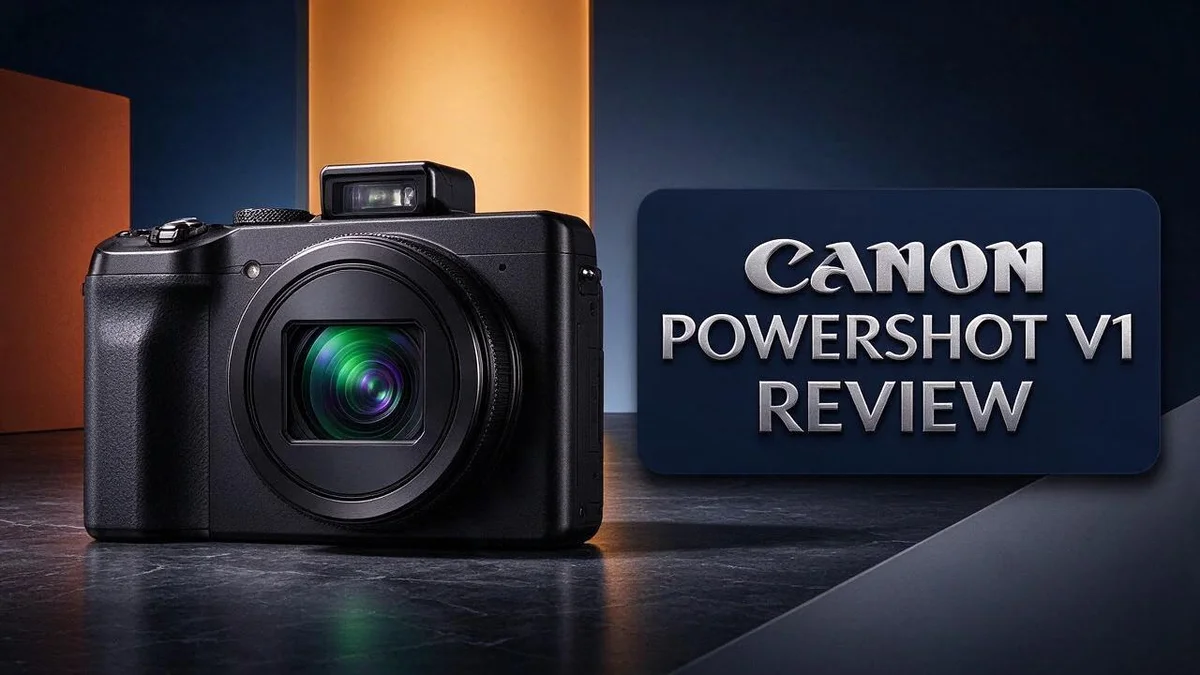
If you love shooting video on the go, the Canon PowerShot V1 could be your next camera. It packs a 1.4 inch, 22MP sensor into a compact body. Vloggers and creators now have a tool built for moving image work.
Fine detail matters here. The camera records 4K at 60p and offers 10 bit color for flexible grading. You also get mic and headphone inputs, so your audio stays clean.
Still photos look good too. Reviewers praise the pleasing image quality. Bursts reach up to 30fps, which helps you catch fast action. Battery life is the catch. Extended shoots often need spare batteries. The menu also feels less friendly for vertical shooting.
In a Nutshell
- 4K video at 60p gives you smooth motion for fast scenes. It suits vloggers, travel creators, and anyone who wants crisp movement on screen.
- 10 bit C Log3 recording keeps extra color detail in every clip. This gives you more room to adjust tones during editing.
- Full width 4K up to 30p comes from 5.7K capture, so the footage stays sharp. Editors get clean frames without heavy cropping.
- Bursts up to 30fps help you catch quick action and fleeting expressions. You rarely miss the moment at this speed.
- Mic and headphone inputs let you record clean audio with an external microphone. You can also monitor sound while you shoot. The camera includes microHDMI and USB C ports for easy connections.
- A 16 to 50mm equivalent zoom covers wide scenes and closer details. The menu, however, does not suit vertical clips, so plan your settings before you film.
Key Features and Sensor Design

- Canon USA Authorized. Bundle Items Included: Canon PowerShot V1 Digital Camera, Canon LP-E17 Battery Pack, Windscreen, WS-DC12 Wrist Strap, ER-SC2 Cover, Shoulder Bag, 64GB Card
- The Canon PowerShot V1 Camera features a 22.3MP 1.4-inch-type CMOS sensor that captures detailed images and rich-looking footage in a compact body. Photograph travel memories, portraits, family events, and everyday moments, or create polished videos for YouTube and social media. Its portable design makes it easy to move between photography and filming without carrying an interchangeable-lens camera.
Some of the links on this website are affiliate links, which means that at no additional cost to you, I earn a commission if you click through and make a purchase. I only recommend products and services that I believe will add value to my readers. Thank you for your support!
The sensor does most of the heavy lifting in this camera. Its size gives it more room to gather light than many compact cameras offer.
The sensor measures 18.4 x 12.3mm. Larger surfaces collect more light, so images look cleaner when the sun goes down.
Dual Pixel AF is the feature that stands out most. Many pixels across the sensor can detect focus, so the camera locks onto subjects quickly.
Focus tracking works well for people and animals. The camera keeps your subject sharp even when they move across the frame. You spend less time chasing focus and more time capturing the moment.
The sensor also helps create a soft and natural background blur. When you zoom toward the longer end of the lens, your subject stands out from the scene. This look appeals to creators who want clear separation between people and their surroundings.
Sensor size also shapes how colors look. Larger sensors often record smoother gradients in skies and skin tones. This helps your footage look polished before you spend time on editing.
Low light is where the sensor earns its keep. Indoor events and evening walks often lack bright light. A larger sensor helps keep grain lower, so your footage stays usable.
Connectivity adds flexibility to the design. A microHDMI port sends your footage to an external monitor during a shoot. A USB-C port gives you a modern way to move files to your computer or phone.
Keep your expectations realistic, though. A compact sensor still cannot match a full frame camera in every situation. Pair it with good lighting to get the best results.
Overall, the sensor and focus system give this camera a strong foundation. Good light capture and quick focus help you create clean, engaging footage with less effort.
Image Quality and Zoom Range
Zoom range gives you plenty of room to frame a scene. The lens starts at a wide 16mm equivalent. It stretches to 50mm equivalent. That covers group shots, street scenes, and tight portraits.
Wide framing helps with travel photos. You can fit a tall building or a crowded market into one frame. Step back a little, and the whole view fits.
The longer end works well for portraits. At around 50mm, faces look natural. The background also pulls away from your subject. You can isolate a person without moving closer.
Zoom changes often happen while you record. Moving through the range feels smooth. You can adjust framing mid clip without stopping. This matters for vlogs and quick walk and talk shots.
Image quality depends heavily on light. In bright daylight, colors look clean and details hold up well. Shadows keep their texture when you expose correctly. Highlights need extra care on sunny days.
Indoors, the picture softens a bit. Noise appears as the ISO climbs. Keep the ISO low when you can. Use a tripod for slow shutter speeds in dim rooms.
Edges may soften at the far ends of the zoom. Stopping down slightly often sharpens the frame. Test the lens in your own space before a big trip.
Night scenes need a steady approach. Plan shots around street lights and window glow. Your results improve when you control the light, not just the camera.
Practice helps you get the most from each focal length. Try shooting the same subject at 16mm, 35mm, and 50mm. Compare the results on a large screen. You will learn which framing suits your style.
Good framing also shapes the mood of a shot. Wider frames feel open and airy. Tighter frames feel close and personal. Choose the view that tells your story best.
The bottom line is simple. The zoom range covers most everyday needs. Image quality stays strong in good light. Expect softer results when the sun goes down.
Video Capabilities for Creators
Video is where this camera really shines for creators. Many people buy a compact camera mainly for clips. This model handles that job with confidence.
Vertical video takes a little extra effort. Short form platforms reward tall frames. The menu does not feel built for that style, so expect a few more taps when you switch.
Headphone monitoring keeps your sound in check. Plug in headphones and you hear exactly what the microphone captures. You can catch wind, hum, or clipping before it ruins a take.
Connectivity matters more when you stream or edit at a desk. The microHDMI port feeds an external monitor or capture device. The USB C port handles data transfers.
Log footage looks flat at first. C Log3 keeps highlights and shadows open for later edits. Plan some time for color grading before you publish.
Frame rate choices shape your story. Shoot at 60p when you want smooth slow motion later. Stick with one rate per project so your timeline stays consistent.
Travel creators will find plenty to like here. The compact body slips into a daily bag easily. Pack a spare memory card for long days.
Talking head videos benefit from steady framing. Use a small tripod so the frame stays put during long segments.
Competitors take different approaches. The Sony ZV1 II and Canon G7 X Mark III are popular choices too. Compare video features side by side before you decide.
Test clips prevent surprises later. Record a short sample before each shoot. Review it on a large screen to check focus and exposure.
Storage planning matters for 4K work. High resolution files fill cards quickly. Carry extra cards and back up footage every evening so nothing gets lost.
Your style decides the best settings. Vloggers and filmmakers need different tools. Match the camera to the look you want.
The video strengths make this camera worth a close look. Creators who shoot often will value the flexible frame rates and log options. Test it with your own projects first.
Top 3 Alternatives
Canon PowerShot V10

- Canon USA Authorized. Items Include: Canon PowerShot V10 Vlog Camera – Compact 4K Vlogging Camera with Built-In Stand, Stereo Mics & Flip Screen (Black), Canon EOS 200ES Shoulder Bag, 64GB Extreme Pro microSDXC Memory Card
- Designed for Vloggers: The V10 is pocket-sized and creator-ready, combining Canon color science with 4K video and easy touchscreen controls.
Some of the links on this website are affiliate links, which means that at no additional cost to you, I earn a commission if you click through and make a purchase. I only recommend products and services that I believe will add value to my readers. Thank you for your support!
Looking for a small camera for vlogs? The Canon PowerShot V10 keeps things simple. It has a flip-out screen, so you can see yourself while you film. Its compact body fits easily in a pocket or bag. Beginners will find the controls easy to learn. You can start recording within seconds, which helps you capture spontaneous moments without fuss.
Sony ZV-1 II

- Sony USA Authorized. ZV-1 II (black) with 64GB card, NP-BX1 battery, LED light, Corel software, micro HDMI cable, and soft case.
- Perfect All-in-One Vlog Camera – The Sony ZV-1 II is a compact powerhouse with a fast 18–50 mm (equiv.) lens, ideal for selfies, tight interiors, or relaxed wide-framed shots. With lock-on autofocus, face recognition, and Auto Exposure optimized for people, it effortlessly keeps the focus on you while you create content—no fumbling with settings required.
Some of the links on this website are affiliate links, which means that at no additional cost to you, I earn a commission if you click through and make a purchase. I only recommend products and services that I believe will add value to my readers. Thank you for your support!
The Sony ZV-1 II suits creators who want better image quality. It uses a large one-inch sensor that handles detail and color well. A bright lens helps you shoot in dim rooms. The background defocus button also makes your subject stand out fast. Many people choose this model for talking-head videos and product reviews.
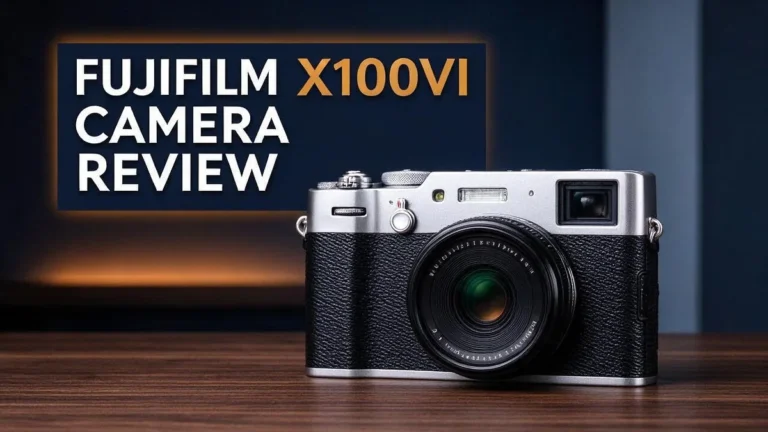
Fujifilm X100VI

- 40.2MP X-Trans CMOS 5 HR Sensor
- Up to 6.0 stops In-Body Image Stabilization
Some of the links on this website are affiliate links, which means that at no additional cost to you, I earn a commission if you click through and make a purchase. I only recommend products and services that I believe will add value to my readers. Thank you for your support!
The Fujifilm X100VI offers a classic shooting feel. It has a fixed 23mm lens and an APS-C sensor. Film simulation modes let you create distinct looks straight from the camera. Many photographers love its hybrid viewfinder for street and travel shots. Each option above serves a different style, so pick the one that matches how you shoot.
Battery Life and Menu Usability
Battery life is the first thing to plan around. Short battery life can slow down a long shoot, so preparation matters.
Extended use often means you need more than one battery. Pack spares before you leave home. Keep them charged and ready in your bag.
Think of each battery as a short shooting session. Swap it out before a big moment, not during it. That habit keeps your story moving.
Cold weather drains power faster than usual. Keep spare batteries in an inside pocket to keep them warm.
A dead camera can break your flow, so a backup plan helps. Keep a charger and cable in your bag, too.
Menu usability is the second challenge. The menu does not favor tall framing, so vertical shots need extra steps.
Settings you change often should be easy to reach. Save your favorite options before a shoot. Check orientation settings at home.
Walk through the menu before you travel. Set your video format, audio levels, and display options first. A quick test clip shows whether the settings work for your plan.
Menu navigation gets easier with repetition. Learn where the main settings sit so you do not hunt for them mid shot.
If you shoot vertical clips often, create a checklist. Write down the steps to switch orientation and frame rate. Keep the list in your camera bag for quick reference.
Menus can feel crowded when you shoot fast. Take a moment to reset settings between scenes. This small pause keeps your footage consistent.
Most people find a rhythm after a few outings. Your battery habits and menu routine will start to feel automatic over time.
In short, plan your power and learn your menus early. These two steps remove most of the stress on a shoot.
Pros and Cons
Pros
- Bursts up to 30fps help you catch fast moments like kids playing or pets running.
- The 1.4 inch sensor packs 22MP into a small body, so you can crop photos without losing much detail.
- Reviewers often praise the image quality, and everyday shots look polished straight out of the camera.
- The 5.7K capture gives you room to reframe your footage and deliver clean 4K.
Cons
- Full width 4K tops out at 30p, so you give up some frame rate for the wider picture.
- The microHDMI port needs a special cable, so pack an adapter if you plan to connect to a monitor.
- Beginners may find the video options a lot to learn at first.
Who Should Buy It
The Canon PowerShot V1 fits a clear group of shooters. It works best for people who want strong video in a pocket friendly body.
Travel creators will likely enjoy this camera. A compact body slips into a daypack, so you can carry it all day without fuss.
Solo filmmakers also gain a lot here. You carry one camera, one fixed lens, and one bag, so setup stays quick and simple.
Phone users ready to upgrade will notice the difference. A larger sensor than most phones use produces richer detail and smoother color.
Casual photographers get a useful zoom range. The 16 to 50mm equivalent lens covers wide landscapes, street scenes, and close portraits without swapping gear.
Hobby shooters who want a second camera can use this as a daily walk around model. It keeps creative options open without a heavy kit.
Parents documenting family life can keep a camera ready in a bag. Its small size helps you catch birthdays, outings, and everyday moments without a bulky setup.
Event shooters who want a discreet option may find it helpful. The small body feels less intrusive at family gatherings and casual events.
Students and new creators can practice real skills here. Each shoot teaches a little more about light, framing, and timing.
Wildlife and sports fans should look elsewhere. The fixed zoom range falls short when subjects sit far away or move quickly across the frame.
Anyone who needs interchangeable lenses will feel limited. This model uses one built in lens, so you cannot change focal lengths for new looks.
Studio shooters who rely on external lights and large monitors may prefer a bigger rig. This compact camera focuses on mobility over studio setups.
Overall, the PowerShot V1 suits people who value portability and video quality in one small body. Read your shooting habits first. Then compare the top competitors before you decide.
Final Verdict
The Canon PowerShot V1 earns a spot in the bag of the right shooter. It does not try to please everyone. It focuses on video, quick handling, and sharp everyday photos.
Think of it as a focused tool rather than a full camera system. You get one fixed lens and one body. That simplicity can feel refreshing after years of swapping gear.
Compare it with rivals before you commit. The Sony RX100 VII and Canon PowerShot G7 X Mark III serve similar pocket size shooters.
The Sony ZV-1 II leans toward vlogging. The Panasonic Lumix LX100 II and Fujifilm X100VI appeal to people who love classic controls and larger sensors.
Each rival brings a different mix of strengths. Your choice depends on how you shoot. Ask yourself which features you use every week.
Who should buy it? Travel creators and solo filmmakers gain the most from this model. Phone users ready for more control will notice the jump right away.
Everyday shooters who want one reliable camera will also feel at home. The small size means it slides into a jacket pocket on a long day.
Who should wait? Anyone who needs interchangeable lenses should look at a different system. Think of this as a fit question, not a quality question.
Plan your needs first, then decide with confidence. A quick trip to a store can help you feel each model in your hands.
Final thoughts: The Canon PowerShot V1 delivers strong video and fast bursts in a compact body. It asks for some planning, though.
Charge spare batteries, learn the menu, and test a few settings before your next trip. With that prep, this camera can become your favorite everyday companion.
Frequently Asked Questions
How long does the battery last?
The battery drains faster than many shooters expect. Plan to carry extra batteries for long days out or filming sessions. Charge spares before you leave so you stay ready.
Can it capture fast action?
Yes. The camera shoots bursts up to 30 frames per second, so you can catch quick moments. Kids running at a park or a pet jumping for a toy are much easier to freeze in a sharp frame.
Does it support external microphones?
Yes, it has mic and headphone inputs. You can record cleaner audio and check the sound as you shoot. This helps most with interviews and talking head videos.
Is it easy to shoot vertical video?
Not quite. The menu does not have a design that suits vertical shooting, so switching orientation takes a few extra steps. Set up your frame and settings before you start recording to avoid missed shots.
Welcome to The File Fix. I’m Millie, and I review tech so you don’t have to suffer buyer’s remorse.
Navigating the endless sea of Amazon devices and gadget releases can feel like a full-time job. That’s why I do the heavy lifting. I dig past the unreliable 5-star reviews and shiny spec sheets to test how these devices actually hold up in the real world. Whether you’re looking for the best budget earbuds, a reliable power bank, or the latest smart home gear, you’ll find honest, no-nonsense breakdowns here.