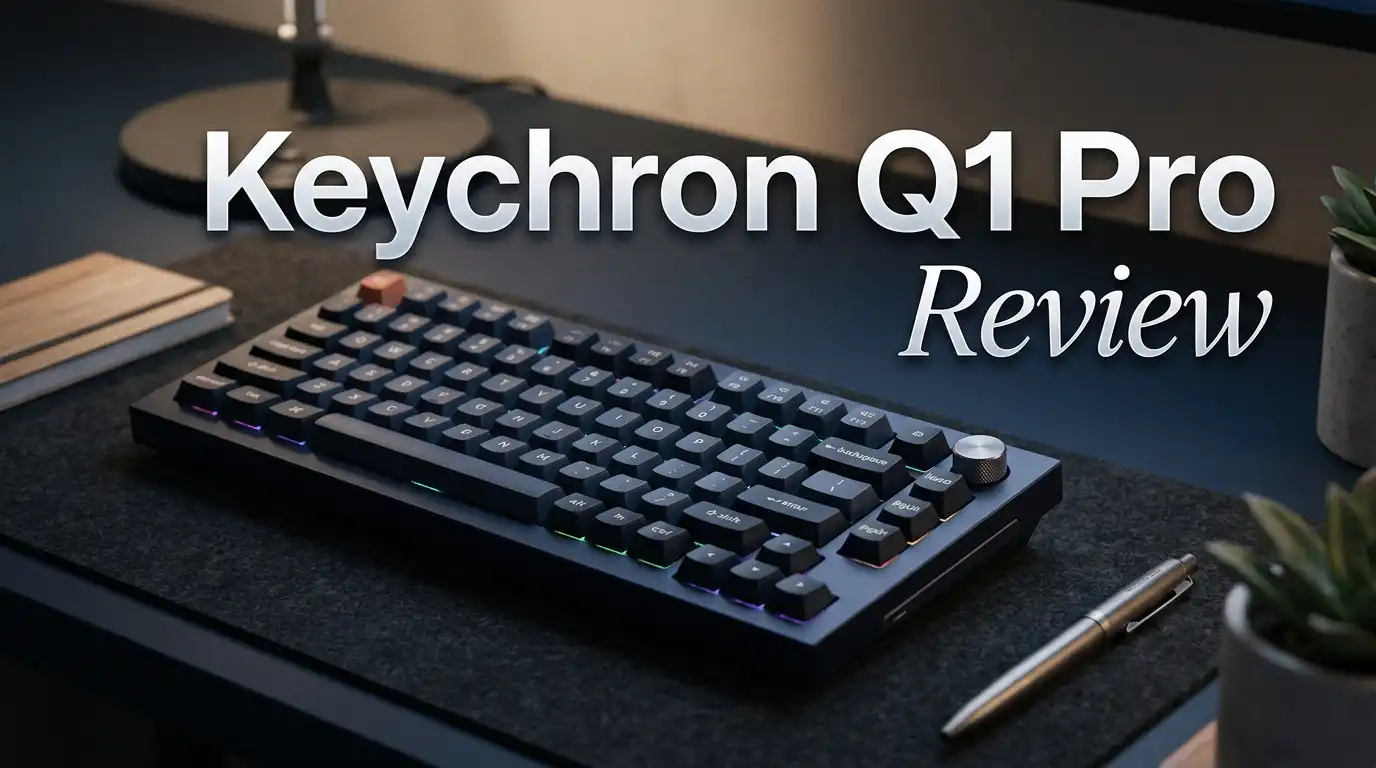
Keychron Q1 Pro Review 2026: Still Worth It?
The Keychron Q1 Pro arrived a few years ago as the brand’s first full aluminum wireless board, and it refuses to disappear from best keyboard lists. In 2026, it sits in a strange spot.
Newer Max and HE models exist. Prices have dropped. Yet people keep buying this one. I spent weeks typing on it, gaming on it, and carrying it between two desks to find out why.
This review covers the unboxing, the sound, the battery, the software, and the parts Keychron got wrong. No sugar coating. If you want a heavy, premium, wireless 75% keyboard that feels like furniture, keep reading.
In A Nutshell:
- Build quality is the main reason to buy. The Q1 Pro uses a full CNC aluminum case with a double gasket mount. It weighs close to 1.8 kg assembled. It does not slide, flex, or rattle. It feels like a product that costs twice the price.
- Sound and typing feel are excellent out of the box. Keychron packs the case with silicone and foam layers. The result is a deep, muted thock sound with almost no ping. Most buyers never need to mod it.
- The wireless side is good, not perfect. You get Broadcom Bluetooth 5.1 with three device pairing and a 4,000 mAh battery that lasts weeks. There is no 2.4GHz dongle, which is the single biggest weakness.
- QMK and VIA support make it endlessly programmable. Every key, layer, and macro can change in a browser window. No bloated launcher runs in the background.
- Price in 2026 makes it a bargain. The launch price sat near $199. Sale pricing has dipped well under $150 during big events, which changes the value story completely.
- It is heavy and it is loud enough to annoy a quiet office. Nobody should call this a portable keyboard.
Keychron Q1 Pro

- Full Metal Wireless Custom Keyboard: The Keychron Q1 Pro is a 75% layout wireless custom mechanical keyboard built on QMK firmware. Its 6063 aluminum body is CNC machined through 24 additional stages, while the double-gasket design, PBT keycaps, and screw-in stabilizers deliver a premium typing experience.
- QMK & Launcher Web Configurator: Remap any key, build macros, and create shortcuts in your browser through the Keychron Launcher web app. AI-assisted customization lets you describe the change you want and have it configured for you, with manual fine-tuning always available. Connect via cable to start — once saved, your keymap works in both wireless and wired mode.
Some of the links on this website are affiliate links, which means that at no additional cost to you, I earn a commission if you click through and make a purchase. I only recommend products and services that I believe will add value to my readers. Thank you for your support!
The Q1 Pro is a 75% layout mechanical keyboard with a full aluminum body, gasket mounting, hot swap sockets, and triple device Bluetooth.
Keychron sells it in a barebones version for people who own their own switches and keycaps, and in a fully assembled version with Keychron K Pro switches and double shot PBT keycaps. You also choose between a knob version and a standard version with an extra key cluster.
The 75% layout is the sweet spot for many desks. You keep the function row, the arrow keys, and a small navigation column, but you lose the number pad. That saves real estate for your mouse. Three colors exist: carbon black, silver grey, and a shell white option that photographs beautifully.
Unboxing Experience
The box arrives heavier than you expect. My delivery driver handed it over with both hands. Keychron uses a plain cardboard sleeve with a product photo on top, nothing flashy, and the keyboard sits inside a thick foam cradle wrapped in a cloth bag.
Accessories are generous. You get a braided USB C to USB A cable, a USB C to USB A adapter, a keycap puller, a switch puller, extra keycaps for Windows and Mac layouts, extra switches, a hex key, and a screwdriver. Keychron expects you to open the case, and the tools prove it.
Lifting the keyboard out is the moment that sells the product. The cold aluminum, the sharp chamfered edges, and the dense weight tell you this is not a plastic toy. Peel the protective film off the knob and the plate, then plug in and type. Nothing requires assembly on the preassembled model.
Design And Build Quality
The case is CNC machined aluminum with a sandblasted finish that resists fingerprints better than glossy models. The front height is low enough that a wrist rest is optional, though taller typists may still want one. Four large rubber feet grip the desk with real force.
The double gasket mount is the engineering highlight. Poron gaskets sit between the plate and the case on both the top and bottom, so the typing surface floats slightly instead of slamming into metal. Keychron also swapped the metal plate of the wired Q1 for a polycarbonate plate on the Pro, partly for wireless signal reasons and partly for softness.
One visible compromise exists. A clear plastic strip runs along the top edge of the case to let the Bluetooth antenna breathe. Some owners love the accent. Others think it breaks the all metal illusion. I stopped noticing it after a week.
Typing Feel And Sound
This is where the Q1 Pro earns its reputation. The combination of polycarbonate plate, gaskets, bottom silicone pad, IXPE switch pad, and PCB foam creates a deep, rounded sound signature. There is no hollow echo and no spring ping on any key, including the stabilized space bar.
Typing feels cushioned rather than mushy. The plate gives a small amount of flex under hard presses, which reduces finger fatigue during long sessions. If you prefer a stiff, firm bottom out, this softness may frustrate you. Swapping the plate is possible but costs extra.
The screw in stabilizers come factory lubed and tuned. My space bar, shift keys, and enter key produced zero rattle out of the box, which is rare even on boards that cost more. Typing accuracy felt natural within an hour, and my speed returned to normal by day two.
Top 3 Alternative for Keychron Q1 Pro

- FULL-ALUMINUM 75% CUSTOM BUILD — Save desk space without giving up the function row, arrow keys, or programmable knob. The CNC-machined aluminum body creates a solid, premium base for gaming, work, and everyday typing.
- 1000 HZ TRI-MODE WIRELESS — Use low-latency 2.4 GHz or USB-C wired mode at 1000 Hz, or pair up to three devices over Bluetooth 5.1. The 4000 mAh battery runs up to 180 hours with backlight off or 100 hours at the lowest RGB brightness.
Some of the links on this website are affiliate links, which means that at no additional cost to you, I earn a commission if you click through and make a purchase. I only recommend products and services that I believe will add value to my readers. Thank you for your support!
Keychron Q1 Max

- Fully Assembled Keychron Q3 Customizable Mechanical Keyboard Knob Version: With the classic tenkeyless layout, full aluminum CNC machined body, double-gasket design, and QMK/VIA support, the Q3 is designed for premium typing comfort and endless possibility on Mac, Windows and Linux.
- QMK and VIA Support: Designed to enhance your creative workflow, you can easily personalize your own keymap to remap each key and create macros on the keyboard. The open-source firmware means endless possibilities for keyboard layouts, shortcuts, backlight effects, and more.
Some of the links on this website are affiliate links, which means that at no additional cost to you, I earn a commission if you click through and make a purchase. I only recommend products and services that I believe will add value to my readers. Thank you for your support!
Keychron Q3 Knob

- Premium Design & Materials: The GMMK PRO's body is CNC machined from solid aluminum, giving it substantial weight and unrivaled durability compared to plastic alternatives. Anodization gives the body's surface high scratch resistance and a satin-like feel that's satisfying to the touch. Beneath the board's keys is an aluminum plate that creates a solid and consistent typing feel while also safeguarding internal components from damage or debris.
- Hotswap Linear Switches: This Prebuilt Edition comes with exclusive Glorious Fox linear switches pre-installed. Foxes' lighweight press make them perfect for fast-paced gameplay, while pre-lubricated parts make each keystroke satisfyingly smooth with a clean, rich sound. Thanks to the GMMK PRO's 5-pin hotswap PCB design, mechanical switches can be easily removed and replaced with other MX-style alternatives from Glorious, Cherry, Gateron, Kailh, and more without the need for soldering.
Some of the links on this website are affiliate links, which means that at no additional cost to you, I earn a commission if you click through and make a purchase. I only recommend products and services that I believe will add value to my readers. Thank you for your support!
Glorious Gaming GMMK PRO 75%
Switch Options And Hot Swap Support
Keychron fits the assembled Q1 Pro with its own K Pro switches in three flavors. Red is linear and light, Brown is a gentle tactile, and Banana is a stiffer tactile with an early bump. Banana remains the most interesting choice because it delivers a clear tactile event without the sharp noise of a clicky switch.
Honest note: K Pro switches feel slightly scratchier than the Gateron Pro switches used on the original wired Q1. They are factory lubed and perfectly usable, but switch enthusiasts will want to upgrade.
Upgrading is simple. The PCB accepts any three pin or five pin MX style switch through hot swap sockets. Pull the keycap, pull the switch, press in the new one. No soldering iron and no warranty risk. That flexibility keeps this keyboard relevant years after launch, since you can change the entire feel for about thirty dollars.
Keycaps, Knob, And RGB Lighting
The keyboard ships with double shot PBT keycaps in OSA profile, which is a slightly rounded, sculpted shape. The plastic resists shine and the legends never wear off because they are molded, not printed. Keychron includes both Mac and Windows modifier keycaps in the box.
The aluminum knob on the knob version controls volume by default and clicks to mute. You can reprogram it per layer, so it becomes a zoom dial in design apps or a scrub wheel in video editors. It turns with a satisfying, weighted click.
RGB lighting is the weakest cosmetic feature. Because the keycaps are thick and the legends are not shine through, light leaks around the keycaps instead of illuminating letters. It looks great as an underglow effect in a dark room. It does not help you find keys at night.
Wireless Performance And Battery Life
The Q1 Pro pairs with up to three devices over Broadcom Bluetooth 5.1 and switches between them with a key combination. Connection stability in my testing was excellent, including through a wall and across a room. Wake from sleep took about a second, which is normal for Bluetooth boards.
Battery life is a genuine strength. The 4,000 mAh cell delivers roughly two weeks of heavy daily use with RGB running at moderate brightness. Turn the lights off and Keychron quotes figures around 300 hours, which stretched to about a month in my routine. Charging happens over the same USB C port used for wired mode.
Here is the catch. There is no 2.4GHz receiver in the box. If your work laptop blocks Bluetooth, or if you want the lowest possible latency, the newer Max models solve that problem and the Q1 Pro does not.
QMK And VIA Customization
Keychron ships the Q1 Pro with QMK firmware already installed, and it works with VIA in a browser. Open the VIA site, plug in the cable, and the keyboard appears instantly. No account, no installer, no background service eating memory.
Remapping is drag and drop simple. Click a key, pick a new function, and the change saves to onboard memory immediately. Layers let you build a Mac profile, a Windows profile, and two custom profiles that travel with the keyboard to any computer.
Macros, media controls, lighting effects, and mouse keys all live in the same interface. Advanced users can compile custom QMK firmware for tap dance, home row mods, or combos. That depth is rare at this price, and it is the main reason programmers and writers stick with the Q series for years.
Gaming Performance
The Q1 Pro handles casual and single player gaming without complaint. Wired mode runs at a 1000 Hz polling rate with N key rollover, so every input lands. Linear Red switches work fine for shooters, and the heavy case never shifts during frantic mouse movement.
Competitive players should look elsewhere. Bluetooth latency is noticeable in fast paced titles compared to a dedicated 2.4GHz connection. You can plug in the cable and solve it, but then you lose the wireless benefit you paid for.
There is also no rapid trigger, no adjustable actuation, and no magnetic Hall effect sensing. Keychron sells the Q1 HE for that audience. This keyboard is built for typists first and gamers second, and Keychron has never pretended otherwise. Judge it on that basis and it performs exactly as advertised.
Mac And Windows Compatibility
A physical toggle switch on the back changes the layout between Mac and Windows. The function row maps correctly to macOS media and brightness controls, which many third party keyboards get wrong. Command and Option keycaps come preinstalled on the Mac side.
Linux support works too, since QMK handles key mapping on the hardware level rather than relying on drivers. Chromebooks, iPads, and Android tablets connect over Bluetooth without special setup.
Switching between a MacBook and a Windows desktop takes two keystrokes. I used device slot one for work and slot two for personal use, and the handoff never failed. For anyone running a mixed operating system desk, this flexibility alone justifies the purchase over cheaper single platform boards.
What The Keychron Q1 Pro Does Not Do Well
Authentic reviews name the flaws, so here they are. The weight near 1.8 kg makes this a desk anchor, not a travel keyboard. Carrying it in a backpack is miserable.
The backlight does not shine through the keycaps, so night typing relies on muscle memory. Keychron sells shine through sets separately, which feels like an upsell on a premium product.
The missing 2.4GHz dongle is the real disappointment in 2026, especially since the Q1 Max fixed it. Bluetooth only wireless feels dated now.
K Pro switches are average. The stock cable is fine but plain. There is no software for RGB on mobile. Finally, the front edge height means long typing sessions without a wrist rest can cause strain for some people.
Pros And Cons
Pros
- Full CNC aluminum case with outstanding fit and finish that holds up for years
- Double gasket mount delivers a soft, deep, thock style sound with zero ping
- Factory tuned screw in stabilizers need no modding straight out of the box
- Hot swap sockets accept any MX style three pin or five pin switch
- QMK and VIA support with full offline remapping and macro creation
- 4,000 mAh battery lasts two weeks with lighting and far longer without it
- Toggle switch plus bundled keycaps make Mac and Windows use effortless
Cons
- No 2.4GHz wireless receiver, so latency sensitive gamers must plug in
- Very heavy at roughly 1.8 kg, which rules out portability completely
- RGB lighting does not pass through the opaque PBT keycaps
- K Pro switches feel slightly scratchy next to premium aftermarket options
- Polycarbonate plate and clear antenna strip feel like small cost compromises
- Original list price near $199 is steep unless you catch a sale
Price And Value In 2026
The Q1 Pro launched at $174 for barebones and $194 for the fully assembled version. In 2026 the picture looks different. Steady discounts and holiday sales have pushed the assembled model well under $150 at times, and the barebones kit drops even lower.
At full price, the Q1 Max is the smarter buy because it adds 2.4GHz wireless for a similar amount. At sale price, the Q1 Pro becomes one of the best value aluminum keyboards you can own.
Think about it in cost per year. This keyboard has no planned obsolescence. The firmware is open, the switches swap, the keycaps swap, and the aluminum case will outlive several computers. Spread $150 across five years and the premium feels small. That math is why so many owners never sell theirs.
Who Should Buy The Keychron Q1 Pro
Buy this keyboard if you type for a living. Writers, developers, analysts, and students who spend hours at one desk will feel the benefit of the gasket mount every single day. The sound alone makes work more pleasant.
Buy it if you want a custom keyboard experience without buying parts, waiting for group buys, or learning to solder. Keychron did the hard work already.
Skip it if you need a travel board, a competitive gaming board, or bright shine through lighting. Skip it if your budget sits under $100, because the Keychron V1 Max offers similar ergonomics in plastic for much less. Also skip it if silence matters in a shared office, since even the quietest configuration makes noticeable sound.
Final Verdict
The Keychron Q1 Pro still deserves a spot on your shortlist in 2026. It is a dense, beautifully machined, deeply customizable keyboard that sounds better than most boards twice its price. Three years of real world use by thousands of owners has proven the hardware reliable.
Score: 4.5 out of 5. The missing 2.4GHz dongle is the only flaw serious enough to cost it a perfect rating, and plenty of buyers will never care.
If you find it discounted, buy it without hesitation. If it sits at full retail while the Q1 Max is on sale, grab the Max instead. Either way, you end up with the same excellent aluminum shell, the same satisfying typing experience, and the same open firmware that keeps the keyboard useful long after the warranty expires.
Frequently Asked Questions
Is the Keychron Q1 Pro still worth buying in 2026?
Yes, especially at discounted pricing. The build quality, sound, and QMK support remain competitive with newer releases. The only dated feature is Bluetooth only wireless.
Does the Keychron Q1 Pro have a 2.4GHz dongle?
No. It supports Bluetooth 5.1 for three devices and USB C wired mode only. The Keychron Q1 Max adds 2.4GHz wireless if you need lower latency.
How long does the Keychron Q1 Pro battery last?
Expect roughly two weeks of heavy use with RGB lighting enabled. With the backlight off, Keychron rates it around 300 hours, which often means a full month.
Can I change the switches on the Keychron Q1 Pro?
Yes. The hot swap PCB accepts any MX style three pin or five pin switch. A switch puller comes in the box and no soldering is required.
Is the Keychron Q1 Pro good for gaming?
It is fine for casual and single player gaming in wired mode at 1000 Hz. Competitive players should choose a dedicated gaming board or the Keychron Q1 HE.
Does the Keychron Q1 Pro work with Mac?
Yes. A physical toggle switches the layout, Mac modifier keycaps are included, and the function row controls macOS brightness and media correctly.
How loud is the Keychron Q1 Pro?
It produces a deep, muted sound rather than a sharp clack. It is quiet enough for home use but still audible on a video call or in a silent office.

Welcome to The File Fix. I’m Millie, and I review tech so you don’t have to suffer buyer’s remorse.
Navigating the endless sea of Amazon devices and gadget releases can feel like a full-time job. That’s why I do the heavy lifting. I dig past the unreliable 5-star reviews and shiny spec sheets to test how these devices actually hold up in the real world. Whether you’re looking for the best budget earbuds, a reliable power bank, or the latest smart home gear, you’ll find honest, no-nonsense breakdowns here.