Keychron V6 Max Review 2026: Still Worth It?
The full size mechanical keyboard market feels crowded in 2026. Dozens of brands promise custom builds, wireless freedom, and deep software control. Most of them ask for a lot of money.
The Keychron V6 Max sits in an interesting spot. It costs around one hundred dollars, yet it borrows almost every feature from boards that cost twice as much. I spent weeks typing on this board, gaming on it, and tearing it apart.
This review covers the good parts, the weak parts, and the details Keychron does not put on the box. If you want a 100% layout with a number pad, wireless connection, and real QMK support, keep reading. The answer may surprise you.
In A Nutshell:
- The Keychron V6 Max is the best value full size wireless mechanical keyboard right now. It offers a gasket mount build, hot swap sockets, QMK firmware, and triple connection modes for roughly one hundred dollars. Boards with this feature list usually start at two hundred.
- The typing feel punches far above the price. Five layers of sound dampening foam, screw in stabilizers, and a flexible plate give the board a deep thock that most plastic keyboards cannot match.
- Battery life is genuinely excellent. The 4000mAh cell runs for up to three hundred hours with the backlight switched off. Even with RGB on, you get many days of work between charges.
- The plastic case is the main compromise. It feels sturdy and dense, but it is still ABS plastic, not CNC aluminum. The board also weighs over one kilogram, so it is not a travel keyboard.
- There are real flaws. No Caps Lock or Num Lock indicator lights, keycaps that do not let light shine through, and a wireless polling rate that caps at 1000Hz only in specific modes.
- Best for typists, coders, and office users. Competitive esports players should look at a Hall effect board instead.
What Is The Keychron V6 Max?

- 108 Keys Upgraded Wireless Keyboard: The V6 Max is a QMK custom mechanical keyboard with 2.4 GHz and Bluetooth 5.1 wireless connection. It has a full-size 100% layout, gasket design, sound-absorbing foam, double-shot PBT keycaps, and more that are designed for enhanced typing comfort.
- 2.4 GHz and Bluetooth Connection: The 2.4 GHz wireless and wired connection boasts a rapid 1000 Hz polling rate. You can also connect the V6 Max with up to 3 devices via a stable Bluetooth 5.1 for seamless multitasking on both Mac and Windows.
Some of the links on this website are affiliate links, which means that at no additional cost to you, I earn a commission if you click through and make a purchase. I only recommend products and services that I believe will add value to my readers. Thank you for your support!
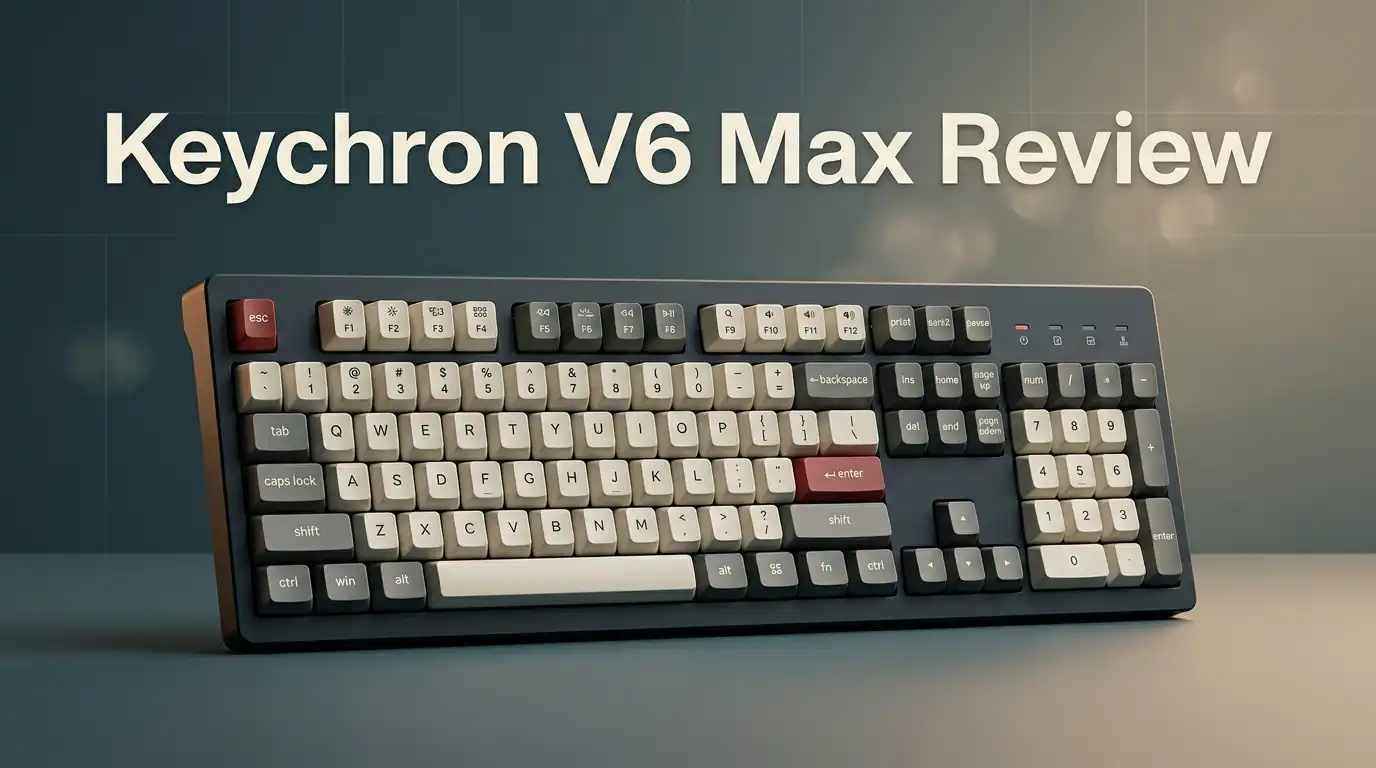
The Keychron V6 Max is a 100% full size custom mechanical keyboard with 108 keys. It sits in the V series, which is Keychron’s plastic case lineup. The “Max” suffix means it adds wireless.
You get 2.4 GHz wireless through a USB dongle, Bluetooth 5.1 for up to three devices, and a wired USB Type C connection. The board runs QMK firmware, so every single key can be remapped through a browser.
It uses a gasket mount design, hot swap sockets for three pin and five pin switches, and south facing south RGB lighting. Keychron built this board as a cheaper alternative to the aluminum Q6 Max. The feature list is nearly identical. Only the case material and the price really separate them.
Unboxing Experience
The box arrives plain and sturdy. Keychron does not waste money on fancy printing, and that is fine. Inside, the keyboard sits wrapped in a soft cloth bag under a layer of foam. The first thing you notice is weight. This thing is heavy. Lift it out and it feels like a brick in the best possible way.
Under the keyboard tray you find a surprisingly generous accessory pack. There is a braided USB Type C cable, a keycap puller, a switch puller, a small screwdriver, spare screws, a hex key, a USB extension adapter for the dongle, and eleven extra keycaps for Windows and Mac layouts.
Keychron gives you everything needed to mod the board on day one. No extra purchase required. That generosity sets the tone right away.
Design And Build Quality
The V6 Max uses hardened ABS plastic for the case. Carbon Black, Fog White, and Shell White are the color options. The texture has a slightly grainy finish that hides fingerprints well. Panel gaps are tight. There is almost no flex when you twist the chassis with both hands.
A metal volume knob sits in the top right corner between F12 and Print Screen. It clicks to mute. The knob feels smooth and has satisfying detents. Around the back you find two physical sliders. One switches between Windows, Mac, and Android modes. The other cycles between cable, 2.4 GHz, and Bluetooth.
The board uses a double gasket design with silicone pads holding the plate. Two flip out feet give three typing angles. The weight of 1.14 kilograms keeps it planted during fast typing.
Keychron V6 Max Pros And Cons
Every keyboard has trade offs. Here is the honest breakdown after weeks of daily use.
Pros:
- Outstanding value. You get gasket mount, hot swap, QMK, and wireless for around one hundred dollars.
- Excellent sound profile. Five foam layers plus a flexible plate produce a deep, muted thock with almost no ping.
- Massive battery. The 4000mAh cell delivers up to three hundred hours with the backlight off.
- Full QMK and VIA support. Remap keys, build macros, and create layers without installing any software.
- Great accessory bundle. Pullers, screwdriver, hex key, extra keycaps, and a dongle extender come in the box.
- Triple connectivity with three Bluetooth device slots plus a low latency 2.4 GHz dongle.
Cons:
- No Caps Lock or Num Lock indicator lights. This is the single most common complaint from owners.
- ABS plastic case rather than aluminum, so it lacks the premium heft of the Q6 Max.
- Keycaps are not shine through, which wastes the south facing RGB.
- Heavy and wide, so it eats desk space and will not travel well.
- Not quiet in shared offices.
Top 3 Alternative for Keychron V6 Max

- Keychron Q6 Max, a full-metal QMK/VIA wireless customized mechanical keyboard with a 100% full-size layout and support for 2.4 GHz wireless, Bluetooth 5.1, and Type-C wired connectivity. The combination of reinforced multi-layer acoustic foam and double-gasket design provides an incredibly satisfying typing experience.
- The 2.4 GHz wireless and wired connection boasts a rapid 1000 Hz polling rate. You can also connect the Q6 Max with up to 3 devices via a stable Bluetooth 5.1 for seamless multitasking.
Some of the links on this website are affiliate links, which means that at no additional cost to you, I earn a commission if you click through and make a purchase. I only recommend products and services that I believe will add value to my readers. Thank you for your support!
Keychron Q6 Max

- 108 Keys QMK Wireless Keyboard: The K10 Max is a wireless mechanical keyboard with a 100% layout. It supports 2.4 GHz, Bluetooth, and wired connections. Configurable through QMK and Keychron Launcher web app, it offers endless possibilities and enhanced productivity in your work and gaming
- 2.4 GHz and Bluetooth Connection: The 2.4 GHz wireless and wired connection boasts a rapid 1000 Hz polling rate. For seamless multitasking across your computer, phone, and tablet, you can effortlessly connect the K10 Max via Bluetooth 5.1 to three devices
Some of the links on this website are affiliate links, which means that at no additional cost to you, I earn a commission if you click through and make a purchase. I only recommend products and services that I believe will add value to my readers. Thank you for your support!
Keychron K10 Max

- Keychron V5 Max is a custom mechanical keyboard, offering both 2.4 GHz wireless and Bluetooth 5.1 connectivity. Its compact 96% layout, upgraded MCU and gasket design, together with sound-absorbing foam, hot-swappable feature and more deliver all-around typing comfort.
- Program any key with QMK - Simply connect the V5 Max to your device with a cable, open the QMK based Keychron Launcher web app, drag and drop your favorite keys or macro commands to remap any key on any system (macOS, Windows, or Linux) for a fluid workflow.
Some of the links on this website are affiliate links, which means that at no additional cost to you, I earn a commission if you click through and make a purchase. I only recommend products and services that I believe will add value to my readers. Thank you for your support!
Keychron V5 Max
Typing Feel And Sound Profile
This is where the V6 Max earns its reputation. The gasket mount gives a soft, cushioned bottom out. Your fingers do not hit a hard wall. Instead, each press sinks slightly into the board.
Keychron stuffs the case with multiple layers of dampening material. There is bottom case foam, a sound absorbing pad, a plate foam layer, an IXPE switch pad, and a PET film. The result is a sound that leans deep and muffled rather than sharp and hollow.
Out of the box, with no mods at all, this board sounds better than many builds people spend three hundred dollars assembling. The screw in stabilizers come pre lubed and show almost no rattle on the space bar. Typing for eight hours straight never felt tiring. That alone justifies the purchase for writers.
Switch Options Explained
Keychron offers three Gateron Jupiter switches on the V6 Max. The Jupiter Red is linear with a light 45 gram force. It glides smoothly and suits gaming and fast typing. The Jupiter Brown is tactile with a gentle bump that most office users enjoy. The Jupiter Banana is the heavier tactile option with a sharper, more pronounced bump.
All three come pre lubed from the factory. Smoothness is good, though not boutique switch good. If you want tactility, go Banana. If you want silence and speed, go Red.
The board is hot swap, so none of this locks you in. Pull a switch out with the included tool and drop in any three pin or five pin MX style switch. You can rebuild the whole board in fifteen minutes without soldering. A barebones version is also sold for people who already own switches and caps.
Keycaps And Backlight
The V6 Max ships with double shot OSA profile PBT keycaps. OSA sits between OEM and SA profiles. The caps are taller than standard with a spherical dip that cradles your fingertips. PBT plastic resists shine, so the legends will not fade or go greasy after a year.
Here is the catch. These keycaps are opaque. They do not let light through. The board has per key south facing RGB underneath with dozens of effects and full color control, but almost none of that light reaches your eyes. You get a glow around the edges of each key, nothing more.
If you want a lit keyboard that you can read in the dark, budget for a shine through keycap set. This is one of the board’s clearest design oversights.
Wireless Performance And Battery Life
The 2.4 GHz dongle delivers a 1000Hz polling rate. Latency sits around one millisecond, which is fast enough that you will never notice a delay in normal use. The dongle hides in a small compartment inside the keyboard, and a USB extension adapter comes bundled if your port placement is awkward.
Bluetooth 5.1 pairs with three devices at once. Switching between them takes a key combination and happens in about two seconds. Bluetooth polling is lower, so use the dongle for anything time sensitive.
Battery life is the standout number. The 4000mAh cell lasts up to three hundred hours with the lighting off. With RGB at medium brightness, expect somewhere between twenty and forty hours. I charged mine roughly once every three weeks with the backlight off. Full charging takes about five hours.
QMK, VIA And The Keychron Launcher
The V6 Max runs real QMK firmware, not a proprietary driver. That matters. You configure it through launcher.keychron.com in Chrome, Edge, or Opera. No download, no account, no bloated app running in your system tray.
The launcher detects the board over USB in a few seconds. From there you can remap any key, build multi step macros, set up to four layers, adjust the backlight, test every switch, and flash firmware updates.
Layers are the real power feature. You can place media controls, symbols, or shortcuts on a hidden layer and reach them with the Fn key. Programmers get the most out of this. The knob is also programmable, so it can scroll, zoom, or switch applications instead of controlling volume. Settings save directly to the board, so they follow you between computers.
Gaming Performance
The V6 Max handles gaming well without being a gaming keyboard. The 1000Hz polling rate in wired and 2.4 GHz modes means input lag is not an issue for most titles. N key rollover works across all modes, so every simultaneous press registers.
Linear Jupiter Red switches give the lightest, fastest actuation of the three options. They work fine for shooters, strategy games, and anything else you throw at them. The full size layout also means a dedicated number pad for hotkeys in simulation games and MMOs.
What it does not have is rapid trigger, adjustable actuation, or Hall effect sensing. Competitive players chasing every millisecond will prefer a magnetic switch board. For casual and midcore gamers, this board is more than fast enough. The heavy case keeps it from sliding during tense moments.
Mac, Windows And Linux Support
Keychron builds its boards for people who use more than one operating system. A physical slider on the back switches the layout between Windows and Mac. The included extra keycaps let you swap Alt and Option, Win and Command, so the legends match your actual setup.
Linux works too. Because the board runs QMK, Linux sees it as a standard HID device with no driver needed. Key mapping still works through the browser launcher.
Mac users get the function row mapped to media and system controls by default, including mission control and brightness. Switching from a MacBook to a Windows desktop takes one flick of a switch. This flexibility is a quiet strength that spec sheets undersell. Android and iOS devices also connect over Bluetooth without trouble.
What The Keychron V6 Max Does Not Do Well
Honest reviews need this section. First, the missing indicator lights. There is no LED for Caps Lock, Num Lock, or Scroll Lock. You can configure an RGB key to flag Caps Lock through the launcher, but a board at this price should do it out of the box. Many owners call this a dealbreaker.
Second, the case is plastic. It sounds great, but it never feels luxurious the way milled aluminum does.
Third, the opaque keycaps waste the RGB entirely.
Fourth, the board is big and heavy at over one kilogram. It is not something you toss in a backpack.
Fifth, Bluetooth mode has a noticeably lower polling rate than the dongle. Finally, the battery indicator only displays for about five seconds, which makes checking charge level awkward.
Keychron V6 Max vs Q6 Max
These two boards share a layout, a switch lineup, a feature set, and the same firmware. The difference is material. The Q6 Max uses a CNC machined 6063 aluminum body. The V6 Max uses hardened ABS plastic.
The Q6 Max weighs more, sounds slightly deeper, and feels more premium under your palms. It also includes a screen on some variants and costs roughly twice as much, often landing near two hundred dollars.
The V6 Max delivers around ninety percent of the typing experience for half the money. Unless you specifically want metal, the V6 Max is the smarter buy. If you plan to mod the board heavily anyway, save the difference and spend it on switches and keycaps. Spending two hundred dollars only makes sense if the aluminum feel genuinely matters to you.
Price And Value In 2026
The V6 Max launched around one hundred and twenty dollars. In 2026 it regularly drops to the ninety five to one hundred and five dollar range during sales. The barebones version costs less if you already own switches and keycaps.
At that price, nothing else combines gasket mount construction, hot swap sockets, open source firmware, triple connectivity, a 4000mAh battery, and a full size layout. Competing boards usually drop one or two of those features.
Value is the strongest argument for this keyboard. You are getting enthusiast hardware at a mainstream price. Resale value also holds up well in the hobby community, which lowers the risk if you decide the full size layout is not for you. Keychron also sells replacement parts directly, so repairs stay cheap.
Final Verdict: Should You Buy It?
The Keychron V6 Max is an easy recommendation for anyone who wants a full size wireless mechanical keyboard without spending enthusiast money. It types beautifully, sounds great with zero mods, and gives you complete control over every key. Battery life is excellent, and the accessory bundle removes every barrier to customizing it.
The flaws are real but small. No indicator lights frustrates people. The keycaps block the RGB. The plastic case will not impress anyone who has used aluminum.
None of those issues affect the actual typing experience, which is where this board shines. If you spend hours at a desk and want a number pad, buy it. Competitive gamers and frequent travelers should look elsewhere. Everyone else gets outstanding hardware for the money.
Frequently Asked Questions
Is the Keychron V6 Max good for beginners?
Yes. It arrives fully assembled and works the moment you plug it in. The included tools let you experiment with switches and keycaps later, but nothing is required. The browser based launcher makes remapping simple enough for someone who has never touched custom firmware.
Does the Keychron V6 Max have Caps Lock indicator lights?
No. The board ships without dedicated indicator LEDs. You can assign a lighting effect to the Caps Lock key through the Keychron Launcher as a workaround. Many owners consider this the biggest flaw on the board.
How long does the battery last?
Keychron rates the 4000mAh battery at up to three hundred hours with the backlight turned off. With RGB lighting active, real world use lands closer to twenty to forty hours depending on brightness. A full charge takes roughly five hours over USB Type C.
Can I use the Keychron V6 Max with a Mac?
Yes. A physical slider on the back switches the layout to Mac mode, and extra Option and Command keycaps come in the box. The function row maps to macOS media and system controls automatically.
Is the Keychron V6 Max loud?
It makes a muted thock rather than a sharp clack. The internal foam layers keep volume reasonable, but it is still a mechanical keyboard. Coworkers in a quiet shared office will hear it.
Does it work with VIA?
Yes. The board supports VIA and QMK. Keychron recommends its own browser launcher, which offers the same remapping, macro, layer, and lighting controls without any installation.

Welcome to The File Fix. I’m Millie, and I review tech so you don’t have to suffer buyer’s remorse.
Navigating the endless sea of Amazon devices and gadget releases can feel like a full-time job. That’s why I do the heavy lifting. I dig past the unreliable 5-star reviews and shiny spec sheets to test how these devices actually hold up in the real world. Whether you’re looking for the best budget earbuds, a reliable power bank, or the latest smart home gear, you’ll find honest, no-nonsense breakdowns here.