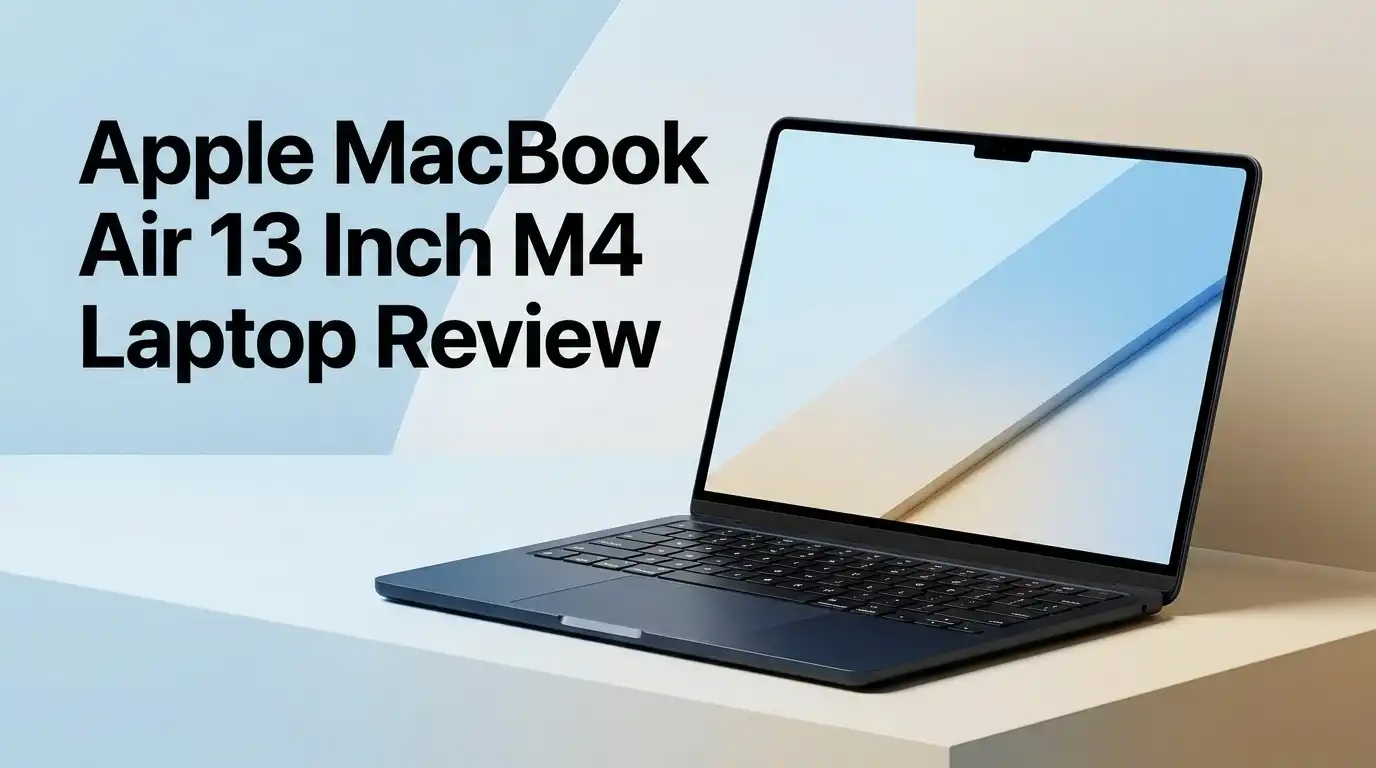
Apple MacBook Air 13 Inch M4 Laptop Review 2026: Still Worth It?
The MacBook Air with the M4 chip arrived in March 2025, and something strange happened. It got cheaper instead of pricier. Apple dropped the starting price to $999 and doubled the base memory to 16GB. Street prices have since fallen as low as $799 on Amazon.
Now the M5 Air exists. So the obvious question becomes louder. Should you still buy the M4 model in 2026, or is it yesterday’s news?
I spent weeks with this laptop, pushing it through real work, travel days, and long editing sessions. This review covers the good, the frustrating, and the parts Apple quietly hopes you ignore.
In a Nutshell:
- Performance still feels excellent. The M4 chip scores roughly 3,200 single core and 15,000 multi core in Geekbench 6. That beats most Windows ultrabooks in snappiness, and everyday apps open instantly.
- Battery life carries a full workday. Expect around 12 to 15 hours of mixed light work, and closer to 9 or 10 hours under heavier loads. Low Power Mode stretches it further.
- The base configuration finally makes sense. 16GB of unified memory is standard now, which removes the biggest complaint people had about older Air models.
- It runs silent and stays cool. There is no fan inside. That is wonderful for quiet rooms and slightly painful during long video exports, when sustained speeds drop.
- The value is the real story. At $799 to $999, this laptop undercuts the newer M5 Air by a meaningful margin while delivering about 85 to 90 percent of the experience.
- It is not a creative powerhouse. Heavy 4K and 8K video work, 3D rendering, and serious gaming all expose its limits. Buy the MacBook Pro if that is your daily life.
Why the MacBook Air M4 Still Matters in 2026
Apple refreshed the Air line with the M5 chip in early 2026. That usually kills interest in the previous model. This time it did not.
The M4 Air dropped in price instead of disappearing. Retailers now move it at steep discounts, and refurbished units go even lower. That makes it one of the best value laptops Apple has ever shipped.
The performance gap between M4 and M5 matters mostly in sustained GPU tasks. For writing, browsing, coding, spreadsheets, photo edits, and video calls, both feel identical. You will not sense a difference scrolling Safari or compiling a small project.
The M4 Air hits a sweet spot that few laptops reach. It is fast enough for almost everyone, light enough to forget in a bag, and now priced like a midrange Windows machine.
Apple MacBook Air 13 Inch M4 Laptop

- SPEED OF LIGHTNESS — MacBook Air with the M4 chip lets you blaze through work and play. With Apple Intelligence,* up to 18 hours of battery life,* and an incredibly portable design, you can take on anything, anywhere.
- SUPERCHARGED BY M4 — The Apple M4 chip brings even more speed and fluidity to everything you do, like working between multiple apps, editing videos, or playing graphically demanding games.
Some of the links on this website are affiliate links, which means that at no additional cost to you, I earn a commission if you click through and make a purchase. I only recommend products and services that I believe will add value to my readers. Thank you for your support!
The configuration most people buy includes the 10 core CPU, 8 core GPU, 16GB of unified memory, and 256GB of storage. The display measures 13.6 inches diagonally. The whole machine weighs 2.7 pounds.
Apple sells it in four colors. Sky Blue is the new one, and it reads as a soft silver with a blue tint under most lighting. Midnight remains the darkest option, though it still collects fingerprints.
The 12MP Center Stage camera is the headline upgrade over the M3 version. It follows you during calls and supports Desk View. Touch ID sits in the top right corner of the keyboard and unlocks the machine reliably.
Two Thunderbolt 4 ports, a MagSafe 3 charging port, and a headphone jack complete the hardware.
Unboxing Experience and First Impressions
The box is thin and light enough that it feels wrong. You lift the lid and the laptop sits right there under a paper flap.
Inside you get the MacBook Air, a braided USB C to MagSafe 3 cable in a matching color, and a power adapter. The base model ships with a 30W adapter. Higher configurations include a 35W dual port brick, which is genuinely useful for charging a phone at the same time.
The first thing you notice is the weight. At 2.7 pounds, it feels closer to a tablet than a laptop. The second thing is the hinge, which opens with one finger and stays exactly where you leave it.
Boot time from first power on to desktop took under 30 seconds. Migration Assistant pulled my old data over WiFi in about two hours.
Design and Build Quality
The chassis is one piece of recycled aluminum. There is no flex in the lid or the deck, even when you press hard in the middle.
The wedge shape from older Airs is gone. This model is a uniform 0.44 inches thick, which looks more modern and feels better in a sleeve. Edges are softly rounded, so resting your wrists does not hurt during long sessions.
Apple also improved the anodization on Midnight. It still shows oils, though far less than the 2022 version did. Sky Blue and Starlight hide marks best.
My one gripe involves the bottom panel. It warms noticeably during exports or heavy Zoom calls. Not dangerous, but you will feel it through thin pants on your lap.
Top 3 Alternative for Apple MacBook Air 13 Inch M4 Laptop

- MIGHT TAKES FLIGHT — MacBook Air with the M5 chip packs blazing speed and powerful AI capabilities into an incredibly portable design. With Apple Intelligence,* up to 18 hours of battery life,* and fast SSD storage starting from 512GB,* you can work, create, and play anywhere life takes you.
- SUPERCHARGED BY M5 — With its faster CPU and unified memory, the M5 chip delivers even more performance and fluidity across apps, making multitasking and creative workflows smooth and responsive. A powerful Neural Engine and next-generation GPU with Neural Accelerators give you a powerful platform for AI.

Some of the links on this website are affiliate links, which means that at no additional cost to you, I earn a commission if you click through and make a purchase. I only recommend products and services that I believe will add value to my readers. Thank you for your support!
Apple MacBook Air 13 Inch M5

- SPEED OF LIGHTNESS — MacBook Air with the M4 chip lets you blaze through work and play. With Apple Intelligence,* up to 18 hours of battery life,* and an incredibly portable design, you can take on anything, anywhere.
- SUPERCHARGED BY M4 — The Apple M4 chip brings even more speed and fluidity to everything you do, like working between multiple apps, editing videos, or playing graphically demanding games.
Some of the links on this website are affiliate links, which means that at no additional cost to you, I earn a commission if you click through and make a purchase. I only recommend products and services that I believe will add value to my readers. Thank you for your support!
Apple MacBook Air 15 Inch M4
No products found.
ASUS Zenbook 14 OLED
Display Quality: Good, Not Great
The 13.6 inch Liquid Retina panel runs at 2560 by 1664 pixels. That works out to 224 pixels per inch, so text looks clean and photos show fine detail.
Brightness peaks at 500 nits. Indoors that is plenty. Outside on a bright day, you will squint and look for shade. Competing OLED Windows laptops now push past 1,000 nits in HDR content.
The panel supports one billion colors and P3 wide color. Color accuracy out of the box impressed me during photo edits. Nothing looked oversaturated.
The refresh rate stays locked at 60Hz, and that is the biggest letdown. Phones costing $400 have 120Hz screens. Scrolling on the Air looks fine until you switch back from an iPhone Pro, then it feels stiff.
The notch still interrupts the menu bar. Most people stop noticing after a week.
M4 Chip Performance in Daily Use
The M4 includes 4 performance cores and 6 efficiency cores. Base models use an 8 core GPU, while the step up version uses 10 cores.
In practice, the machine never stuttered during my normal workload. I ran 30 Safari tabs, Slack, Spotify, Photoshop, and a Final Cut project at the same time. Memory pressure stayed green.
Lightroom exports of 200 RAW files finished in roughly 3 minutes. Xcode builds on a medium sized project completed faster than my old Intel MacBook Pro by a wide margin.
The limitation appears under sustained load. There is no fan, so after about 10 minutes of heavy rendering, clock speeds step down. Long 4K exports take noticeably longer than on a MacBook Pro with the same chip.
For short bursts, which describes most real work, the M4 Air feels fast.
Battery Life: The Quiet Superpower
Apple claims up to 18 hours of Apple TV app playback and 15 hours of wireless web browsing. Those numbers assume gentle use.
My real results landed between 12 and 14 hours for writing, browsing, email, and music. That means I genuinely stopped carrying a charger to the office.
Heavy days look different. Video calls, photo editing, and external display use pulled battery down to about 8 or 9 hours. That still beats most Windows ultrabooks doing the same tasks.
Low Power Mode adds roughly two hours and barely affects responsiveness for light work. Standby drain is almost nonexistent. I closed the lid on a Friday at 60 percent and opened it Monday at 56 percent.
MagSafe charging also frees up both Thunderbolt ports, which matters more than you expect.
Keyboard, Trackpad, and Speakers
The Magic Keyboard uses scissor switches with about 1mm of travel. Keys feel firm and quiet. I typed this entire review on it without finger fatigue.
Backlighting adjusts automatically and stays even across all keys. The function row includes dedicated keys for Spotlight, Dictation, and Do Not Disturb.
The Force Touch trackpad remains the best in the industry. It is large, glass topped, and uses haptics instead of a physical hinge. Palm rejection never failed me once.
The four speaker system punches above its size. Vocals come through clear and Spatial Audio adds real width during movies. Bass is thin, which is physics, not a design flaw.
Three microphones handle voice calls well and filter keyboard noise during meetings.
Webcam and Video Call Quality
Apple upgraded the camera to a 12MP Center Stage sensor. This is the same approach used on recent iPads.
Center Stage crops and pans to keep you framed as you move. In a small office it feels unnecessary. During a kitchen table call with kids wandering by, it actually helps.
Image quality improved over the old 1080p camera. Skin tones look natural and low light performance is acceptable, though grain appears in dim rooms. Colors still skew slightly warm.
Desk View splits the feed to show your desk surface. Teachers and crafters will use it. Everyone else will try it once.
The camera is good for a laptop, not good in absolute terms. A $70 external webcam still produces a sharper image.
Ports and Connectivity
You get two Thunderbolt 4 ports, one MagSafe 3 charging port, and a 3.5mm headphone jack. That is the complete list.
There is no SD card slot and no HDMI output. Photographers and presenters will carry a dongle. This is the clearest compromise Apple made to keep the Air thin.
Both Thunderbolt ports sit on the left side. That annoyed me when my desk setup placed the monitor on the right.
The good news is display support. The M4 Air drives two external monitors at 6K and 60Hz while the lid stays open. The M3 model could not do that. For anyone running a dual screen desk, this single change justifies the upgrade.
WiFi 6E and Bluetooth 5.3 handle wireless duties. Connection stability was flawless across three routers.
macOS, Apple Intelligence, and Software
The Air ships with macOS Sequoia and upgrades cleanly to newer releases. Apple supports its laptops with updates for roughly seven years, which protects your investment.
Apple Intelligence runs on device thanks to the 16 core Neural Engine. Writing Tools rewrite and summarize text inside any app. Notification summaries cut through noise on busy mornings.
Honestly, the AI features remain a mixed bag. Writing Tools work well. Siri still disappoints compared to what Apple demoed. Image Playground feels like a toy.
The real software strength is the ecosystem. Handoff, Universal Control, AirDrop, and iPhone Mirroring all function without setup. If you own an iPhone, the Air becomes an extension of it.
Windows users switching over will need a week to adjust to window management.
What the MacBook Air M4 Does Not Do Well
Honest reviews list the failures, so here they are.
Gaming is weak. The Mac game library stays small, and the 8 core GPU struggles above medium settings in the titles that exist. Do not buy this to play games.
Sustained workloads throttle. No fan means no long term heavy rendering. A 20 minute 4K export runs hot and slow compared to a MacBook Pro.
The 256GB base storage fills fast. macOS itself takes a chunk, and you cannot upgrade later. Pay for 512GB if your budget allows.
Repairs are expensive. Memory, storage, and battery are all soldered or glued. AppleCare becomes a reasonable consideration rather than an upsell.
The 60Hz screen feels dated next to competitors shipping 120Hz OLED panels at similar prices.
Pros and Cons
Pros
- Outstanding battery life that genuinely lasts a full working day without a charger
- Completely silent operation because the design uses no fan at all
- 16GB of unified memory now comes standard on every configuration
- Excellent keyboard and the best trackpad available on any laptop today
- Light 2.7 pound build that disappears inside a backpack
- Support for two external 6K displays with the lid open
- Street prices between $799 and $999 deliver remarkable value
- Long software support life of roughly seven years
Cons
- Screen stays at 60Hz with a modest 500 nit peak brightness
- Only two Thunderbolt ports, both on the same side, with no SD slot or HDMI
- Sustained heavy tasks slow down because there is no active cooling
- Storage and memory cannot be upgraded after purchase
- Gaming performance and game selection both disappoint
- Base 256GB storage feels tight for anyone storing media
Who Should Buy the MacBook Air M4

- SPEED OF LIGHTNESS — MacBook Air with the M4 chip lets you blaze through work and play. With Apple Intelligence,* up to 18 hours of battery life,* and an incredibly portable design, you can take on anything, anywhere.
- SUPERCHARGED BY M4 — The Apple M4 chip brings even more speed and fluidity to everything you do, like working between multiple apps, editing videos, or playing graphically demanding games.
Some of the links on this website are affiliate links, which means that at no additional cost to you, I earn a commission if you click through and make a purchase. I only recommend products and services that I believe will add value to my readers. Thank you for your support!
Students should look here first. The battery lasts through back to back classes, the weight suits a crowded bag, and the discounted price fits tighter budgets.
Writers, students, office workers, and light developers will find nothing missing. Most people never stress this machine past 40 percent of its capability.
Photographers doing JPEG and moderate RAW work will be happy. Videographers editing 1080p and short 4K clips will manage fine.
Skip it if you render 3D scenes, color grade long 8K timelines, or compile massive codebases daily. Buy a MacBook Pro instead, because the fan matters.
Also skip it if you need HDMI and SD card access without carrying a hub every single day.
Final Verdict: Still the Default Laptop
The MacBook Air M4 is not the newest Mac anymore. It might be the smartest purchase in the lineup.
You get a silent, cool, beautifully built laptop with all day battery and genuinely fast performance. You give up a high refresh screen, extra ports, and sustained heavy workload speed.
At $999 it was a good deal. At $799 it becomes hard to argue against. The M5 model is better, though not by enough to justify the price difference for most buyers.
Score: 4.5 out of 5.
Buy it if you want a laptop that simply works for the next five or six years. Look elsewhere only if your work genuinely demands more power than this quiet machine can hold.
Frequently Asked Questions
Is the MacBook Air M4 still worth buying in 2026?
Yes, especially at discounted prices. The M5 model offers better graphics performance, though everyday tasks feel identical on both. The M4 Air now costs significantly less while delivering nearly the same experience.
How much memory and storage should I choose?
Get 16GB of memory, which is now the base. Choose 512GB of storage if you keep photos, videos, or large project files, because you cannot upgrade it later.
Does the MacBook Air M4 overheat?
It gets warm during heavy tasks since it has no fan. The bottom panel heats up and speeds reduce slightly, but the laptop never becomes unsafe or unstable.
Can the MacBook Air M4 handle video editing?
It handles 1080p and short 4K projects comfortably. Long 4K timelines and 8K footage will slow it down, so professionals should consider a MacBook Pro instead.
How long does the battery actually last?
Expect 12 to 14 hours of light work like writing and browsing. Heavy use with video calls and editing brings that down to roughly 8 or 9 hours.
Can it run two external monitors?
Yes. The M4 Air supports two external displays at up to 6K resolution while the built in screen stays active, which the M3 model could not do.

Welcome to The File Fix. I’m Millie, and I review tech so you don’t have to suffer buyer’s remorse.
Navigating the endless sea of Amazon devices and gadget releases can feel like a full-time job. That’s why I do the heavy lifting. I dig past the unreliable 5-star reviews and shiny spec sheets to test how these devices actually hold up in the real world. Whether you’re looking for the best budget earbuds, a reliable power bank, or the latest smart home gear, you’ll find honest, no-nonsense breakdowns here.