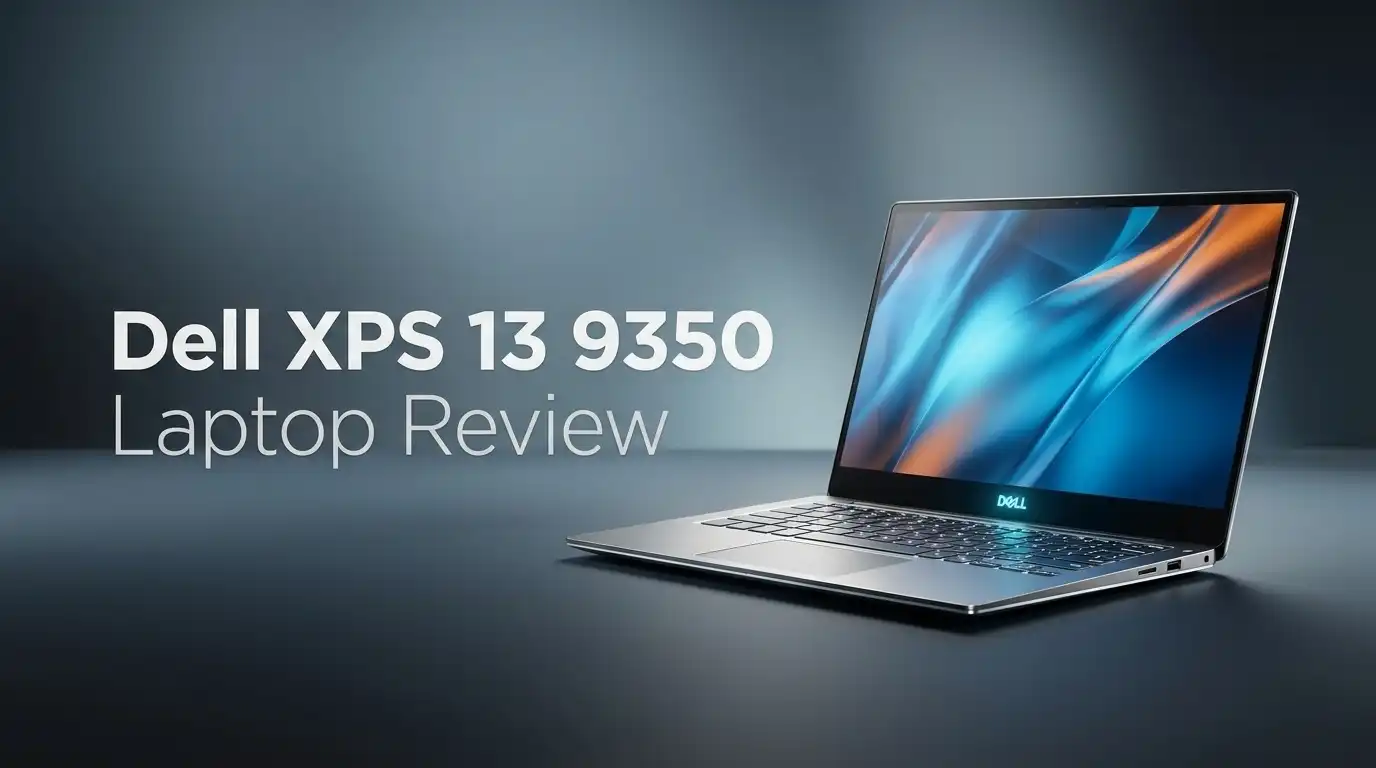
Dell XPS 13 9350 Laptop Review 2026: Worth Buying?
The Dell XPS 13 9350 arrived with a bold promise. Dell wanted a laptop that looked like a design object and lasted all day on battery.
Two years later, this machine still sits on store shelves, still carries a premium price, and still splits opinions in half. Some people love the glass palm rest and the invisible touchpad. Others hate the touch function row with real passion.
So the question in 2026 is simple. Does this thin Windows ultrabook still deserve your money, or have newer rivals passed it by?
In a Nutshell:
- Battery life is the headline feature. The non OLED model with the FHD+ panel runs close to 18 hours in web browsing tests. That number sits near the top of the Windows laptop charts, and it beats many MacBooks.
- Performance is good, not class leading. The Intel Core Ultra 7 258V handles office work, 20 browser tabs, light photo editing, and 4K video playback without stress. Heavy video rendering is slower than chips with more cores.
- The display choice changes everything. The FHD+ LCD covers only about 70 percent of DCI P3, which looks dull. The tandem OLED panel hits 144 percent and looks stunning, but battery life drops to roughly 8 hours.
- The keyboard divides buyers. Keys feel shallow and tightly packed. The capacitive function row has no travel and no haptic feedback, so you tap blind.
- Port selection is thin. You get two Thunderbolt 4 ports and nothing else. There is no headphone jack, no USB A, and no card reader.
- Price stays high. This is a premium purchase, and discounts now make older stock far more attractive than launch pricing.
Dell XPS 13 9350 Overview

- DELL PREMIUM SUPPORT INCLUDED – Includes Dell Premium Support through September 2027, with access to technical assistance and troubleshooting support for eligible issues.
- STUNNING 13.4" FHD+ DISPLAY- The 13.4-inch InfinityEdge FHD+ (1920 x 1200) anti-glare display features a smooth 30-120Hz refresh rate and 500 nits brightness. Enjoy vibrant, true-to-life colors with 100% sRGB coverage while protecting your eyes with Eyesafe technology.
Some of the links on this website are affiliate links, which means that at no additional cost to you, I earn a commission if you click through and make a purchase. I only recommend products and services that I believe will add value to my readers. Thank you for your support!
The XPS 13 9350 is Dell’s 13.4 inch flagship ultrabook built around Intel Lunar Lake silicon. The chassis measures 11.62 x 7.84 x 0.6 inches and weighs 2.6 pounds.
You can pick Platinum white or Graphite black. Inside you get an Intel Core Ultra 5, 7, or 9 chip, 16GB or 32GB of soldered LPDDR5X memory, and storage from 512GB up to 2TB.
Every model includes Intel Arc integrated graphics, WiFi 7, Bluetooth 5.4, a fingerprint reader, and an infrared webcam for Windows Hello.
The screen options cover a 120Hz FHD+ LCD, a touch version of that panel, and a 3K tandem OLED at 60Hz. Memory and storage are not user upgradable, so you must buy the configuration you plan to keep.
Unboxing Experience and First Impressions
Dell ships the XPS 13 in a slim cardboard box with recycled packaging and almost no plastic. Lift the lid and the laptop sits in a soft paper sleeve.
Underneath you find a compact 60W USB C charger, a short cable, and a thin paper guide. That is the entire contents. No dongle, no sleeve, no adapter for your old headphones.
The first lift surprises you. The machine feels denser than its weight suggests because the aluminum is solid and the lid barely flexes.
Opening it one handed works thanks to a small lip. Then the keyboard deck catches your eye. The seamless glass surface looks like a prototype from a design studio, and the touchpad hides completely until you press it.
Design and Build Quality
The XPS 13 9350 is beautiful in photos and polarising in person. The CNC machined aluminum shell resists bending. The hinge holds any angle without wobble. Bezels around the 13.4 inch screen measure only a few millimetres, so the display dominates the lid.
The flat keyboard deck removes every visible seam. Keys sit edge to edge with almost no gap, which looks clean but feels cramped. The borderless touchpad has no printed outline at all. New owners often hunt for the edges during the first week.
Real world annoyances exist. The sharp front edge presses into your wrists during long sessions. Fingerprints cling to the Graphite model within minutes. The white Platinum version hides smudges far better and stays cleaner over months of daily use.
Top 3 Alternatives for Dell XPS 13 9350

- SPEED OF LIGHTNESS — MacBook Air with the M4 chip lets you blaze through work and play. With Apple Intelligence,* up to 18 hours of battery life,* and an incredibly portable design, you can take on anything, anywhere.
- SUPERCHARGED BY M4 — The Apple M4 chip brings even more speed and fluidity to everything you do, like working between multiple apps, editing videos, or playing graphically demanding games.
Some of the links on this website are affiliate links, which means that at no additional cost to you, I earn a commission if you click through and make a purchase. I only recommend products and services that I believe will add value to my readers. Thank you for your support!
Apple MacBook Air 13 inch with M4 chip

- 【Snapdragon X Elite AI Laptop】 Powered by Snapdragon X Elite X1E-80-100, this Dell XPS 13 9345 laptop delivers fast AI PC performance for business, school, office work, streaming, browsing, and multitasking. With a 45 TOPS NPU, this Copilot+ PC helps accelerate next-generation AI experiences on a premium Dell laptop.
- 【32GB RAM 1TB SSD Laptop】 Built with 32GB LPDDR5X memory and a 1TB PCIe SSD, this XPS 13 laptop gives you responsive speed for daily productivity, documents, spreadsheets, video meetings, web apps, and light creative work. A great choice for users searching for a 32GB RAM laptop, 1TB SSD laptop, or portable business laptop.
Some of the links on this website are affiliate links, which means that at no additional cost to you, I earn a commission if you click through and make a purchase. I only recommend products and services that I believe will add value to my readers. Thank you for your support!
Dell XPS 13 9345 with Snapdragon X Elite

- 【Powerful AMD Ryzen AI 7 350 Processor】Experience next-level performance with the AMD Ryzen AI 7 350 Processor, featuring 8 cores and 16 threads, a 2.0GHz base clock, up to 5.0GHz boost clock, and 24MB cache. Designed to handle demanding multitasking, productivity, entertainment, and creative workloads with ease. Built-in AMD XDNA NPU delivers up to 50 TOPS of AI processing power for enhanced AI-powered experiences.
- WARRANTY: Original manufacturer warranty is voided due to hardware customization. Ranvax provides a 1-year limited warranty on the upgraded PCIe SSD storage. The original manufacturer warranty remains valid for the remaining original factory components, including the RAM and Intel processor.
Some of the links on this website are affiliate links, which means that at no additional cost to you, I earn a commission if you click through and make a purchase. I only recommend products and services that I believe will add value to my readers. Thank you for your support!
ASUS Zenbook 14 UX3405CA Touchscreen Laptop
Display Options: LCD vs Tandem OLED
This decision matters more than the processor choice. The FHD+ LCD runs at 1920 x 1200 with a smooth 120Hz refresh rate. Motion looks fluid and text stays crisp.
Colour is the weak point. Lab tests measured around 69.9 percent DCI P3 coverage and roughly 357 nits of brightness. Movies look washed out and reds lack punch.
The 3K tandem OLED flips the result. It covers about 144 percent of DCI P3, delivers true black levels, and makes HDR content pop. Brightness measures near 377 nits in standard use, which is bright enough indoors but modest outdoors.
The trade is harsh. OLED cuts battery life by more than half and raises surface temperatures. Choose LCD for endurance. Choose OLED for creative work and video.
Keyboard and Touchpad Experience
Typing speed on this keyboard is fine. Typing comfort is not. Keys deliver about 1mm of travel with a soft bottom out. Most testers hit normal words per minute scores, so the layout works once muscle memory settles. The problem is feedback. Your fingers never feel a clear boundary between keys.
The capacitive function row replaces real F keys with backlit touch icons. There is no haptic response when you tap them. Developers, video editors, and anyone who uses Escape or Delete constantly will feel frustrated. You must look down to confirm a press.
The haptic touchpad performs well. Clicks register anywhere on the surface and feel consistent. The invisible edges remain the issue, especially when you scroll by feel instead of sight.
Performance with Intel Core Ultra 7 258V
The Core Ultra 7 258V is an efficiency first chip with eight cores and no hyperthreading. In Geekbench 6 the XPS 13 9350 scores roughly 2,660 single core and 10,846 multi core. Those numbers beat most older ultrabooks in single thread work and trail chips built for sustained heavy loads.
Daily use feels quick. Windows 11 boots in seconds. Office documents, Slack, Spotify, and two dozen Chrome tabs run together without slowdown. Light Photoshop edits and 1080p video exports finish comfortably.
The limits appear with long renders. A 4K to 1080p Handbrake encode takes around eight minutes and 17 seconds. The Snapdragon version of the same laptop finishes the same job in under five minutes. Buy this chip for mobility, not for rendering.
Graphics and Casual Gaming
Intel Arc 140V graphics represent a real step forward for integrated chips. The XPS 13 posts around 8,053 in 3DMark Fire Strike and about 4,016 in Time Spy. Those scores put it ahead of many rival thin laptops.
Casual gaming works at modest settings. Civilization VI runs near 51fps at 1080p medium, and Final Fantasy XIV holds steady frame rates in busy zones. Lighter titles like Valorant, Stardew Valley, and older Steam games play smoothly.
Demanding games expose the ceiling fast. Shadow of the Tomb Raider manages only 21fps at 1080p on high settings, which feels unplayable. The thin chassis also limits sustained power. This is a laptop that can game occasionally, not a gaming laptop.
Battery Life Tested in Real Use
Battery endurance is the strongest reason to buy this machine. The LCD model with the 55Wh battery ran 18 hours and 34 minutes in a continuous web browsing test at 150 nits. In office productivity testing it stretched past 23 hours. Dell quotes up to 26 hours of local video playback.
Real mixed use lands lower but still impressive. Expect 10 to 13 hours of email, documents, video calls, and streaming at comfortable brightness. Most people charge this laptop every second day.
The OLED model tells a different story. The same test produced only 8 hours and 40 minutes. That result still beats many rivals, yet it feels disappointing next to the LCD. Charging from empty takes roughly two hours with the bundled 60W brick.
Ports, Connectivity and Webcam Quality
Dell gives you two Thunderbolt 4 USB C ports and nothing more. One sits on each side, which helps with charging flexibility. Both support DisplayPort 2.1, 40Gbps data, and power delivery.
The missing pieces hurt. There is no headphone jack, no USB A port, no HDMI, and no microSD slot. Dell includes no adapter in the box either. Photographers and anyone with wired headphones must buy a hub immediately.
Wireless support is current with WiFi 7 and Bluetooth 5.4. Connections stay stable and fast on modern routers. The 1080p infrared webcam handles Windows Hello login reliably and produces acceptable video calls. Image quality turns grainy in dim rooms, and colour accuracy drifts under warm lighting.
Audio, Heat and Fan Noise
The quad speaker array fires from the sides and gets genuinely loud. Dialogue in podcasts and video calls sounds clear. Midrange is solid for a laptop this thin.
Push the volume past 80 percent and problems appear. Bass heavy tracks develop a metallic reverb, and distorted guitars sound compressed. Headphones or a small Bluetooth speaker fix this quickly.
Thermals depend on your display choice again. The LCD model stays cool, peaking near 86 degrees Fahrenheit underneath during 4K video playback.
The OLED model climbs to roughly 100 degrees on the rear underside, which feels warm on bare legs. Fans stay silent during light work and produce a soft whoosh under sustained load. The noise never becomes harsh or whiny.
What the Dell XPS 13 9350 Does Not Do Well
Honest reviews need honest criticism, so here are the genuine weaknesses. The capacitive function row remains the biggest complaint from owners. It slows down coding, video editing, and any workflow built on keyboard shortcuts.
Memory and storage are soldered, so a 16GB purchase stays 16GB forever. The missing headphone jack frustrates students and musicians daily. The LCD panel colour is weak enough that photo editing on it is unwise.
Owners also report intermittent haptic touchpad failures that usually require a driver update or a service visit. Heavy multi core work throttles sooner than on thicker rivals. Value is the final problem. Competing laptops offer more ports and better keyboards for less money in 2026.
Pros and Cons of the Dell XPS 13 9350
Pros
- Outstanding battery life on the LCD model, reaching close to 18 hours in browsing tests
- Premium aluminum build that feels solid and weighs only 2.6 pounds
- Tandem OLED option delivers exceptional colour and contrast for creative work
- Strong single core speed for everyday apps and smooth 120Hz scrolling
- Intel Arc graphics handle light gaming and media editing surprisingly well
- WiFi 7, Thunderbolt 4, infrared webcam, and fingerprint reader all included
Cons
- Capacitive function row offers no tactile feedback and slows shortcut heavy work
- Only two USB C ports, with no headphone jack and no adapter in the box
- FHD+ LCD shows dull colour and modest brightness
- OLED configuration cuts battery life to under 9 hours and runs hot
- RAM and storage are soldered with zero upgrade path
- Speakers distort at high volume
- Price stays high against strong competition
Who Should Buy the Dell XPS 13 9350
This laptop fits a specific person very well. Choose it if you travel often, work mainly in documents and browsers, and want a machine that survives a full day without a charger. Consultants, students, writers, and business users get real value here.
The OLED version suits photographers and video editors who stay near power outlets. Colour accuracy on that panel is genuinely excellent.
Skip it if you need ports, upgradable memory, or a traditional function row. Programmers and spreadsheet power users will fight the keyboard every day. Gamers should look elsewhere entirely. Anyone shopping on a budget will find better specifications per dollar from other brands.
Dell XPS 13 9350 Price and Configurations in 2026
- DELL PREMIUM SUPPORT INCLUDED - Drive with complete peace of mind. This laptop comes with official Dell Premium Support active through September 2027, giving you 24/7 access to advanced technician support, hardware/software troubleshooting, and onsite service if needed.
- STUNNING 13.4" FHD+ DISPLAY- The 13.4-inch InfinityEdge FHD+ (1920 x 1200) anti-glare display features a smooth 30-120Hz refresh rate and 500 nits brightness. Enjoy vibrant, true-to-life colors with 100% sRGB coverage while protecting your eyes with Eyesafe technology.
Some of the links on this website are affiliate links, which means that at no additional cost to you, I earn a commission if you click through and make a purchase. I only recommend products and services that I believe will add value to my readers. Thank you for your support!
Pricing has softened since launch. The entry configuration with a Core Ultra 7 258V, 16GB of memory, 512GB of storage, and the FHD+ LCD now appears regularly in the lower price band for this class. Stepping up to 32GB of memory and 1TB of storage adds a meaningful premium.
The tandem OLED models sit at the top of the range and command the highest prices. Business variants ship with Windows 11 Pro and sometimes include longer support terms.
My advice is simple. Buy 32GB of memory if you plan to keep the laptop beyond three years, because you cannot add more later. Watch seasonal sales closely. Discounts on this model are frequent and often substantial.
Final Verdict on the Dell XPS 13 9350
The Dell XPS 13 9350 is a laptop of extremes. It delivers best in class battery life, a gorgeous chassis, and quiet, efficient performance. It also forces real compromises on ports, typing comfort, and colour accuracy.
If you value portability and endurance above everything, this remains one of the finest Windows ultrabooks available. The LCD model in particular feels liberating because you stop thinking about chargers.
If your work depends on function keys, wired peripherals, or raw multi core power, the frustrations will outweigh the beauty. This machine rewards a specific kind of user and punishes everyone else. Judge it against your own daily routine, not against the marketing photos, and you will make the right call.
Frequently Asked Questions
Is the Dell XPS 13 9350 still worth buying in 2026?
Yes, for travellers and office users who want long battery life in a light body. Discounted prices improve the value considerably. Buyers who need many ports or a conventional keyboard should consider rivals first.
Can you upgrade the RAM or SSD on the XPS 13 9350?
Memory is soldered to the motherboard and cannot be changed. The SSD is technically replaceable by a technician, but Dell does not market this as a user task. Choose your configuration carefully at purchase.
Does the Dell XPS 13 9350 have a headphone jack?
No. Dell removed the 3.5mm jack entirely. You must use Bluetooth headphones, USB C headphones, or a dongle connected to one of the two Thunderbolt 4 ports.
How long does the battery really last?
The LCD model reaches nearly 18 hours in controlled browsing tests and around 10 to 13 hours in mixed daily use. The OLED model delivers roughly 8 to 9 hours under the same conditions.
Can the XPS 13 9350 run games?
It runs light and older titles at 1080p with medium settings. Demanding modern games perform poorly. Treat gaming as an occasional bonus rather than a core feature of this laptop.
Which display option should I pick?
Pick the FHD+ LCD for maximum battery life and cooler operation. Pick the tandem OLED for colour accuracy, contrast, and media work. Your priority between endurance and image quality decides the answer.

Welcome to The File Fix. I’m Millie, and I review tech so you don’t have to suffer buyer’s remorse.
Navigating the endless sea of Amazon devices and gadget releases can feel like a full-time job. That’s why I do the heavy lifting. I dig past the unreliable 5-star reviews and shiny spec sheets to test how these devices actually hold up in the real world. Whether you’re looking for the best budget earbuds, a reliable power bank, or the latest smart home gear, you’ll find honest, no-nonsense breakdowns here.