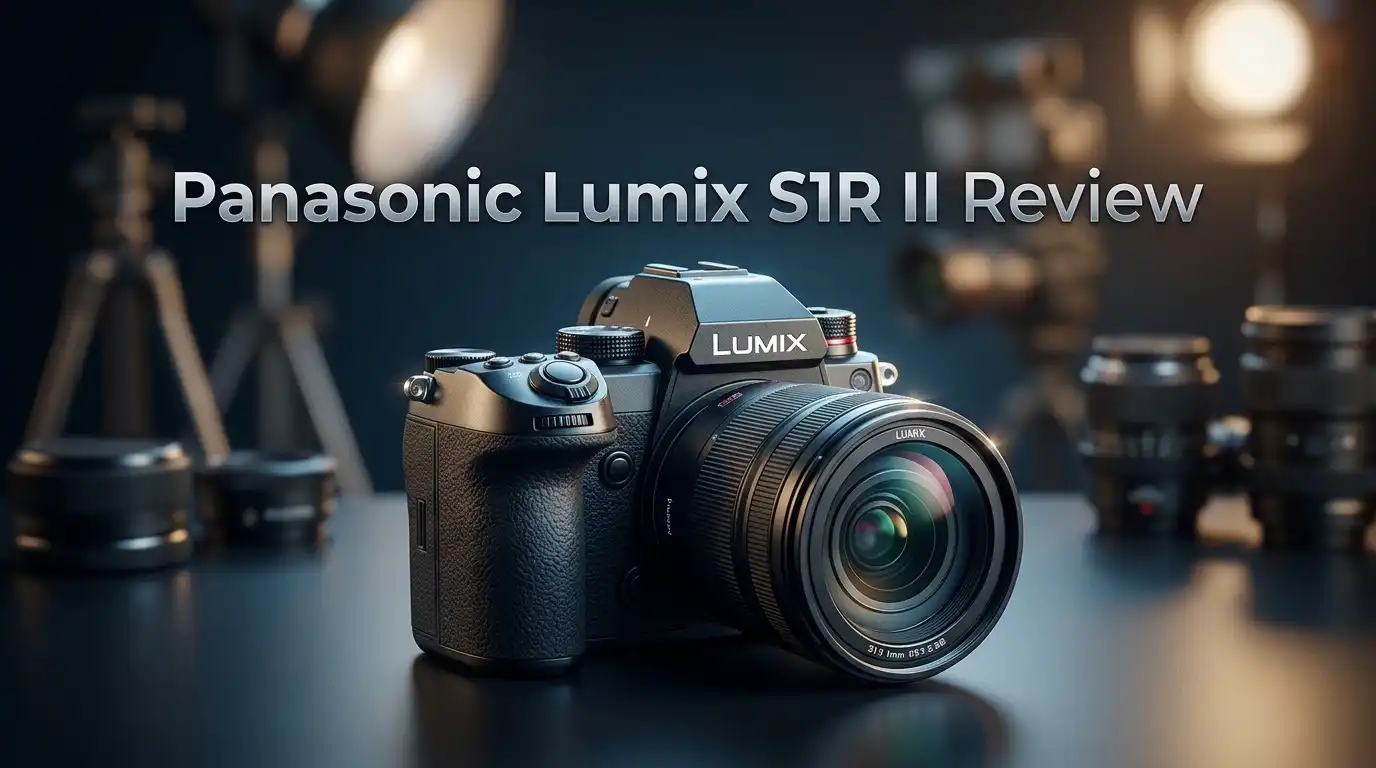
Panasonic Lumix S1R II Review: 44MP Full-Frame Mirrorless Camera Tested
Are you searching for a camera that handles almost anything? The Panasonic Lumix S1R II aims to do just that. It combines high resolution stills with serious video power.
Its 44.3MP full frame sensor captures sharp detail. Photographers can crop deeply and still keep plenty of pixels.
Shooting speed is strong too. The camera reaches up to 40 frames per second using the electronic shutter, and it can capture frames just before you press the button.
In a Nutshell
- Bright sun shooting: The electronic viewfinder stays easy to use in harsh outdoor light. You can frame shots clearly even on sunny days.
- Flexible storage: The camera has two card slots for SD and CFexpress Type B cards. You can save files to both for backup.
- Fast action capture: The camera shoots up to 40 frames per second using the electronic shutter. It also keeps frames captured just before you press the button.
- Sensor care made simple: A dedicated cleaning mode locks the sensor in place while you clean it. This helps you remove dust with less risk.
- Rolling shutter caution: Some users report rolling shutter issues with fast moving subjects. Test your planned shots before a important shoot.
- Best fit: This camera suits hybrid creators who shoot both photos and video. It also suits landscape and studio photographers who want high detail in every frame.
Sensor and Image Quality

- Items Include: Panasonic LUMIX S1R II Mirrorless Camera With 24-105mm f/4 Lens, 64GB Memory Card, Panasonic DMW-BLK22 Battery, 3 Piece 77mm Filter Kit, Padded Camera Bag, External Charger, Flexible Tripod, HD Cable, Deluxe Cleaning Kit, Camera Hand Strap, Memory Card Wallet, Memory Card Reader, Cap Keeper
- 47MP Full-Frame Powerhouse for Uncompromising Detail: The Panasonic LUMIX S1R II offers an ultra-high-resolution 47.3-megapixel full-frame CMOS sensor designed to capture fine detail and rich textures in every frame. This level of image quality makes it ideal for large-format printing, commercial photography, and professional content creation.
Some of the links on this website are affiliate links, which means that at no additional cost to you, I earn a commission if you click through and make a purchase. I only recommend products and services that I believe will add value to my readers. Thank you for your support!
Image quality depends on more than resolution. The S1R II pairs its high resolution sensor with a dual gain design. This helps the camera handle both bright and dim scenes with cleaner results.
Dual gain works by switching between two amplification levels. In low light, the camera uses a setting that limits noise. In bright light, it keeps shadows open and detailed.
Colors look natural and smooth. Skin tones blend well across the frame. Many photographers enjoy editing these files because they hold up under strong adjustments.
Raw files give you room to work. Shooting in RAW captures far more data than a standard JPEG. You can recover highlights, lift shadows, and fine tune white balance later.
Large files also offer cropping freedom. You can crop a photo tightly and still keep enough detail for print. A landscape shot can become a wide panel without losing sharpness.
Lens choice matters just as much. Sharp glass lets the sensor show its full potential. Lower grade lenses may reveal softness near the corners.
Expect bigger files and heavier workloads. High resolution images need more storage space and computer power. Plan for fast cards and a capable editing setup.
Low light shooting also deserves attention. Higher ISO settings can add grain, but clean files still stay usable. Careful exposure keeps noise low from the start.
Exposure choices shape the final look. Slightly underexposing bright skies preserves color in the highlights. Metering modes help you read tricky scenes with confidence.
Sharpening settings deserve a light touch. High resolution files can look crisp with minimal adjustment. Too much sharpening can create harsh edges and visible halos.
Overall, the S1R II delivers rich and flexible image quality. It rewards careful exposure and thoughtful lens pairing. Detail lovers and editing fans will appreciate the results.
Video Recording Capabilities
Video is a major reason many creators look at the Panasonic Lumix S1R II. The camera records at very high resolutions, so you gain plenty of room to adjust your framing later.
Frame rate choices shape your footage. At 8K, the camera tops out at 30 frames per second. Lower frame rates suit calm scenes and natural movement. Keep the frame rate steady across a project so your clips cut together cleanly.
Fast memory cards prevent dropped frames. Video at high bitrates writes large amounts of data every second. Check the speed ratings before a shoot, and avoid cards that slow down when they fill up.
Heat can interrupt long recordings. High resolution video creates warmth inside the body during extended takes. Plan short breaks between long clips, and keep the camera out of direct sun.
Shutter speed controls motion blur. Many filmmakers set the shutter speed near double the frame rate. For example, 1/50 works well with 25p and 1/60 suits 30p. This habit keeps movement natural and smooth on screen.
External audio improves clarity. The internal microphone picks up wind and room noise easily. Attach an external microphone and monitor levels with headphones for cleaner voice recordings.
Log profiles preserve detail. Flat profiles keep more information in both bright and dark areas. Grading takes extra time, but the final footage often looks rich and cinematic.
Proxy files ease editing. Large 8K clips can slow older computers during editing. Create smaller proxy copies for smooth timeline playback, then switch back to the original files for export.
Monitoring keeps focus sharp. Use focus peaking or magnification when you shoot manual focus scenes. Quick checks on a larger screen catch soft footage before it becomes a problem.
Who gains the most? Documentary makers, interview shooters, and nature filmmakers benefit most from this setup. Event videographers may find the file sizes heavy during long shooting days.
Planning makes the difference. Set your frame rate, test your cards, and check your audio before every shoot. These steps help the S1R II deliver strong video results.
Viewfinder and Handling
Handling matters just as much as image quality. You hold a camera for hours, so comfort counts. The body weighs 795 g. That weight feels solid in your hands without feeling bulky.
Balance is the real test. A heavy lens on any body can feel awkward. Pair the S1R II with a large zoom and check how it sits in your hands.
Look through the electronic viewfinder and you see exposure changes before you press the shutter. This live preview helps you catch problems early.
Eye comfort matters too. Long sessions at the viewfinder can tire your eyes, so take short breaks. Your face and eye should rest naturally against the viewfinder.
Button placement shapes your speed on set. Spend time in the menus before a shoot. Assign the controls you use most often.
Muscle memory keeps your eyes on the subject instead of the body. Practice changing settings while your eye stays at the viewfinder.
A firm grip helps when you shoot all day. If your hands tire quickly, try a strap that spreads the weight across your shoulder.
Accessories can change the feel. A hand grip or an L bracket adds comfort for vertical shots. Check compatibility before you buy.
Gimbal users need to plan carefully. Heavier bodies demand stronger motors, so check the payload limit first. Keep the battery charged too.
Hold the camera with your left hand under the lens for support. Your right hand stays on the grip and near the shutter. This stance keeps shots steady.
Stability starts with posture. Tuck your elbows near your body and stand with your feet apart. Small habits reduce shake at slower shutter speeds.
The display also helps you check focus in dim rooms. Good handling turns a strong camera into a reliable tool.
Test the camera in a shop if you can. Hold it for ten minutes and notice any pressure points.
Top 3 Alternatives
Sony Alpha 7R V

- Sony USA Authorized. Bundle Includes: Sony a7R V Mirrorless Camera, 64GB Memory Card, Soft Bag, NP-FZ100 Battery, NP-FZ100 Charger, Memory Card Reader, Memory Card Wallet, Cleaning Kit
- Ultra-High 61MP Resolution – Equipped with a 61.0MP full-frame back-illuminated Exmor R CMOS sensor, the Alpha 7R V delivers extraordinary detail, wide dynamic range, and low noise. Perfect for large prints, commercial projects, or creative cropping, it redefines what’s possible in high-resolution imaging.
Some of the links on this website are affiliate links, which means that at no additional cost to you, I earn a commission if you click through and make a purchase. I only recommend products and services that I believe will add value to my readers. Thank you for your support!
The Sony Alpha 7R V is a great choice for photographers who want maximum detail. It packs a 61 megapixel sensor that captures large, crisp prints. Its AI based autofocus tracks people, animals, and vehicles with ease. You also get five axis image stabilization. This helps you shoot sharp handheld photos in dim light. Video creators will appreciate the high quality recording options, too.
Canon EOS R5 II

- Canon USA Authorized. Items Include: Canon EOS R5 Mark II Mirrorless Camera | Flagship Hybrid Power, Refined for Next-Gen Creators, 64GB UHS-II SDXC Memory Card, Canon EOS 200ES Shoulder Bag
- High-Resolution 45MP Sensor with Enhanced Dynamic Range: Capture extraordinary detail with a refined 45MP full-frame sensor—ideal for high-end commercial, portrait, and landscape work. Upgraded image processing delivers deeper tones, improved highlight recovery, and outstanding clarity in every frame.
Some of the links on this website are affiliate links, which means that at no additional cost to you, I earn a commission if you click through and make a purchase. I only recommend products and services that I believe will add value to my readers. Thank you for your support!
The Canon EOS R5 II offers speed for sports, wildlife, and action shots. Its stacked sensor reads image data quickly. This design helps reduce rolling shutter, so fast subjects look sharp. The camera also features refined autofocus that locks onto subjects fast. In body stabilization keeps footage smooth when you film on the move. It works well for hybrid shooters who switch between photos and video.
Nikon Z7 II

- INCLUDED: Nikon Z 7II Camera Body, Battery, Charger, USB Cable, HDMI/USB Clip, Hot Shoe Cover, Strap, Body Cap, Eyecup, Nikon 1 Year Limited Warranty | PLUS: Extra Battery, Cleaning Kit.
- 45.7MP BSI CMOS SENSOR: This is a back-side illuminated sensor with no optical low-pass filter, providing the ultimate in sharpness and dynamic range. It is ideal for "cropping in" while maintaining professional-grade resolution.
Some of the links on this website are affiliate links, which means that at no additional cost to you, I earn a commission if you click through and make a purchase. I only recommend products and services that I believe will add value to my readers. Thank you for your support!
The Nikon Z7 II gives you high resolution with reliable handling. Its 45.7 megapixel sensor captures fine textures in landscapes and studio portraits. Dual card slots give you a safe backup for every shoot. Two processors keep the camera responsive during long sessions. The body feels comfortable in your hand, even after hours of use. It suits photographers who value detail and a steady workflow.
Burst Shooting and Speed
The Panasonic Lumix S1R II shoots up to 40 frames per second. That speed suits fast action. You can capture a full sequence of a runner or a splashing wave in seconds.
The camera reaches this top speed with the electronic shutter only. Nothing clicks inside the body. Silent shooting helps in quiet places like churches, theaters, and wildlife hides. The electronic shutter also removes mechanical vibration, so subjects stay calm and you stay unnoticed.
Pre burst capture adds a helpful safety net. The camera keeps a short stream of frames before you press the button fully. If your timing runs a little late, the key moment may still be saved.
Speed brings a clear compromise. The electronic shutter can cause rolling shutter, which may bend fast moving lines like spinning propellers. Test your subject before a big shoot.
Buffer clearing speed matters a lot. Long bursts fill memory fast. The camera must write each frame before it accepts more. Dual card slots give you extra room for big sessions.
A quick CFexpress Type B card helps the camera recover faster between bursts. Choose a fast card before you head out.
Shooting style changes results too. Short bursts of three to five frames often capture the best moment. They also keep the buffer from filling up.
Continuous autofocus works well when your subject moves toward or away from you. Pick your focus area before the action starts, so the camera locks on sooner.
Practice builds timing. Many photographers miss the peak moment because they wait too long. Try a few test runs at a local park.
Watch how the sequence looks on your screen. Then adjust your burst length for the next shoot. The S1R II blends speed with detail, so action shooters and landscape users both find a useful tool.
Storage and Workflow
Your memory cards shape how smoothly your shoot runs. The Panasonic Lumix S1R II offers two slots. You can mix SD and CFexpress Type B cards.
Plan your slot use before the shoot. Open the menu and decide how each card should work. You can record to both slots at once or keep one as a spare.
Look for the recording mode options in the menu. Some modes write the same data to both cards. Others fill one card before moving to the next.
Duplicate settings protect your work if one card fails. Your images still survive on the second card.
A relay setting suits long event days. The camera switches to the second card when the first one fills up. You can keep shooting without stopping to swap cards.
Video creators should think about file sizes too. 8K and 5.8K RAW files grow fast. A long take can fill a card quickly, so pack spare cards in your bag.
Format cards in the camera before each shoot. This keeps the folder structure clean and avoids file errors. Only format after you copy your files to a safe place.
Good file names help you later. Use a simple naming habit for every project. Clear folders save time during editing.
Label each card with a number or color. This tells you which card holds which shoot.
Build a backup routine after every session. Copy files to a laptop or drive the same evening. Waiting a week often leads to lost work.
Power matters during transfers too. Use a fully charged battery or connect the camera to power. A dropped connection can damage files while copying.
Keep your workflow simple. A fixed routine beats complicated habits. Shoot, check, copy, format, and repeat.
Good storage habits protect your creative time. With the right cards and a steady routine, you can focus on your subject. Enjoy the shoot.
Pros and Cons
Pros
– The 44 megapixel sensor captures sharp detail for large prints.
– 8K video gives you room to crop and reframe your shots.
– Strong stabilization keeps handheld shots steady.
– The built-in viewfinder stays readable in bright sunlight.
– Sensor cleaning mode locks the sensor in place during cleaning.
Cons
– Rolling shutter can warp fast moving subjects.
– The 40 fps speed works only with the electronic shutter.
– At 795 g, the body feels heavy on long shoot days.
– Large 44MP files fill your storage faster than smaller sensors.
Who Should Buy It
Commercial photographers who deliver images to clients often need one camera for many jobs. This body suits studio product work well.
Careful portrait sessions also fit its pace. Slow, deliberate shooting lets you use its full detail without rushing.
Hybrid creators sit in a strong position here. If you shoot photos in the morning and film clips in the afternoon, you can switch modes on one body. Switching takes little effort.
Video makers who want clean footage for client edits will find plenty of room in the files.
Existing Lumix owners have a clear reason to consider this model. Many S mount lenses carry over, so you can grow your kit without starting from zero.
Staying in one brand also keeps your learning curve short.
Sony, Fujifilm, and Nikon shooters face a harder choice. Each rival brings its own lens lineup and menu logic. Anyone happy with a current setup should test the controls in a store before switching.
Wedding and portrait specialists can also benefit. Smooth skin tones and soft background blur suit posed shots. Pairing the body with a fast prime lens creates flattering results.
Casual snapshot takers rarely need this level of resolution. Family trips and social media posts usually look great from a simpler camera.
Students and new hobbyists may want to start with a smaller system. Learning the basics comes first. This body rewards people who already understand exposure settings.
In short, this camera fits serious image makers. Studio pros, hybrid creators, and loyal Lumix users get the most from it. Casual shooters can happily choose something simpler. Buyers should match the camera to their daily work, not to hype.
Final Verdict
The Lumix S1R II is a strong choice for people who want one camera for photos and video. It fits serious work without forcing you to switch systems.
Think about how you shoot before you commit. If you work mostly on a tripod with slow, careful frames, you may not use every feature. Match the camera to your daily routine, not to the spec sheet.
Lens choice matters just as much as the body. Panasonic uses the L mount, which also works with Leica and Sigma lenses. That gives you more glass to choose from over time.
Renting before buying is a smart move. Try the camera on a real job or a long test day. Check how the weight feels in your hands and how the menus suit your habits.
Compare the final results, not just the numbers. Print a few images and view them on a screen. See whether the extra detail changes your work in a clear way.
Support gear counts too. A sturdy bag, a good tripod, and spare cards make the camera easier to live with. Think about the full kit, not only the body.
Think about future projects as well. A camera that grows with your skills can save you from upgrading too soon.
Ask yourself one question before buying. Will this camera solve a real problem in your work? If the answer is yes, the S1R II earns its place in your bag.
Our final take is simple. The S1R II rewards people who value detail, video range, and a flexible hybrid workflow. Casual users may find it more power than they need, but serious creators will feel right at home.
If you already trust the Lumix system, this model feels like a natural next step. Test it, plan your workflow, and choose the tool that fits your work.
Frequently Asked Questions
Does the S1R II have two card slots?
Yes, it does. The camera holds an SD card and a CFexpress Type B card. You can record to both cards at once as a backup, or split photos and video between them.
Can the camera capture shots before I press the shutter?
Yes, it can. The camera records frames just before you press the shutter. This helps you catch fleeting moments, like a bird taking off. Use this feature when timing matters most.
Is this camera a good fit for beginners?
It works for beginners who want room to grow. However, the menus and settings take time to learn. A new shooter may want to start with a simpler body.
How does it compare with the Panasonic S5IIX?
The S5IIX shares the same brand and lens mount. The S1R II wins on resolution. The S5IIX suits people who want a more compact body with less data to manage.
Should I test rolling shutter before buying?
Yes, test it yourself. Film fast subjects, quick pans, and people walking by. Then review the clips on a large screen. This simple check shows if the effect matters for your work.

Welcome to The File Fix. I’m Millie, and I review tech so you don’t have to suffer buyer’s remorse.
Navigating the endless sea of Amazon devices and gadget releases can feel like a full-time job. That’s why I do the heavy lifting. I dig past the unreliable 5-star reviews and shiny spec sheets to test how these devices actually hold up in the real world. Whether you’re looking for the best budget earbuds, a reliable power bank, or the latest smart home gear, you’ll find honest, no-nonsense breakdowns here.