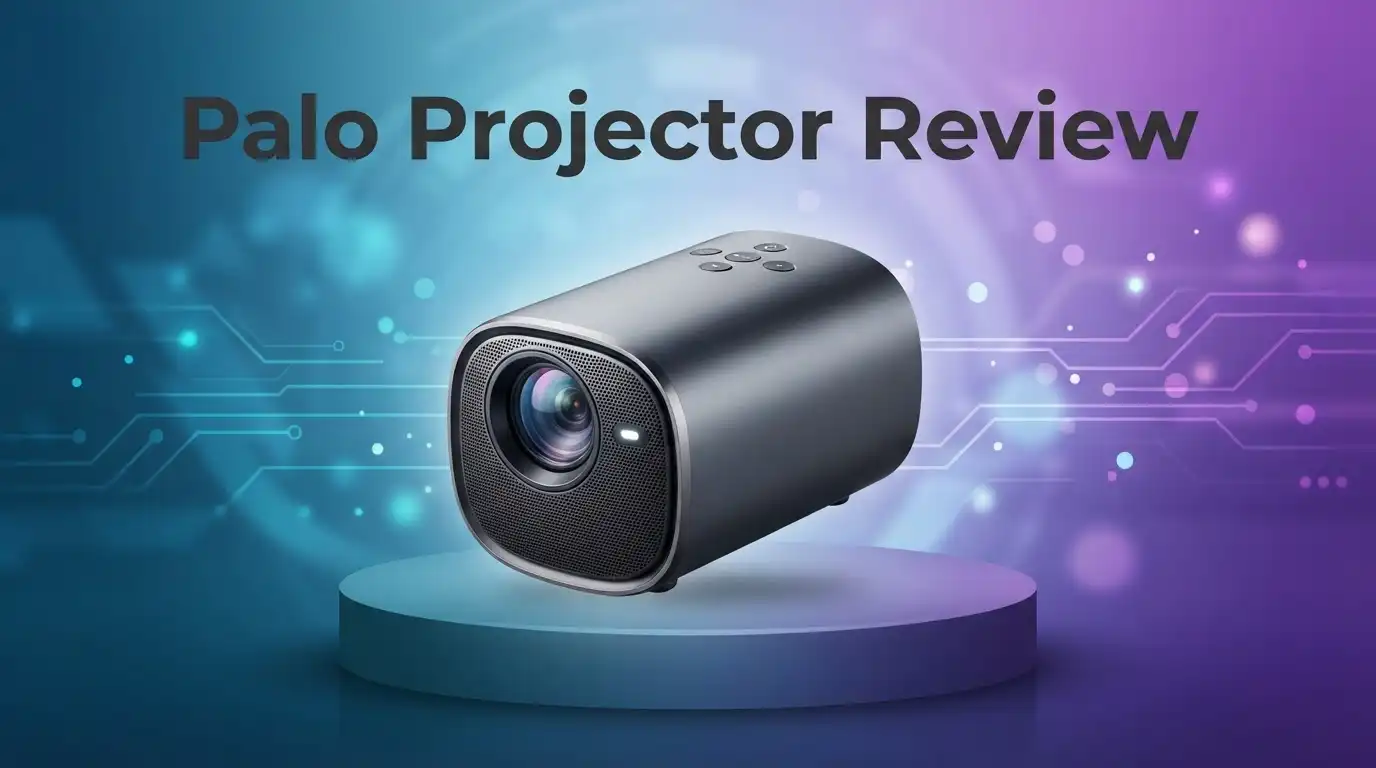
Palo Projector Review 2026: Worth Buying?
The Palo projector keeps showing up in social media ads. You scroll past a clip of a tiny white box throwing a giant movie onto a bedroom wall, and the price looks almost too friendly.
So the question everyone types into Google is simple. Does the Palo projector actually work, or is it another social media gadget that looks better in the ad than in your living room?
I spent three weeks with this little machine. I watched films on a blank wall, on a proper screen, and on a bedsheet pinned to a fence outside. I played a console on it. I let it run for long sessions to see how hot it got. This review covers what the Palo projector does well, what it fumbles, and who should skip it entirely.
Key Takeaways:
- Brightness is the biggest limit. The Palo projector looks lovely in a dark room. Switch on a lamp or open a curtain, and the image washes out fast. Treat it as a night time device, not an all day television replacement.
- Picture quality is better than the price suggests. Colors are warm and watchable at screen sizes between 60 and 90 inches. Push past 100 inches and detail softens noticeably.
- Setup takes under five minutes. Plug it in, point it at a wall, twist the focus, done. No app account, no complicated pairing, no wall mounting required.
- The built in speaker is weak. It works for a quiet bedroom. For outdoor movie nights you need a Bluetooth speaker, and thankfully Bluetooth output is included.
- Marketing language is inflated. Terms like 4K and huge lumen counts refer to input support and lamp measurements, not real output. Expect a good budget projector, not a home cinema machine.
- Value depends on your expectations. At the price it sells for, it is a fun second screen. As a main display, it will disappoint you within a month.
What Is the Palo Projector?

- 2026 Upgrade Smart Projector with Official Licensed Apps Built in - Do not need extra devices, one-click access to Prime Video, YouTube and more videos, that completely solve the problem that other android projectors built-in apps often cannot run due to unofficial certification. Plus, explore endless entertainment from hundreds of built-in app or watching videos online with features like 'My App', 'APP STORE', and 'Open Browser'
- 4K Projector with WiFi and Bluetooth - This home projector combines 600 ANSI lumens, 1080P native resolution, and 4K input support to deliver sharp, vibrant images with incredible detail. It’s equipped with dual-band 5G/2.4G WiFi for faster connectivity and less interference. The two-way Bluetooth 5.2 feature lets you use it as a standalone stereo speaker when connected to your mobile devices, or easily pair it with external Bluetooth speakers, headphones, or soundbars for an enhanced audio experience. (Please note: Bluetooth is for audio transmission only and does not support video.)
Some of the links on this website are affiliate links, which means that at no additional cost to you, I earn a commission if you click through and make a purchase. I only recommend products and services that I believe will add value to my readers. Thank you for your support!
The Palo projector is a compact LED home projector sold mainly through direct websites and social media ads. It belongs to the growing family of palm sized LCD projectors that use a single LED lamp, a small panel, and a manual focus wheel. The company markets it as a pocket cinema for bedrooms, dorm rooms, camping trips, and backyard movie nights.
The design philosophy here is simple. Strip out the expensive parts of a traditional projector, keep the basics, and sell it at a price that feels impulsive.
You get a lightweight body, a short power cable, HDMI and USB inputs, and a small onboard speaker. It does not try to compete with laser projectors or Google TV models. It tries to be the cheapest way to get a big picture on your wall, and on that narrow goal it mostly succeeds.
Palo Projector Review 2026: First Impressions
My first reaction on switching it on was mild surprise. The image appeared instantly, with no long warm up cycle. Colors leaned slightly warm, with reds a little heavy and whites carrying a faint cream tint. For casual viewing this actually looks pleasant rather than wrong.
The unit sat quietly on a coffee table roughly eight feet from the wall, producing an image close to 80 inches diagonal. Text on a streaming menu was readable. Faces looked natural. Motion in fast scenes showed a small amount of blur, which is normal for LCD panels at this price.
The honest first impression is this: it beats every expectation you bring from the price tag, and it misses every expectation you bring from the advertisement. Manage that gap and you will enjoy it.
Note for buyers: the Palo sells mostly through its own site, so the Amazon listing above is the closest equivalent native 1080p model I could verify for shoppers who prefer Prime returns.
Unboxing Experience: What Arrives in the Box
The box is small, roughly shoe box sized, with a matte finish and a printed product image. Inside, the projector sits in a molded foam tray. Lifting it out feels satisfying, mostly because the unit is lighter than it looks.
Underneath the tray you find a power adapter, a short HDMI cable, a compact remote, a lens cloth, and a folded manual. The remote needs two batteries that are not included, which is a small annoyance on a first night purchase.
The manual deserves a mention. It is printed in tiny type with awkward translations, and the keystone section is genuinely confusing. I ignored it and figured out the menu by trial. Setup took four minutes without any instructions at all, which says something good about the interface and something poor about the paperwork.
Top 3 Alternative for Palo Projector
No products found.
HAPPRUN H1 Native 1080P Bluetooth Projector

- Super-Sized Screen, Portable Design: Capsule 3 is an all-new ultra-portable Google TV projector licensed by Netflix.
- Take the Big Screen Anywhere: With a max screen size of 120 inches, Capsule 3 delivers a cinema-level experience you can take with you anywhere.
Some of the links on this website are affiliate links, which means that at no additional cost to you, I earn a commission if you click through and make a purchase. I only recommend products and services that I believe will add value to my readers. Thank you for your support!
NEBULA Capsule Air Google TV Portable Projector

- 𝑺𝒖𝒑𝒆𝒓𝒑𝒐𝒘𝒆𝒓𝒆𝒅 𝒃𝒚 𝑻𝒓𝒊𝒑𝒍𝒆 𝑳𝒂𝒔𝒆𝒓: Experience stunning clarity with 550 ISO Lumens, ultra-rich colors across 110% of the BT.2020 color gamut, and a deep 1000:1 contrast ratio. The MoGo 4 Laser delivers vibrant, lifelike images up to 120 inches—perfect for home cinema or outdoor movie nights.*We recommend enjoying our triple laser technology on screen sizes between 80 and 100 inches. This range ensures you experience the best color and contrast, while also maximizing the detail performance of the technology.
- 𝑩𝒖𝒊𝒍𝒕-𝒊𝒏 𝑩𝒂𝒕𝒕𝒆𝒓𝒚 𝒇𝒐𝒓 𝑻𝒓𝒖𝒆 𝑷𝒐𝒓𝒕𝒂𝒃𝒊𝒍𝒊𝒕𝒚: Compact and lightweight, MoGo 4 Laser lets you take big-screen entertainment anywhere with up to 2.5 hours of wireless playtime—perfect for hassle-free travel and unforgettable outdoor moments.
Some of the links on this website are affiliate links, which means that at no additional cost to you, I earn a commission if you click through and make a purchase. I only recommend products and services that I believe will add value to my readers. Thank you for your support!
XGIMI MoGo 4 Laser Portable Projector
Design and Build Quality
The Palo projector has a clean white plastic shell with rounded corners and a glossy lens ring. It weighs under two pounds, so carrying it between rooms is effortless. The bottom has a standard tripod thread, which is the single most useful design choice on the whole unit.
Build quality sits exactly where you expect at this price. The plastic flexes if you squeeze the sides. The focus wheel turns with a slightly gritty feel. Buttons on the top panel are responsive but shallow.
There is no built in battery, which surprises many buyers who saw camping footage in the ads. You need a wall socket or a large power bank. The vents run along one side and stay unobstructed easily. Overall it feels like a well assembled budget product rather than a premium one, and it should survive normal household use.
Picture Quality and Real Brightness
Picture quality is the section where honesty matters most. In a fully dark room, the Palo projector produces a genuinely enjoyable image. Contrast is modest, black levels read as dark grey rather than true black, and shadow detail disappears in dim scenes. For comedies, cartoons, and bright films, none of this bothers you.
Brightness is the real limitation. Advertised lumen figures on projectors in this class describe lamp output, not the light that reaches your wall. The practical result is a picture that needs darkness. A single lamp in the corner of the room visibly fades the image. Daytime viewing with curtains open is not realistic.
Sharpness holds up nicely between 60 and 90 inches. At 120 inches the image stretches thin and text becomes soft. Keep the screen size moderate and you will be far happier.
Sound Quality and Bluetooth Output
The onboard speaker is a small mono driver mounted in the chassis. It produces clear dialogue at low volume in a quiet bedroom. Push the volume past halfway and it thins out, with obvious distortion on music and action scenes. There is no bass to speak of.
Bluetooth output saves the day. Pairing a portable speaker took about fifteen seconds, and audio sync stayed tight through a full film. This single feature transforms the outdoor experience, because a cheap Bluetooth speaker instantly outperforms the internal driver by a wide margin.
There is also a 3.5mm jack for wired speakers or headphones, which some competing models have quietly dropped. If you plan to use the Palo for backyard nights, budget an extra twenty dollars for a speaker. Treat it as a required accessory rather than an optional one.
Setup, Focus and Keystone Correction
Setup is refreshingly simple. Place the projector on a flat surface, plug in power, connect your source, and turn the focus wheel until the image sharpens. The whole process takes minutes and requires no account, app, or calibration.
Focus is fully manual. There is no autofocus here, so you adjust by eye each time you move the unit. Getting perfect corner to corner sharpness takes patience, because small focus differences appear across the image.
Keystone correction handles vertical tilt only, and it works by digitally squeezing the picture. Using keystone reduces effective resolution, so the best approach is placing the projector level and centered with the screen. A cheap tripod solves alignment better than any software setting. Once positioned correctly, you can leave it alone for weeks without touching a single control.
Streaming, Apps and Netflix Compatibility
This is where budget projectors trip people up. The Palo projector reads video files from USB drives and mirrors from phones over WiFi, but licensed streaming apps do not run natively with full quality. Netflix, Disney Plus, and similar services block casting and screen mirroring through content protection.
The reliable solution is an external streaming stick plugged into the HDMI port. A Fire TV Stick or Roku Express costs little and instantly gives you every app with proper playback. This is genuinely the setup I recommend to every buyer.
Phone mirroring works fine for personal videos, photo slideshows, YouTube, and presentations. It struggles with any protected content, and the connection occasionally stutters on busy home networks. Plan for the streaming stick from day one and the Palo becomes far more useful than the box suggests.
Fan Noise, Heat and Long Sessions
Cooling fans in small projectors are always audible, and the Palo is no exception. The fan runs at a steady pitch that sits somewhere between a laptop under load and a quiet desk fan. During dialogue heavy scenes at low volume, you hear it. During anything with a soundtrack, it fades into the background.
Heat builds gradually. After two hours the top panel feels warm but never uncomfortable, and the exhaust air stays hot rather than scorching. Never place it inside a cabinet or against a cushion, because blocking the vents raises internal temperature quickly.
I ran three consecutive films with no shutdown, dimming, or performance drop. LED lamps in this category are rated for tens of thousands of hours, so lamp replacement is not a concern you need to plan for.
Gaming Performance and Input Lag
Casual gaming works. I connected a console through HDMI and played platformers, racing games, and story driven titles without frustration. The big screen genuinely improves the experience, and a 90 inch racing game feels fantastic even at modest brightness.
Competitive gaming is a different story. Input lag on budget LCD projectors sits well above what serious players tolerate. Fast shooters and fighting games feel slightly delayed, and no menu setting fixes this. Do not buy the Palo for ranked play.
Motion handling also shows blur during rapid camera movement. Dark game environments suffer most, since weak black levels turn shadowy corridors into flat grey. Bright, colorful games look considerably better than realistic dark ones. Treat the Palo as a party gaming screen rather than a performance display and the experience stays fun.
What the Palo Projector Does Not Do Well
Every honest review needs this section. The Palo projector fails at daytime viewing, and no setting changes that. It fails at true 4K, because the panel is nowhere near that resolution regardless of what the input accepts. It fails at premium audio, and the internal speaker will disappoint anyone expecting room filling sound.
It also fails at convenience features that buyers now expect. There is no autofocus, no automatic keystone, no built in battery, and no licensed streaming platform. Manual adjustment is required every time you relocate it.
Customer support is another weak point. Direct sale brands often have slow email response and confusing return windows, so read the return policy carefully before ordering. If any of these limitations matter to you, spend more money on a model that solves them properly rather than hoping firmware updates will help.
Pros and Cons of the Palo Projector
Pros
- Very affordable entry point into big screen viewing, often costing less than a single cinema outing for a family.
- Extremely easy setup with no accounts, apps, or mounting hardware needed.
- Lightweight body with a tripod thread, making placement flexible in any room.
- Bluetooth and 3.5mm audio output allow a major sound upgrade for very little money.
- Quiet enough for bedroom use once a soundtrack is playing.
- LED lamp life removes any worry about expensive bulb replacements.
Cons
- Brightness collapses in any ambient light, limiting it strictly to dark rooms.
- Manual focus only, with no autofocus or automatic keystone correction.
- Advertised 4K and lumen claims are misleading compared with real performance.
- Internal speaker is weak and distorts at higher volume.
- No built in battery despite marketing images showing outdoor use.
- Licensed streaming apps need an external HDMI stick to work properly.
- Black levels appear grey, hurting dark films and horror titles.
Who Should Buy the Palo Projector?
The Palo projector suits specific people very well. Students in dorm rooms love it because it delivers a huge screen in a space where a television will not fit. Parents buying a fun gift for a child’s bedroom get excellent value. Renters who cannot mount a television benefit too.
It also works nicely as a second screen. Keep it in a cupboard, pull it out for summer movie nights, and it earns its price within a few uses.
Skip it if you want a main display. Anyone replacing a living room television, watching during daylight, or chasing sharp cinematic quality should spend three or four times more on a proper 1080p or laser model. The disappointment gap between a budget projector and a real home theater projector is wider than most first time buyers imagine.
Price, Warranty and Where to Buy
Pricing shifts constantly because this category runs on discounts. The Palo projector typically appears with a heavily reduced price and a countdown timer, which is standard direct sale marketing rather than a genuine limited offer. The real price is the one you see today, and it rarely changes much.
Warranty coverage is usually twelve months against defects. Read the return policy before ordering, because direct sellers often require you to cover return shipping and to request authorization within a short window.
Buying through a marketplace with simple returns is worth considering even at slightly higher cost. If a unit arrives with a dead pixel, a misaligned lens, or a faulty focus wheel, easy returns matter far more than saving ten dollars. Keep all packaging until you have tested the unit fully.
Final Verdict: Is It Worth It in 2026?
The Palo projector is exactly what its price suggests, and that is not an insult. It delivers a big, watchable picture in a dark room for very little money, sets up in minutes, and works reliably once you understand its limits. For bedrooms, dorms, sleepovers, and summer nights, it does a genuinely good job.
The problem is the advertising, not the hardware. Claims about 4K clarity and daylight viewing set expectations the product cannot meet, and that mismatch causes most negative reviews.
Buy it as a cheap, fun second screen with realistic expectations and you will be pleased. Buy it expecting a home cinema and you will return it within two weeks. Pair it with a streaming stick and a Bluetooth speaker, and this small machine punches well above its price.
Frequently Asked Questions
Does the Palo projector support real 4K resolution?
No. It accepts a 4K input signal and downscales the image, but the actual panel resolution is far lower. Expect a soft but pleasant picture rather than sharp 4K detail.
Can I watch Netflix on the Palo projector?
Not directly through screen mirroring, because content protection blocks it. Plug in a Fire TV Stick or Roku device through HDMI and Netflix works perfectly.
Does the Palo projector have a built in battery?
No. It requires a wall socket or a high output power bank. Plan your outdoor setup around an extension cable.
How big can the screen size go?
The image can stretch past 100 inches, but quality suffers. The sweet spot for sharpness and brightness sits between 60 and 90 inches.
Is the Palo projector good for gaming?
It works well for casual and party gaming. Input lag makes it unsuitable for competitive shooters or fighting games.
Do I need a projector screen?
A plain white wall works fine. A cheap fabric screen improves brightness and color slightly, and costs very little.
How long does the lamp last?
The LED light source is rated for tens of thousands of hours, which means years of normal use without replacement.

Welcome to The File Fix. I’m Millie, and I review tech so you don’t have to suffer buyer’s remorse.
Navigating the endless sea of Amazon devices and gadget releases can feel like a full-time job. That’s why I do the heavy lifting. I dig past the unreliable 5-star reviews and shiny spec sheets to test how these devices actually hold up in the real world. Whether you’re looking for the best budget earbuds, a reliable power bank, or the latest smart home gear, you’ll find honest, no-nonsense breakdowns here.